1TB Vs 2TB SSD: How To Choose The Right Capacity
You’re staring at two SSD listings, and the only difference is capacity. One is 1TB, the other is 2TB. The price gap isn’t as dramatic as it used to be, but it’s still enough to make you pause. Is that extra terabyte really worth the money, or are you paying for space you’ll never fill?
This is one of the most common decisions PC builders, gamers, and creative professionals face in 2026. SSD prices have dropped significantly over the past two years, making 2TB drives more accessible than ever. But “more affordable” doesn’t mean “free,” and your budget still matters. The right choice depends on how you actually use your computer, not just how much storage sounds impressive on a spec sheet.
I’ve helped dozens of people work through this exact decision, and the answer is rarely the same twice. Let me walk you through the real factors that should drive your choice, including cost-per-gigabyte trends, actual storage consumption data, and where the diminishing returns start to kick in.
Cost Per Gigabyte in 2026: The Gap Is Shrinking
A few years ago, jumping from 1TB to 2TB meant paying nearly double. In 2026, that’s no longer the case. The cost-per-gigabyte difference between 1TB and 2TB NVMe SSDs has narrowed considerably, often landing in the range of 15-25% more per gigabyte for the smaller drive. In other words, 2TB drives tend to offer better value per gigabyte than their 1TB counterparts.
This pricing trend is driven by NAND flash production scaling and increased competition among manufacturers like Samsung, Western Digital, Crucial, and SK hynix. The sweet spot for price-to-performance has shifted from 1TB (where it sat for years) squarely into 2TB territory for most mainstream buyers.
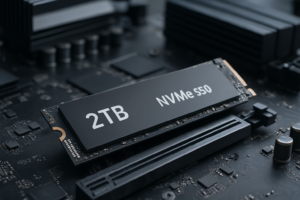
For example, drives like the Samsung 990 EVO Plus 2TB and the WD Black SN850X 2TB are competitively priced and consistently rank among the best-selling internal SSDs. Check current pricing on Amazon and compare the per-gigabyte cost yourself. You might be surprised how close the two capacities are in real dollar terms.
Samsung 990 EVO Plus 2TB NVMe SSD
Excellent all-around 2TB NVMe drive with strong sequential and random performance for gaming and creative work
How Much Storage Do You Actually Need?
This is the question that matters most, and most people get it wrong. They either overestimate (buying 2TB and using 400GB) or underestimate (buying 1TB and running out in six months). Let’s look at real-world consumption patterns by use case.
Gamers
Modern games are enormous. Call of Duty: Modern Warfare III sits at around 150GB. Baldur’s Gate 3 takes up roughly 120GB. Starfield, Cyberpunk 2077, and similar open-world titles each consume 80-130GB. If you keep 8-10 large games installed at once, you’re looking at 700GB to over 1TB just for games.
Add your operating system (roughly 30-50GB for Windows), essential apps, and a few smaller games or utilities, and a 1TB drive fills up fast. Most active gamers who play a mix of AAA and indie titles will find 1TB uncomfortably tight by mid-2026, especially as game sizes continue trending upward.
If you’re a gamer who rotates through titles frequently and doesn’t mind uninstalling and reinstalling, 1TB can work. But if you prefer having your library ready to go, 2TB is the more practical choice.
Content Creators and Video Editors
This is where storage fills up in a hurry. A single hour of 4K ProRes footage can eat 100-200GB depending on your codec and frame rate. Even if you’re working with compressed formats like H.265, a typical video project with source files, project files, renders, and exports can easily consume 50-100GB.
Photographers working with RAW files from modern 40-60 megapixel cameras will accumulate 30-60MB per image. A busy wedding shoot can generate 40-60GB of RAW files in a single day. Music producers working with large sample libraries (Kontakt instruments, Omnisphere, etc.) can burn through 200-500GB on instruments alone.
For creators, 1TB is a starting point, not a comfortable home. A 2TB drive gives you meaningful breathing room, though many serious video editors will eventually want even more.
General Productivity and Office Use
If your daily routine involves web browsing, email, Office documents, and maybe some light photo editing, 1TB is more than enough. Most productivity-focused users consume 200-400GB total. You could get by with 500GB, honestly, but 1TB provides a comfortable buffer for years of use.
Spending extra on 2TB for a machine that primarily handles documents, spreadsheets, and Zoom calls is hard to justify. That money is better spent on RAM or a faster processor.
Software Developers
Development environments, Docker containers, virtual machines, and local databases add up. A developer running multiple VMs or containers alongside a standard development toolkit can easily consume 300-600GB. Add in local Git repositories, build artifacts, and testing environments, and 1TB starts feeling tight for professional development work.
If you regularly work with VMs or containers, 2TB is worth the investment. If your development is lighter (web development, scripting, single-environment work), 1TB handles it well.
The Diminishing Returns of Higher Capacities
Here’s something important to consider: going from 1TB to 2TB doubles your available storage. Going from 2TB to 4TB also doubles it, but the practical benefit for most users drops off sharply. The jump from 1TB to 2TB is where you get the biggest quality-of-life improvement per dollar spent.
With 1TB, you’re constantly managing space. Deciding what to keep, what to offload, and what to delete. With 2TB, most users can stop thinking about storage for a year or two. With 4TB, you gain additional headroom, but unless you’re a heavy video editor or data hoarder, that extra space often sits empty.
This is why I consider 2TB the current “sweet spot” capacity for most enthusiast and prosumer users in 2026. It offers enough space to be genuinely comfortable without paying a steep premium for capacity you won’t touch.
Performance Differences: Does Capacity Affect Speed?
Yes, slightly. Higher-capacity SSDs often deliver better sustained write performance because they have more NAND chips working in parallel. A 2TB drive can sometimes outperform its 1TB sibling from the same product line in sustained write workloads, though the difference is typically small (5-15%) and irrelevant for most everyday tasks.
Where this matters most is during large file transfers, video rendering scratch disk operations, and heavy multitasking. If you regularly move around files that are 50GB or larger, the 2TB variant of a given drive will usually maintain higher write speeds for longer before the SLC cache fills up.
For gaming load times, boot speeds, and general application responsiveness, you won’t notice any difference between 1TB and 2TB versions of the same SSD.
My Recommendations: Specific Drives Worth Considering
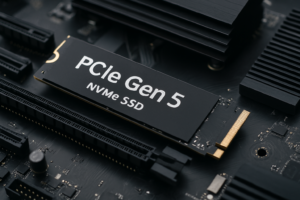
If you’ve decided on 2TB, the WD Black SN850X 2TB remains one of the best PCIe Gen 4 NVMe drives available. It’s fast, reliable, and consistently well-reviewed. For a Gen 5 option, the Crucial T705 2TB pushes sequential read speeds past 14,000 MB/s, though you’ll need a motherboard that supports PCIe 5.0 to take full advantage.
WD Black SN850X 2TB NVMe SSD
Top-tier Gen 4 drive with excellent sustained performance and a proven track record for gaming and creative workloads
For budget-conscious buyers who want 2TB without breaking the bank, the Silicon Power US75 2TB and the Crucial P3 Plus 2TB are both solid choices. They won’t match the raw speed of premium drives, but for gaming and general use, they perform admirably. Check current pricing on Amazon, because these budget options frequently go on sale.
If you’re sticking with 1TB, the Samsung 990 Pro 1TB and the WD Black SN850X 1TB are both excellent. They deliver top-tier performance and endurance ratings. Just know that you’re getting slightly less value per gigabyte compared to their 2TB versions.
Crucial P3 Plus 2TB NVMe SSD
Budget-friendly 2TB option that punches above its weight for everyday gaming and productivity tasks
A Practical Decision Framework
Still unsure? Run through this quick checklist:
- Choose 1TB if: You primarily use your PC for office work and web browsing, you have an external drive or NAS for media storage, or your budget is genuinely tight and you need those savings elsewhere in your build.
- Choose 2TB if: You’re a gamer who keeps multiple AAA titles installed, you do any content creation (video, photo, music), you run virtual machines or development environments, or you simply don’t want to think about storage management for the next couple of years.
When in doubt, go with 2TB. The cost difference in 2026 is small enough that most buyers won’t regret the upgrade, but plenty of 1TB buyers will wish they’d gone bigger within 12 months.
What About Using Two 1TB Drives Instead?
This is a valid strategy if your motherboard has two M.2 slots (most modern boards do). Running a 1TB boot drive for your OS and key applications alongside a second 1TB drive for games or project files gives you the same total capacity with the added benefit of workload separation.
The downside is that you’re using two M.2 slots, which might limit future expansion. You also can’t combine them into one seamless storage pool without RAID or Storage Spaces, which adds complexity. And two 1TB drives almost always cost more than a single 2TB drive of equivalent quality.
For most people, a single 2TB drive is simpler, cheaper, and just as effective. The dual-drive approach makes more sense if you already own one 1TB SSD and want to add capacity without replacing it.
Frequently Asked Questions
Will a 1TB SSD last as long as a 2TB SSD?
In terms of endurance (measured in TBW, or terabytes written), 2TB drives typically have higher endurance ratings because they have more NAND cells to distribute writes across. For example, a drive rated at 600 TBW in its 1TB version might be rated at 1200 TBW at 2TB. For most consumers, both capacities will outlast the useful life of the drive, so this isn’t a major concern. Heavy write workloads (like constant video editing or database operations) benefit more from the 2TB drive’s higher endurance ceiling.
Can I upgrade from 1TB to 2TB later?
You can, but it involves either cloning your existing drive to the new one or doing a fresh OS install. Drive cloning tools like Macrium Reflect or Samsung Data Migration make the process manageable, but it’s still an extra step and a mild inconvenience. If there’s a reasonable chance you’ll want 2TB within the next year or two, it’s almost always better to buy the larger drive upfront rather than paying for two drives over time.
Is there a noticeable speed difference between 1TB and 2TB SSDs?
For daily use, including gaming, booting, and application loading, you won’t feel any difference. The performance gap only shows up during extended sequential write operations, like copying a 100GB video file or writing large database backups. In those scenarios, the 2TB version of a given drive may maintain peak write speeds slightly longer due to its larger SLC cache and additional NAND parallelism. For 95% of users, this is invisible.
Should I get a 2TB SATA SSD or a 1TB NVMe SSD?
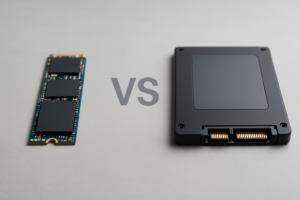
If your system supports NVMe (and virtually every PC built after 2018 does), go NVMe. A 1TB NVMe drive will feel dramatically faster than a 2TB SATA SSD for boot times, application launches, and game loading. SATA SSDs max out around 550 MB/s, while even budget NVMe drives deliver 3,000-5,000 MB/s. If you need bulk storage and already have an NVMe boot drive, a 2TB SATA SSD makes sense as a secondary drive. But for your primary drive, NVMe is always the better pick.
This article contains affiliate links. We may earn a small commission at no extra cost to you.

James Kennedy is a writer and product researcher at Drives Hero with a background in IT administration and consulting. He has hands-on experience with storage, networking, and system performance, and regularly improves and optimizes his home networking setup.