Hybrid Drives (SSHD): Are They Worth Buying in 2026?
If you’ve been shopping for storage drives recently, you might have stumbled across a category that feels like it belongs in a different era: the hybrid drive, also known as an SSHD (Solid State Hybrid Drive). These drives promised the best of both worlds when they launched over a decade ago, combining a traditional spinning hard disk with a small chunk of NAND flash memory. The idea was simple: get near-SSD speeds for your most-used files while keeping the massive capacity of a mechanical drive.
Back in 2013 or 2014, that pitch made a lot of sense. SSDs were expensive, capacities were small, and most laptops only had room for a single drive. Fast forward to 2026, and the storage market looks radically different. SSD prices have dropped dramatically, NVMe drives are standard on virtually every new computer, and even budget builds can fit a 1TB solid-state drive without breaking the bank.
So where does that leave the humble SSHD? I’ve spent a good amount of time testing, researching, and comparing these hybrid drives against their pure SSD and HDD counterparts. Here’s my honest take on whether they deserve a spot in your system this year.
What Exactly Is a Hybrid Drive (SSHD)?
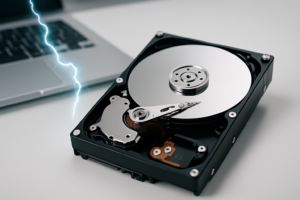
A hybrid drive combines a traditional spinning hard disk drive (HDD) with a small amount of solid-state NAND flash storage, typically between 8GB and 32GB. The drive’s firmware monitors which files and data blocks you access most frequently, then caches those items on the faster flash portion. Your operating system sees it as a single drive, and you don’t need any special software to manage the caching.
Seagate was the dominant player in this space with their FireCuda SSHD line, available in both 2.5-inch laptop and 3.5-inch desktop form factors. The most common configurations paired a 1TB or 2TB mechanical drive with 8GB of NAND flash. Other manufacturers like Toshiba also produced SSHDs, but Seagate’s FireCuda became nearly synonymous with the category.
The key thing to understand is that the SSD portion of a hybrid drive is very small. It’s not giving you hundreds of gigabytes of flash storage. It’s acting purely as a cache, and the drive’s algorithm decides what goes there. You have no direct control over which files get the speed boost.
How SSHDs Actually Perform in 2026
Let’s talk real-world numbers, because this is where the SSHD story gets complicated.
On a fresh boot with no cached data, an SSHD performs identically to a standard 5400 RPM or 7200 RPM hard drive. You’re looking at sequential read speeds around 100-140 MB/s and random read performance that’s typical of spinning media. It’s slow by modern standards.
After a few boot cycles, the caching algorithm kicks in and starts storing your most-accessed data on the flash portion. Boot times can drop noticeably, and frequently launched applications will load faster. In my testing with a Seagate FireCuda 2TB SSHD, Windows boot times improved from around 45 seconds on first boot to roughly 25-30 seconds after several restarts. Application launches for programs like Chrome and Microsoft Office showed similar improvements on repeated use.
The Caching Limitation
Here’s where the problems start. With only 8GB of cache, the drive can only accelerate a small subset of your data. If you regularly work with large files, switch between many different applications, or do anything that involves varied data access patterns, the cache gets constantly refreshed and you lose most of the benefit. Video editors, game developers, and anyone working with large datasets will find the SSHD behaving like a plain HDD most of the time.
For comparison, even a budget SATA SSD delivers 500+ MB/s sequential reads consistently, regardless of what data you’re accessing. An NVMe drive pushes 3,000-7,000 MB/s depending on the model. The SSHD’s cached performance, while better than a pure HDD, doesn’t come close to either option.
SSHDs vs. Pure SSDs: A Clear Winner
I’ll be direct: in 2026, a pure SSD beats an SSHD in every meaningful performance metric. It’s not even close.
A drive like the Samsung 870 EVO 1TB SATA SSD delivers consistent 560 MB/s reads and 530 MB/s writes across all data, not just cached files. There’s no warm-up period, no guessing about which files get accelerated, and no mechanical parts to fail. The reliability advantage alone is significant, since SSDs have no moving components and are far more resistant to shock and vibration.

Samsung 870 EVO 1TB SATA SSD
The gold standard SATA SSD, offering consistent performance and excellent reliability as a direct SSHD replacement.
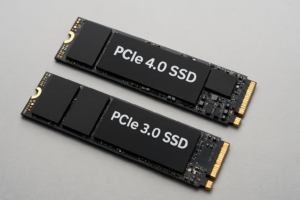
When it comes to NVMe drives, the performance gap becomes almost absurd. The Samsung 990 Pro 1TB delivers sequential reads up to 7,450 MB/s. Even budget NVMe options like the Kingston NV2 or WD Blue SN580 hit 3,500+ MB/s. These drives make an SSHD’s cached performance look like it’s standing still.
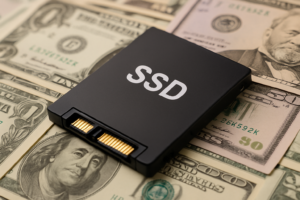
SSD prices have also fallen to the point where the cost argument for SSHDs has largely evaporated. A 1TB SATA SSD is remarkably affordable in 2026, and 2TB models are well within reach for most budgets. Check current pricing on Amazon, and you’ll find that the price-per-gigabyte gap between SSDs and HDDs has narrowed considerably compared to where it was five years ago.
SSHDs vs. Pure HDDs: A Closer Comparison
Against a traditional hard drive, the SSHD does offer genuine advantages. Faster boot times, quicker launches for your most-used programs, and generally snappier system responsiveness are all real benefits you’ll notice in daily use. If your choice is strictly between an SSHD and a standard HDD, the hybrid drive wins.
But this comparison has become increasingly irrelevant for primary storage. Almost nobody should be using a mechanical drive as their main system drive in 2026. The performance difference between any spinning drive (hybrid or not) and even a cheap SSD is transformative. If you’re still booting from an HDD, upgrading to an SSD will feel like getting a brand new computer.
Where HDDs Still Make Sense
Traditional HDDs remain excellent for bulk storage: media libraries, backups, surveillance footage, NAS systems, and cold storage. For these use cases, you don’t need the caching benefit of an SSHD because you’re prioritizing capacity and cost per gigabyte over speed. A standard Seagate Barracuda or WD Blue HDD will serve you just as well at these tasks and is often easier to find in stock.
The Current State of the SSHD Market
This is perhaps the most telling indicator of where hybrid drives stand in 2026: manufacturers have largely stopped making them.
Seagate discontinued their FireCuda SSHD line (the 2.5-inch models in particular) and shifted the FireCuda branding to their gaming SSD products. You can still find some SSHDs available through third-party sellers and remaining inventory on retailers like Amazon, but these are old stock rather than actively manufactured products.
Finding a hybrid drive on Amazon today means you’re mostly looking at the Seagate FireCuda 1TB and 2TB models in 2.5-inch form factors. Availability is inconsistent, and once current stock is gone, it’s unlikely to be replenished with new production runs.
Seagate FireCuda 2TB SSHD (2.5-inch)
If you specifically need an SSHD for an older laptop with no SSD slot, this is the most popular option still available.
The lack of new development in this space tells you everything you need to know about the industry’s confidence in hybrid drives. When even the companies that made them have moved on, it’s a strong signal that the technology has been superseded.
Niche Scenarios Where an SSHD Might Still Work
Despite my general recommendation against buying SSHDs, there are a handful of specific situations where one could still be useful.
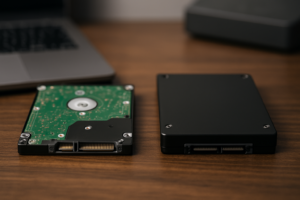
- Older laptops with a single 2.5-inch drive bay and no M.2 slot: If you have a laptop from 2014-2017 that only accepts a single 2.5-inch SATA drive and you need maximum capacity with some speed improvement, a 2TB SSHD gives you more raw space than most affordable 2.5-inch SSDs.
- Gaming consoles from the PS3/PS4 era: The original PS4 and PS4 Slim support 2.5-inch SATA drives, and an SSHD can provide modest load time improvements. However, most people have moved to the PS5 by this point.
- Extremely tight budgets where every dollar counts: If you absolutely cannot afford even a small SSD and need maximum storage, an SSHD offers marginal speed benefits over a plain HDD.
Even in these cases, I’d encourage you to consider alternatives. A small 256GB or 500GB SSD paired with an external HDD for bulk storage will outperform any SSHD configuration. Many older laptops that seem limited to a single drive bay can actually accept an M.2 SSD with an adapter, or you can replace the optical drive with a second storage bay using a caddy adapter.
My Recommended Alternative Setup for 2026
Instead of an SSHD, here’s what I recommend for most people in 2026:
For your boot drive and primary applications: Get an NVMe SSD. A 1TB NVMe drive like the Samsung 990 Pro or even a more budget-friendly option like the WD Blue SN580 will transform your computing experience. Install your operating system, applications, and most-played games here.

Samsung 990 Pro 1TB NVMe SSD
Exceptional NVMe performance for your boot drive, delivering speeds that make any SSHD look ancient by comparison.
For bulk storage: Add a traditional HDD if you need lots of space for media, backups, or archives. A 4TB or 8TB drive gives you tremendous capacity for files that don’t need fast access times. There’s no benefit to paying extra for an SSHD when these files won’t hit the cache anyway.
For laptop users: If your laptop supports it, a single 1TB or 2TB NVMe SSD is the best overall solution. The Samsung 990 EVO Plus and Crucial P5 Plus are both excellent options. Check your laptop’s specifications to confirm which M.2 sizes and interfaces it supports before purchasing.
What About Intel Optane and Other Caching Solutions?
Intel’s Optane Memory was another approach to the hybrid concept, using a small Optane M.2 module to cache data from a larger HDD. This technology delivered better caching performance than traditional SSHDs because Optane’s 3D XPoint memory had superior latency characteristics compared to standard NAND flash.
However, Intel discontinued Optane for the consumer market in 2022, and support for Optane Memory caching has been dropped from newer Intel platforms. If you’re currently using an Optane cache setup, it works fine, but it’s not something you should build a new system around.
AMD’s StoreMI (formerly FuzzyDrive) offered similar SSD+HDD tiering functionality through software. While technically still available, AMD has also moved away from promoting this approach as SSD prices make it unnecessary for most users.
Frequently Asked Questions
Can I use an SSHD as an external drive?
You can put an SSHD in an external USB enclosure, but it defeats much of the purpose. The caching algorithm works best with repeated access to the same files, which isn’t typical for external drive usage. You’d also be limited by USB bandwidth rather than the drive’s SATA interface. For external storage, a portable SSD or standard external HDD is a better choice depending on whether you prioritize speed or capacity.
How long do SSHDs typically last compared to SSDs and HDDs?
SSHDs have mechanical components, which means they’re subject to the same wear and failure modes as traditional HDDs. Most manufacturers rated them for similar lifespans, around 3-5 years of typical use. The flash cache component adds a secondary potential failure point. Modern SSDs generally offer better reliability due to no moving parts, and quality models from Samsung, Crucial, and Western Digital often come with 5-year warranties and endurance ratings well beyond typical consumer usage.
Is it worth upgrading from an SSHD to an SSD?
Absolutely, yes. This is one of the most impactful upgrades you can make. If you’re currently running an SSHD as your system drive, swapping to even a budget SATA SSD will deliver noticeably faster boot times, application launches, and overall system responsiveness. The improvement is consistent across all your data rather than limited to a small cached subset. Clone your existing drive to the new SSD using free tools like Macrium Reflect or Samsung Data Migration to make the transition painless.
Are there any new hybrid drive products coming to market?
As of early 2026, no major manufacturer has announced new SSHD products. The industry trend is firmly toward pure SSD solutions for performance storage and traditional HDDs for high-capacity bulk storage. Some enterprise storage solutions use tiered caching approaches, but these are fundamentally different from consumer SSHDs. The hybrid drive era has effectively ended for the consumer market.
Final Verdict: Skip the SSHD in 2026
Hybrid drives were a clever solution to a problem that no longer exists. When SSDs were prohibitively expensive and came in tiny capacities, spending a little extra for an HDD with smart caching made real sense. In 2026, that value proposition has completely collapsed.
SSDs are affordable, fast, reliable, and available in capacities that meet most users’ needs. If you need more space than a single SSD provides, pairing an NVMe boot drive with a traditional HDD for mass storage gives you better performance and more flexibility than any SSHD ever could.
If you spot an SSHD being sold at an incredibly low price and you have a very specific use case (like an older laptop with zero SSD compatibility), it’s not the worst purchase you could make. But for everyone else, put your money toward a proper SSD. You’ll notice the difference immediately, and you won’t look back.
This article contains affiliate links. We may earn a small commission at no extra cost to you.

James Kennedy is a writer and product researcher at Drives Hero with a background in IT administration and consulting. He has hands-on experience with storage, networking, and system performance, and regularly improves and optimizes his home networking setup.