Samsung 870 EVO vs Crucial MX500: Which Budget SATA SSD Wins?
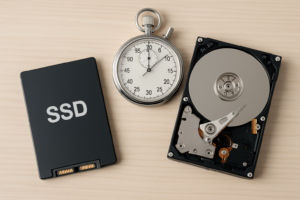
The Samsung 870 EVO and Crucial MX500 have been battling it out for years as the go-to budget SATA SSDs. Both are 2.5-inch drives that’ll breathe new life into an aging laptop or desktop, and both are priced competitively enough that you won’t feel guilty upgrading. But they’re not identical, and the differences matter depending on how you plan to use the drive.
I’ve compared their specs, benchmark numbers, and real-world performance to help you pick the right one. If you’re still debating whether an SSD is worth the upgrade over an HDD, the short answer is yes, absolutely. But between these two SSDs? It’s closer than you’d think.
Performance and Benchmark Comparison
Both drives are limited by the SATA III interface, which caps out at around 560 MB/s. The Samsung 870 EVO hits sequential read speeds of up to 560 MB/s and sequential writes of up to 530 MB/s. The Crucial MX500 comes in at 560 MB/s reads and 510 MB/s writes. On paper, the Samsung holds a slight edge in write speeds.
Where the 870 EVO really pulls ahead is in random read/write performance and sustained writes. Samsung’s Intelligent TurboWrite technology maintains a larger SLC cache, so you’ll notice the difference when copying large files or installing multiple applications back to back. In CrystalDiskMark tests, the 870 EVO typically scores about 10-15% higher in random 4K operations, which is the metric that most affects how snappy your system feels day to day.
The MX500 isn’t slow by any means. For everyday tasks like booting Windows, opening applications, and general file management, the two drives feel nearly identical. You’d need to be doing sustained large file transfers to notice the gap. If you’re curious about whether SATA speeds hold up for gaming, our SATA vs NVMe gaming benchmarks dig deeper into that question.

Samsung 870 EVO 1TB
Best overall SATA SSD with top-tier sustained write performance and Samsung’s proven reliability
Endurance, Warranty, and Reliability
The 870 EVO offers 600 TBW (terabytes written) for the 1TB model, while the MX500 1TB is rated at 360 TBW. That’s a significant difference on paper. For most users writing 20-30 GB per day, even the MX500’s endurance rating would last well over a decade. But if you’re using the drive as a scratch disk for video editing or running virtual machines, that extra headroom from the 870 EVO is worth considering. For a deeper look at how long SSDs actually last, check out our SSD lifespan data analysis.
Both drives come with a 5-year warranty. Samsung includes its excellent Magician software for drive management, firmware updates, and health monitoring. Crucial counters with Storage Executive, which is functional but not quite as polished. Both include hardware AES 256-bit encryption.
One thing to keep in mind: all SSDs can slow down as they fill up and age. If you notice performance dips after a year or two, there are practical fixes to restore your SSD’s speed.

Crucial MX500 1TB
Excellent budget SATA SSD with strong reliability and slightly lower pricing than the Samsung
Which One Should You Buy?
If you want the best SATA SSD you can buy right now, the Samsung 870 EVO wins. It’s faster in sustained workloads, has nearly double the endurance rating, and Samsung’s software ecosystem is excellent. For power users, content creators, or anyone who plans to keep their drive for many years, it’s the better investment.
The Crucial MX500 is the smarter pick if you’re on a tighter budget and your workload is mostly everyday computing. It frequently undercuts the Samsung in pricing (check current prices on Amazon to compare), and for web browsing, office work, and light gaming, you genuinely won’t feel the difference. It’s also a great pick for budget SSD builds where every dollar counts.
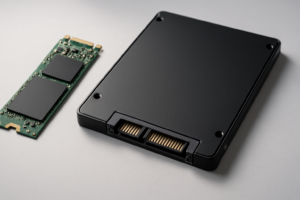
Both drives use the standard 2.5-inch form factor, so they’ll fit in any laptop or desktop with a SATA bay. If you’re wondering whether you should go with an M.2 drive instead, our M.2 vs 2.5-inch SSD comparison can help you decide.
Frequently Asked Questions
Can I use the Samsung 870 EVO or Crucial MX500 in a PS4 or PS4 Pro?
Yes, both drives work as PS4 internal storage upgrades. The 2.5-inch SATA form factor is compatible, and either drive will dramatically improve load times compared to the stock hard drive. The performance difference between the two in a PS4 is negligible since the console’s SATA II interface bottlenecks both drives equally.
Is it worth buying a SATA SSD in 2026, or should I wait for NVMe prices to drop further?
SATA SSDs still make perfect sense if your system only has a SATA connection, if you’re upgrading an older laptop, or if you need affordable bulk storage. NVMe drives are faster on benchmarks, but for general computing, the real-world difference between a SATA SSD and an NVMe drive is surprisingly small. A SATA SSD upgrade from a hard drive is still one of the most impactful performance improvements you can make.
This article contains affiliate links. We may earn a small commission at no extra cost to you.

James Kennedy is a writer and product researcher at Drives Hero with a background in IT administration and consulting. He has hands-on experience with storage, networking, and system performance, and regularly improves and optimizes his home networking setup.