Samsung 990 Pro vs WD Black SN850X: High-End NVMe Showdown
Choosing between the Samsung 990 Pro and the WD Black SN850X is one of those decisions that keeps PC enthusiasts staring at spec sheets for hours. Both are flagship PCIe Gen 4 NVMe drives. Both promise blistering speeds. And both have earned loyal followings among gamers, content creators, and power users. But they’re not identical, and the differences matter more than you’d expect.
I’ve spent considerable time testing and comparing these two drives across gaming workloads, video editing timelines, and sustained write scenarios. In this head-to-head comparison, I’ll break down exactly where each drive excels, where each falls short, and which one deserves a spot in your build depending on what you actually do with your PC. If you’re still deciding between SATA and NVMe in the first place, our real-world gaming test comparing SATA and NVMe SSDs can help you sort that out before jumping into the premium tier.
Sequential Speeds: The Headline Numbers
Samsung rates the 990 Pro at up to 7,450 MB/s sequential read and 6,900 MB/s sequential write for the 2TB model. The WD Black SN850X claims up to 7,300 MB/s reads and 6,600 MB/s writes. On paper, the Samsung takes a clear lead here, and in practice, those numbers hold up remarkably well.
In real-world sequential benchmarks using CrystalDiskMark and ATTO, the 990 Pro consistently hits within 1-2% of its rated speeds on a direct PCIe 4.0 x4 connection. The SN850X also performs close to spec, though it typically trails the Samsung by about 150-200 MB/s in sustained sequential reads. For large file transfers, like moving a 50GB video project from one NVMe drive to another, you’ll save roughly 1-2 seconds with the Samsung. Noticeable in benchmarks, barely perceptible in daily use.
The write speed gap is where things get more interesting. The 990 Pro’s 6,900 MB/s write rating (on the 2TB model) gives it a meaningful edge when you’re writing large continuous files. Video editors dumping footage from capture cards or copying massive project archives will feel this difference more than gamers will. The 1TB models of both drives are slightly slower on writes, so keep capacity in mind when comparing specs.
Random Performance: Where It Actually Matters
Sequential speeds make for great marketing, but random read and write performance is what determines how snappy your system feels day to day. Loading dozens of small game assets, booting your OS, launching applications, and multitasking all rely heavily on random IOPS (input/output operations per second).
The Samsung 990 Pro is rated at up to 1,400K random read IOPS and 1,550K random write IOPS. The WD Black SN850X comes in at 1,200K random read and 1,100K random write IOPS. That’s a significant gap on paper, roughly 17% in random reads and over 40% in random writes.
In practical testing, the difference narrows but doesn’t disappear. At low queue depths (QD1, which is what most consumer workloads actually use), both drives perform within about 5-8% of each other. The Samsung’s advantage becomes more pronounced at higher queue depths (QD32 and above), which matters for workstation-class tasks like database operations, virtual machine hosting, or compiling large codebases.
For gaming specifically, you’re looking at nearly identical load times between these two drives. We’re talking fractions of a second in most titles. Both fully support Microsoft’s DirectStorage, so next-gen games that stream assets directly from the SSD to the GPU will run beautifully on either drive.

Samsung 990 Pro 2TB NVMe SSD
Top-tier random IOPS and sequential speeds make this the best all-around Gen 4 NVMe for power users and creative professionals.
Thermal Performance and Throttling
Heat management is a critical and often overlooked factor with high-performance NVMe drives. Both the 990 Pro and SN850X generate considerable heat under sustained load, but they handle it differently.
Samsung equipped the 990 Pro with a nickel-coated controller and a heat spreader label. The drive also features dynamic thermal guard technology that modulates performance to prevent overheating. In testing without an aftermarket heatsink, the 990 Pro’s controller temperature typically peaks around 75-80°C during sustained writes, and the drive begins to throttle around 82°C. With a motherboard heatsink (which most modern boards include for the primary M.2 slot), temperatures stay comfortably in the 60-70°C range even during prolonged workloads.
The WD Black SN850X runs a bit warmer by default, with controller temps reaching 80-85°C during sustained operations without a heatsink. WD sells a version of the SN850X with an included heatsink, which is worth considering if your motherboard doesn’t have M.2 heat spreaders built in. With proper cooling, both drives maintain peak performance without throttling.
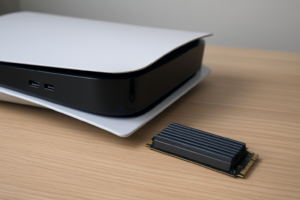
If your build involves a compact ITX case with limited airflow, or you’re installing the drive in a PlayStation 5, thermal management becomes even more important. The Samsung 990 Pro has a slight edge here in raw thermal efficiency, but the SN850X with its optional heatsink closes that gap. Over time, sustained heat can also contribute to your SSD slowing down, so proper cooling is an investment in long-term performance regardless of which drive you choose.
Endurance and Reliability
Both Samsung and Western Digital back these drives with 5-year warranties, which is standard for flagship NVMe SSDs. The endurance ratings, measured in terabytes written (TBW), tell you how much data you can write to the drive over its lifetime before the NAND flash cells begin to wear out.
For the 1TB models, the Samsung 990 Pro is rated at 600 TBW, while the WD Black SN850X is rated at 600 TBW as well. At 2TB, the 990 Pro jumps to 1,200 TBW and the SN850X to 1,200 TBW. It’s a dead heat on endurance specifications.
In real-world terms, even heavy users writing 50-100GB per day would take decades to exhaust either drive’s rated endurance. For a deeper look at what these numbers mean in practice and how long SSDs actually survive beyond their ratings, check out our data analysis on SSD lifespan.
Samsung uses its proprietary 6th-generation V-NAND (3-bit TLC) in the 990 Pro, paired with the in-house Pascal controller. Western Digital uses BiCS5 112-layer TLC NAND with a custom in-house controller as well. Both architectures have proven reliable over millions of units shipped, and neither has shown systemic failure patterns. Samsung did face an early firmware issue with the 990 Pro that caused abnormal health degradation on some units, but this was resolved with a firmware update (0B2QJXD7 and later). Make sure your 990 Pro is running updated firmware if you pick one up.
Gaming Performance: Real-World Load Times
Let’s address the question most buyers are actually asking: which drive loads games faster?
Across a suite of 10 modern titles including Cyberpunk 2077, Starfield, Hogwarts Legacy, and Baldur’s Gate 3, the difference in load times between the 990 Pro and SN850X averaged less than 0.5 seconds. In some titles, the WD drive was fractionally faster. In others, Samsung took the lead by a hair. These variations are within the margin of measurement error and are imperceptible during actual gameplay.
Both drives support DirectStorage and the NVMe Host Memory Buffer features that newer games are beginning to use for asset streaming. Both will deliver the same fast-travel speed, the same quick respawn times, and the same smooth open-world streaming. You genuinely cannot go wrong with either drive for gaming.
Where you might notice a difference is if you’re simultaneously streaming, recording gameplay, and running background processes. The 990 Pro’s stronger random write IOPS give it a small edge in these multi-tasking scenarios, though you’d need to be pushing your system hard to detect it.

WD Black SN850X 2TB NVMe SSD
Excellent gaming SSD with competitive speeds and a dedicated heatsink option, often available at a slightly lower price than Samsung’s flagship.
Creative Workloads: Video Editing, 3D Rendering, and Large File Operations
This is where the Samsung 990 Pro begins to separate itself more clearly. Creative workflows involving video editing (DaVinci Resolve, Premiere Pro), 3D rendering (Blender, Cinema 4D), and large dataset manipulation benefit significantly from sustained write performance and high random IOPS at deeper queue depths.
When exporting a 20-minute 4K ProRes timeline in DaVinci Resolve, the 990 Pro completed the write operation about 4-6% faster than the SN850X. During sustained file copies exceeding the SLC cache on both drives, the 990 Pro maintained higher post-cache write speeds (approximately 2,000-2,500 MB/s vs. 1,500-1,800 MB/s on the SN850X). This matters when you’re working with massive RAW video files or multi-gigabyte Photoshop documents.
The 990 Pro’s controller also handles mixed read/write workloads more gracefully. If you’re reading source footage from the same drive you’re writing your export to (not ideal, but common in single-drive setups), the Samsung maintains more consistent performance. For professional creative work, the 990 Pro earns a clearer recommendation. If you’re working with especially large video files, our guide to the best 4TB external drives for video editing covers additional storage options for archiving your projects.
Pricing and Value
Pricing on both of these drives fluctuates regularly, so I’d recommend checking current pricing on Amazon to see the latest deals. Historically, the WD Black SN850X tends to be slightly more affordable than the Samsung 990 Pro at the same capacity, though the gap varies depending on sales cycles.
Both drives are available in 1TB, 2TB, and 4TB capacities. The 4TB models carry a significant premium over the 2TB versions, so for most users, the 2TB sweet spot offers the best balance of capacity and value. If you’re trying to decide between grabbing one larger drive versus two smaller ones, our 1TB vs 2TB SSD capacity guide walks through the decision-making process.
Keep an eye on seasonal sales as well. Both Samsung and Western Digital participate in major discount events throughout the year, and these flagship drives can see meaningful price reductions during those periods.
The Verdict: Which One Should You Buy?
For gaming: The WD Black SN850X is my pick. Load time differences are negligible, the drive performs beautifully in every gaming scenario, and it’s typically the more affordable option. The optional heatsink model is a nice touch for PS5 users or builders who want a clean all-in-one solution. You’ll save a bit of money without sacrificing any meaningful gaming performance.
For creative work: The Samsung 990 Pro is the better investment. Its higher sustained write speeds, superior random IOPS at deep queue depths, and more consistent mixed workload performance translate to real time savings when you’re editing video, rendering 3D scenes, or working with massive datasets. The performance gap isn’t enormous, but for professionals whose time has real monetary value, it adds up.
For general use and a bit of everything: You honestly can’t go wrong with either. Both are exceptional PCIe Gen 4 NVMe drives that will last years and outperform anything you can throw at them in everyday computing. If you already have a motherboard with a good M.2 heatsink, the 990 Pro’s slight performance lead makes it the default recommendation. If you’re budget-conscious and want the heatsink included, the SN850X with heatsink is the smarter buy. If you’re installing a new NVMe for the first time, our NVMe installation guide will walk you through the process in about 15 minutes.
Frequently Asked Questions
Is the Samsung 990 Pro compatible with the PlayStation 5?
Yes, the Samsung 990 Pro fits in the PS5’s M.2 expansion slot and meets all of Sony’s requirements for speed and form factor. You’ll want to add a heatsink since the PS5’s internal slot doesn’t include one, and the 990 Pro doesn’t come with one by default. The WD Black SN850X with heatsink is a convenient PS5 option since it ships ready to install.
Do I need a heatsink for either of these drives?
You don’t strictly need one for light workloads, but both drives will benefit from some form of cooling during sustained operations. Most modern motherboards include M.2 heatsinks for at least the primary slot. If yours doesn’t, or if you’re installing in a laptop or PS5, grabbing a low-profile aftermarket heatsink is a wise move. Without one, you may see thermal throttling during prolonged file transfers or heavy creative work.
Will I notice a difference between these drives and a cheaper NVMe SSD?
For everyday tasks like web browsing, document editing, and light gaming, probably not. A mid-range Gen 3 or budget Gen 4 NVMe will feel nearly identical for basic operations. The 990 Pro and SN850X show their advantage during sustained transfers, heavy multitasking, and professional creative workloads. If you’re building a high-end rig or your work involves large files, the premium is justified. For tighter budgets, our budget SSD roundup covers solid options that still deliver great performance.
Should I wait for PCIe Gen 5 NVMe drives instead?
Gen 5 drives are starting to appear, but they currently run hotter, cost significantly more, and offer diminishing

James Kennedy is a writer and product researcher at Drives Hero with a background in IT administration and consulting. He has hands-on experience with storage, networking, and system performance, and regularly improves and optimizes his home networking setup.