Best Budget SSDs Under $50 In 2026
Buying an SSD in 2026 doesn’t have to mean spending a fortune. The budget segment has gotten remarkably competitive, and you can now grab a solid-state drive with respectable speeds, decent endurance, and enough capacity for a full Windows installation plus your most-used apps for well under fifty bucks.
But not all budget SSDs are created equal. Some cut corners in ways you won’t notice for months, like using lower-quality NAND or skipping the DRAM cache entirely. Others deliver surprising performance that punches well above their price class. Knowing the difference before you buy can save you headaches down the road.
I’ve tested and researched the best budget SSDs available right now, covering both SATA and NVMe form factors. Whether you’re upgrading an aging laptop, building a budget PC, or just need a secondary drive for storage, this guide will help you find the best value for your money.
SATA vs. NVMe at This Price Point
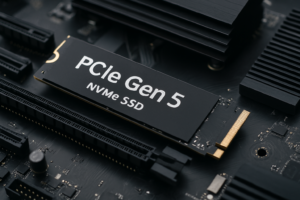
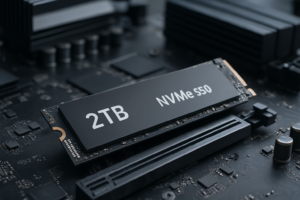
Before we get into specific recommendations, it helps to understand what you’re choosing between. SATA SSDs use the older SATA III interface, which maxes out at around 550 MB/s. NVMe SSDs connect via the M.2 slot and use PCIe lanes, offering speeds that can be three to seven times faster depending on the generation.
At the sub-fifty-dollar price point, you’ll mostly find 500GB to 1TB SATA drives and 500GB NVMe drives. A few 1TB NVMe options occasionally dip into this range during sales, but don’t count on it as the everyday price.
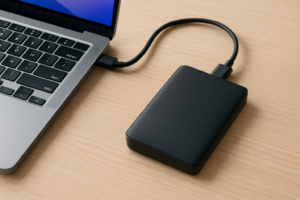
For most budget buyers, the choice comes down to compatibility. If you’re upgrading an older laptop that only has a 2.5-inch drive bay, SATA is your only option. If your motherboard has an M.2 slot and supports NVMe, you’ll get noticeably better performance for a similar cost per gigabyte.
The DRAM vs. DRAMless Debate
This is where things get interesting in the budget SSD space. A DRAM cache is a small chip on the SSD that stores the mapping table (essentially a directory of where all your data lives on the NAND). Drives with DRAM can look up and access data faster, especially during sustained writes and random I/O operations.
DRAMless SSDs skip this chip to cut costs. Instead, they use Host Memory Buffer (HMB) technology, which borrows a small portion of your system RAM to store that mapping table. Modern DRAMless NVMe drives using HMB have gotten surprisingly good, and for typical consumer workloads like booting your OS, launching apps, and loading games, the difference is often negligible.
Where DRAMless drives still fall short is in sustained write performance. If you’re regularly transferring large files (think 50GB+ at a time), a DRAMless drive will slow down more dramatically once its SLC cache fills up. For everyday use, though, a quality DRAMless NVMe drive in 2026 is perfectly fine. Don’t let the lack of DRAM scare you away from an otherwise solid budget drive.
Best Budget SATA SSDs Under competitively priced
Samsung 870 EVO (500GB)
The Samsung 870 EVO has been around for a few years, but it remains the gold standard for SATA SSDs. It features Samsung’s own V-NAND and a DRAM cache, which gives it consistent performance that most budget SATA drives can’t match. Sequential reads hit around 560 MB/s, and random I/O performance is among the best in the SATA class.
Endurance is rated at 300 TBW for the 500GB model, which is generous for this capacity. Samsung’s Magician software is also excellent for monitoring drive health and updating firmware. The 500GB version regularly sits within the budget range, making it an easy recommendation.

Samsung 870 EVO 500GB SATA SSD
The most reliable SATA SSD you can buy at this price, with DRAM cache and excellent endurance
Crucial BX500 (1TB)
If raw capacity matters more to you than peak performance, the Crucial BX500 1TB is worth a serious look. It’s a DRAMless SATA drive, which means sustained write speeds take a hit compared to the 870 EVO. But you’re getting double the storage, and for a secondary drive or a laptop upgrade where you need space for a large media library, that tradeoff makes sense.
Sequential read and write speeds are rated at 540 MB/s and 500 MB/s respectively, which is perfectly adequate for SATA. The BX500 uses Micron’s 3D NAND and comes with a three-year warranty. It won’t win any performance benchmarks, but it’ll handle typical daily workloads without issue.
Kingston A400 (480GB)
The Kingston A400 has been a staple of the ultra-budget SSD market for years. It’s DRAMless and uses a simpler controller, but it’s also one of the most affordable ways to move from a hard drive to an SSD. If you’re doing a basic laptop upgrade and just need something faster than a spinning disk, the A400 gets the job done.
I wouldn’t recommend it as a primary boot drive for a power user, and its endurance rating of 160 TBW for the 480GB model is lower than competitors. But for a secondary storage drive, a media PC, or a basic office machine, it’s a reliable and affordable choice.
Best Budget NVMe SSDs Under competitively priced
WD Blue SN580 (500GB)
Western Digital’s SN580 is a PCIe Gen 4 NVMe drive that delivers excellent value. Sequential reads reach up to 4,000 MB/s, and writes hit around 3,600 MB/s. It’s DRAMless but uses HMB effectively, so real-world performance feels snappy for boot times, app launches, and game loading.
The 500GB model fits comfortably within the budget, and WD’s Dashboard software lets you monitor drive health and run diagnostics easily. With 300 TBW endurance and a five-year warranty, it’s one of the most complete packages you’ll find at this price.
WD Blue SN580 500GB NVMe SSD
Best overall NVMe value under competitively priced with Gen 4 speeds and a five-year warranty
Kingston NV2 (1TB)
The Kingston NV2 1TB is one of the few NVMe drives that occasionally dips under the fifty-dollar mark at 1TB. It’s a PCIe Gen 4 x4 drive with rated speeds of up to 3,500 MB/s read and 2,100 MB/s write. These numbers are a step below the SN580, but the extra capacity more than makes up for it if storage space is your priority.
One thing to be aware of: Kingston uses different NAND and controller configurations across production batches of the NV2, which means performance can vary slightly depending on which version you receive. In practice, the differences are minor for consumer workloads, but it’s worth mentioning for transparency. Check current pricing on Amazon, as it fluctuates frequently.
Crucial P3 (500GB)
Crucial’s P3 is another strong contender in the budget NVMe space. It’s a PCIe Gen 3 drive, so maximum speeds top out around 3,500 MB/s read and 1,900 MB/s write. Those numbers are slower than Gen 4 options on paper, but unless you’re doing heavy sequential file transfers, you probably won’t feel the difference in daily use.
The P3 uses Micron’s 176-layer NAND and benefits from Crucial’s reliable firmware. The 500GB version typically stays within budget, and Crucial’s Storage Executive software gives you tools for firmware updates and drive monitoring. It’s a sensible pick if your system doesn’t support PCIe Gen 4 or if you simply want a dependable drive at a good price.

Crucial P3 500GB NVMe SSD
A dependable Gen 3 NVMe option with Micron NAND and solid everyday performance
Value Per Gigabyte Comparison
When shopping on a tight budget, cost per gigabyte becomes the most important metric. Here’s how the drives in this guide compare in terms of what you’re getting for your money:
- Best capacity value (SATA): Crucial BX500 1TB offers the most storage per dollar in the SATA category.
- Best capacity value (NVMe): Kingston NV2 1TB leads the NVMe side when it hits sale pricing.
- Best performance value: WD Blue SN580 500GB gives you Gen 4 speeds at a budget-friendly price.
- Best overall reliability: Samsung 870 EVO 500GB, thanks to its DRAM cache, proven firmware, and Samsung’s track record.
Keep in mind that the “best value” depends on your specific needs. A 1TB DRAMless drive is a better deal than a 500GB drive with DRAM if you need the space. But if you’re using the SSD as your primary boot drive and want consistent performance over years of use, spending the same money on a smaller DRAM-equipped drive can be the smarter long-term choice.
What to Look for When Buying a Budget SSD
Endurance Ratings (TBW)
TBW stands for Terabytes Written, and it tells you how much data you can write to the drive before the manufacturer stops guaranteeing its reliability. Budget drives typically range from 150 TBW to 300 TBW at the 500GB capacity. For a typical home user writing 20 to 30 GB per day, even 150 TBW translates to over a decade of use. Don’t obsess over this number, but don’t ignore it either.
Warranty Length
Most budget SSDs come with three-year warranties, while some (like the WD Blue SN580) offer five years. A longer warranty doesn’t just mean more protection. It often signals that the manufacturer is confident in the drive’s longevity. Always register your drive with the manufacturer after purchase to make warranty claims easier if you ever need to.
Controller and NAND Quality
Budget drives sometimes use QLC (Quad-Level Cell) NAND instead of TLC (Triple-Level Cell). QLC stores more data per cell, which helps with density and pricing, but it’s slightly slower and has lower endurance than TLC. Most of the drives recommended in this guide use TLC NAND, which is the sweet spot for balancing price, performance, and longevity.
SLC Cache Size
Nearly every modern SSD uses an SLC cache to boost write speeds. A portion of the NAND temporarily operates in single-level cell mode, which is much faster but uses more physical space per bit. Once this cache fills up during a large write operation, speeds drop to the native NAND speed. Budget drives tend to have smaller SLC caches, so if you move large files regularly, pay attention to reviews that test sustained write performance.
My Top Pick for Most People
If I had to recommend just one drive from this list, I’d go with the WD Blue SN580 500GB. It hits the right balance of speed, reliability, and value. You get Gen 4 NVMe performance, a five-year warranty, and WD’s proven firmware. For a boot drive in a budget or mid-range PC build, it’s hard to beat.
If you need more storage and don’t mind slightly slower peak speeds, the Kingston NV2 1TB is an excellent alternative when it’s available at a budget-friendly price. And if you’re limited to SATA, the Samsung 870 EVO 500GB remains the class leader, even years after its release.
Frequently Asked Questions
Is a DRAMless SSD still a big upgrade over a hard drive?
Absolutely. Even the cheapest DRAMless SSD will feel like a massive improvement over a traditional spinning hard drive. Boot times, app launches, and file access will all be dramatically faster. The difference between a DRAM and DRAMless SSD is measured in milliseconds for most tasks. The difference between a hard drive and any SSD is measured in minutes.
Can I use an NVMe SSD if my motherboard only has PCIe Gen 3?
Yes. NVMe drives are backward compatible. A PCIe Gen 4 drive like the WD Blue SN580 will work perfectly fine in a Gen 3 M.2 slot. It just won’t hit its maximum rated speeds. You’ll still get excellent performance, and when you eventually upgrade your motherboard, the drive will automatically take advantage of the faster interface.
How long will a budget SSD last with normal use?
For typical home and office use, a budget SSD should last five to ten years easily. Most people write far less data daily than the endurance ratings account for. A drive rated at 200 TBW, for example, can handle roughly 100 GB of writes per day for five years before reaching its rated limit. And drives often continue functioning well beyond their TBW rating. You’re more likely to replace it because you want more capacity than because it actually wore out.
Should I buy a 500GB or 1TB SSD on a budget?
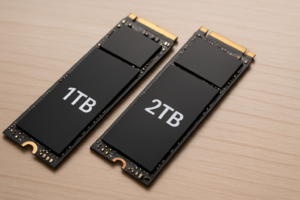
It depends on what you’re storing. For a boot drive that holds your operating system and a handful of key applications, 500GB is plenty. If you want to keep a game library, store photos and videos, or use the drive as your only storage, aim for 1TB. The cost per gigabyte is almost always better at 1TB, so if your budget can stretch to a 1TB option, it’s usually the smarter buy. You can always check the latest pricing on the budget SSD category on Amazon to compare current deals.
This article contains affiliate links. We may earn a small commission at no extra cost to you.

James Kennedy is a writer and product researcher at Drives Hero with a background in IT administration and consulting. He has hands-on experience with storage, networking, and system performance, and regularly improves and optimizes his home networking setup.