Gen 4 vs Gen 3 NVMe SSD: Real-World Speed Differences
You’re running a PCIe Gen 3 system and wondering if the jump to Gen 4 NVMe is worth rebuilding your entire platform. Maybe you’ve seen the marketing numbers: 7,000 MB/s reads versus 3,500 MB/s. That’s double the speed on paper, and it sounds like a massive upgrade. But those are sequential benchmarks, the kind that look great in ads and matter far less in daily use than you’d expect.
The truth is, most of the tasks you do every day barely touch sequential speeds. File copies, app launches, game loading, boot times: these are driven by random read/write performance and queue depths that rarely push any modern NVMe drive to its limits. Before you spend money on a new motherboard, CPU, and Gen 4 SSD, let’s look at where the speed difference actually shows up and where it doesn’t.
Understanding the Spec Sheet: Gen 3 vs Gen 4 on Paper
PCIe Gen 3 x4 NVMe drives top out around 3,500 MB/s sequential read and 3,000 MB/s sequential write. Gen 4 x4 drives push those numbers to roughly 7,000 MB/s read and 5,500+ MB/s write. That’s the bandwidth ceiling, not the floor, and most workloads never get close to either limit.
Random 4K performance, measured in IOPS (input/output operations per second), tells a much more relevant story for everyday use. A top-tier Gen 3 drive like the Samsung 970 EVO Plus delivers around 600,000 random read IOPS. A Gen 4 flagship like the Samsung 990 Pro hits roughly 1,400,000 IOPS. That gap is real, but translating IOPS into noticeable speed gains depends entirely on what you’re doing.
If you want to understand the physical form factor differences between NVMe M.2 drives and traditional 2.5-inch SATA SSDs, our M.2 vs 2.5-inch SSD comparison guide breaks that down in detail.
Real-World Benchmarks: Where Gen 4 Pulls Ahead (and Where It Doesn’t)
Boot Times and App Launches
Windows boot times on a Gen 3 NVMe drive typically land around 12 to 15 seconds from POST to desktop. On a Gen 4 drive, that drops to maybe 10 to 13 seconds. We’re talking about 2 to 3 seconds of difference. You probably won’t notice it without a stopwatch.
Application launches are similar. Opening Adobe Photoshop, Chrome with 30 tabs, or Microsoft Office shows virtually no perceptible difference between Gen 3 and Gen 4. These operations are bottlenecked by CPU processing, RAM speed, and software overhead, not storage bandwidth.
Gaming Load Times
Gaming is where a lot of people expect Gen 4 to shine, especially with DirectStorage on the horizon. In practice, loading into a game like Cyberpunk 2077 or Hogwarts Legacy takes roughly the same time on both generations. You might save 1 to 2 seconds on initial loads, which is nearly identical to the SATA-to-NVMe gap for most titles. Our gaming performance comparison between SATA and NVMe SSDs digs into this further, and the takeaway is consistent: games don’t saturate NVMe bandwidth in most scenarios.
Large File Transfers and Content Creation
This is where the generational leap actually matters. If you regularly move massive files, like transferring 50GB of raw video footage from one drive to another, Gen 4 drives complete those transfers noticeably faster. Sustained sequential writes on a drive like the WD_BLACK SN850X hold steady well above what Gen 3 can deliver.

Samsung 990 Pro 1TB
Top-tier Gen 4 NVMe with exceptional random and sequential performance, ideal for content creators and power users.
Video editors working in Premiere Pro or DaVinci Resolve will notice faster timeline scrubbing and quicker exports when their scratch disks are on Gen 4 storage. The same applies to 3D rendering workflows in Blender or working with large datasets in data science applications. If your files regularly exceed 10GB, Gen 4 bandwidth pays dividends.
For a head-to-head look at two of the most popular Gen 4 drives, our Samsung 990 Pro vs WD_BLACK SN850X comparison covers thermals, sustained writes, and real-world testing.
The Upgrade Decision: Should You Switch Platforms for Gen 4?
If you’re on an older Gen 3 platform, like an Intel 9th or 10th gen system, or an AMD Ryzen 2000/3000 series board, upgrading to Gen 4 means buying a new motherboard at minimum, and likely a new CPU too. That’s a significant investment for a storage speed bump you’ll mostly notice during large file operations.
Here’s my honest recommendation: don’t upgrade your entire platform just for Gen 4 SSD support. If you’re already planning a CPU and motherboard upgrade for other reasons (more cores, better gaming performance, DDR5 support), then absolutely grab a Gen 4 NVMe while you’re at it. But the storage alone doesn’t justify a platform change for most users.
A better use of your money on a Gen 3 system might be upgrading from a SATA SSD to a Gen 3 NVMe drive if you haven’t already, adding more RAM, or investing in a quality backup solution. Speaking of which, if you’re thinking about protecting that data, our cloud backup vs local NAS cost comparison can help you figure out the best approach.
Gen 4 Drives on Gen 3 Slots: What Happens?
You can absolutely plug a Gen 4 NVMe drive into a Gen 3 M.2 slot. It will work perfectly, just capped at Gen 3 speeds. This can actually be a smart buying strategy: pick up a Gen 4 drive for your current Gen 3 build, and when you eventually upgrade your platform, the drive comes along and runs at full speed. You’re future-proofing your storage without wasting anything.

WD_BLACK SN850X 1TB
Excellent Gen 4 drive with strong sustained write performance and a heatsink option for hot-running systems.
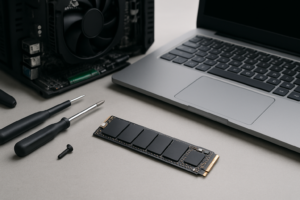
If you go this route, installing the drive is quick and painless. Our NVMe SSD installation guide walks you through the entire process in about 15 minutes.
Best Gen 3 and Gen 4 Drives to Buy Right Now
If you’re sticking with Gen 3, the Samsung 970 EVO Plus remains one of the most reliable and well-performing options you can get. It has mature firmware, excellent endurance ratings, and consistent real-world performance. The WD_BLACK SN750 is another solid Gen 3 pick with strong sustained write speeds.
For Gen 4, my top recommendation is the Samsung 990 Pro for its outstanding random IOPS and efficiency, or the WD_BLACK SN850X for its raw sequential throughput. Budget-conscious buyers should look at the Kingston Fury Renegade, which hits near-flagship Gen 4 speeds at a more accessible price point. Check our best budget SSD roundup for more affordable picks across both generations.

Samsung 970 EVO Plus 1TB
Still one of the best Gen 3 NVMe drives available, with proven reliability and excellent all-around performance.
Keep in mind that all SSDs, regardless of generation, can slow down over time as they fill up and the drive’s NAND management has to work harder. If you’ve noticed your current SSD getting sluggish, our guide on why SSDs slow down and how to fix it covers the most common causes and solutions.
Frequently Asked Questions
Will a Gen 4 NVMe SSD make my games load faster than Gen 3?
In most cases, the difference is minimal. Current game engines don’t saturate Gen 3 bandwidth during loading screens. You might see 1 to 2 seconds of improvement on very large open-world games, but it’s rarely noticeable in practice. DirectStorage may change this in the future as more games adopt GPU decompression, but as of now, Gen 3 NVMe is still more than fast enough for gaming.
Can I use a PCIe Gen 4 SSD in a Gen 3 motherboard slot?
Yes, Gen 4 drives are fully backward compatible with Gen 3 M.2 slots. The drive will simply operate at Gen 3 speeds (up to about 3,500 MB/s). This is a perfectly valid approach if you plan to upgrade your platform later and want to carry the drive forward. You won’t lose any data or functionality, just the extra bandwidth.
Is Gen 5 NVMe worth waiting for instead of buying Gen 4?
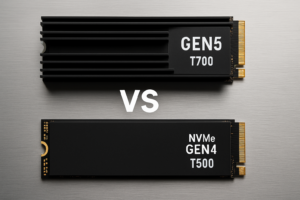
Gen 5 drives are beginning to hit the market, but they run hot, consume more power, and the current drive options are limited and premium-priced. For the vast majority of users, Gen 4 hits the sweet spot of performance, thermal management, and value. Unless you have a very specific professional workload that demands 12,000+ MB/s sequential speeds, Gen 4 will serve you well for years to come.
This article contains affiliate links. We may earn a small commission at no extra cost to you.

James Kennedy is a writer and product researcher at Drives Hero with a background in IT administration and consulting. He has hands-on experience with storage, networking, and system performance, and regularly improves and optimizes his home networking setup.