NVMe Vs SATA SSD: Which Should You Buy In 2026
Choosing between an NVMe and a SATA SSD in 2026 feels like it should be simple. One is faster. Buy that one. Done.
But speed isn’t the only factor, and for a lot of people, the fastest drive isn’t actually the smartest purchase. Your motherboard, your workload, and your budget all play a role. An NVMe drive can be completely wasted in a system that doesn’t need it, while a SATA SSD might bottleneck a build that deserves better.
This guide breaks down everything you need to know to make the right call. We’ll cover real-world benchmarks, compatibility pitfalls, specific drive recommendations, and clear guidance on which type fits your exact situation.
Understanding the Core Difference
SATA and NVMe aren’t just different connectors. They use entirely different communication protocols to talk to your CPU and memory.
SATA (Serial ATA) was designed in the early 2000s for spinning hard drives. It maxes out at roughly 600 MB/s of theoretical bandwidth. Even the best SATA SSD can only push around 550 MB/s in sequential reads. The interface itself is the ceiling, not the flash memory inside.
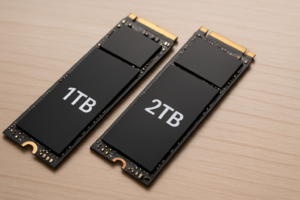
NVMe (Non-Volatile Memory Express) was built from the ground up for flash storage. It runs over the PCIe bus, which gives it dramatically more bandwidth. A Gen 3 NVMe drive can hit about 3,500 MB/s. Gen 4 drives reach 7,000 MB/s. And Gen 5 drives, which are now widely available in 2026, push past 12,000 MB/s in sequential reads.
Think of SATA as a two-lane road and NVMe as an eight-lane highway. Both get you to the destination, but throughput is wildly different when you’re moving large amounts of data.
2026 Benchmark Comparison
Numbers tell the story better than metaphors. Here’s how current-generation drives stack up in common benchmark scenarios:
Sequential Read/Write Speeds
- SATA SSD (e.g., Samsung 870 EVO): ~550 MB/s read, ~520 MB/s write
- NVMe Gen 3 (e.g., WD Blue SN570): ~3,500 MB/s read, ~3,000 MB/s write
- NVMe Gen 4 (e.g., Samsung 990 Pro): ~7,450 MB/s read, ~6,900 MB/s write
- NVMe Gen 5 (e.g., Crucial T705): ~12,400 MB/s read, ~11,800 MB/s write
Random 4K Read/Write (IOPS)
- SATA SSD: ~90,000 / 80,000 IOPS
- NVMe Gen 3: ~350,000 / 330,000 IOPS
- NVMe Gen 4: ~1,200,000 / 1,100,000 IOPS
- NVMe Gen 5: ~1,500,000 / 1,400,000 IOPS
Real-World Boot and Load Times
- Windows 11 boot (SATA SSD): ~18 seconds
- Windows 11 boot (NVMe Gen 4): ~12 seconds
- Game level load, large open world (SATA): ~22 seconds
- Game level load, large open world (NVMe Gen 4): ~8 seconds
- 50 GB file copy (SATA to SATA): ~95 seconds
- 50 GB file copy (NVMe Gen 4 to Gen 4): ~12 seconds
A few things jump out from these numbers. For boot times, the gap between SATA and NVMe has narrowed because Windows caches aggressively. You’ll notice a few seconds of difference, not a dramatic leap. But for file transfers and game loading, NVMe pulls far ahead, especially with DirectStorage now fully implemented in many 2026 game titles.
Motherboard Compatibility: The Part Most People Overlook
Before you pick a drive, you need to know what your motherboard actually supports. This is where many buyers make expensive mistakes.
SATA Compatibility
SATA SSDs come in two physical form factors: the 2.5-inch drive (which connects via a SATA data cable and SATA power cable) and the M.2 form factor (which slots directly into the motherboard). Almost every motherboard made in the last 15 years has SATA ports. Compatibility is nearly universal.
One gotcha to watch for: some M.2 slots on motherboards are NVMe-only and don’t support SATA M.2 drives. Always check your motherboard manual. The slot might physically fit a SATA M.2 drive, but the system won’t recognize it.
NVMe Compatibility
NVMe drives use the M.2 slot with an “M key” connector and communicate over PCIe lanes. Here’s where generation matters:
- PCIe Gen 3 motherboards will run Gen 4 and Gen 5 NVMe drives, but only at Gen 3 speeds (capped at ~3,500 MB/s).
- PCIe Gen 4 motherboards (Intel 12th/13th gen, AMD Ryzen 5000+) will run Gen 5 drives at Gen 4 speeds.
- PCIe Gen 5 motherboards (Intel 14th/15th gen, AMD Ryzen 9000+) can fully utilize Gen 5 NVMe drives.
A Gen 5 drive in a Gen 3 slot still works perfectly. You just won’t see Gen 5 speeds. The drive is backward compatible but speed-limited by the oldest link in the chain.
Laptop Considerations
Most laptops sold since 2020 have at least one M.2 NVMe slot. Older budget laptops (2018 and earlier) sometimes only have a 2.5-inch SATA bay. If you’re upgrading a laptop, open the back panel or check the manufacturer’s spec sheet before ordering anything.
Our Top Picks for 2026
Best SATA SSD: Samsung 870 EVO
The Samsung 870 EVO remains the king of SATA SSDs. It’s been on the market for years, which means it’s battle-tested and reliable. Samsung’s V-NAND and the MKX controller deliver consistent performance even under sustained writes. Available in 250 GB up to 4 TB, it covers every use case from a basic boot drive to mass storage.

Samsung 870 EVO 1TB SATA SSD
The most reliable and consistently fast SATA SSD available, ideal for older systems and secondary storage.
For budget builds or systems that only have 2.5-inch bays, the 870 EVO is the easy recommendation. It won’t wow you with headline speeds, but it does exactly what a SATA drive should do, at the absolute ceiling of what the SATA interface allows.
Best Value NVMe: Samsung 990 EVO Plus
The Samsung 990 EVO Plus hits a sweet spot that’s hard to argue with. It supports both PCIe Gen 4 x4 and Gen 5 x2 modes, making it flexible across a wide range of systems. Sequential reads reach around 7,250 MB/s, and Samsung’s thermal management keeps it running cool without a heatsink in most cases.

Samsung 990 EVO Plus 2TB NVMe SSD
Excellent Gen 4/Gen 5 hybrid NVMe drive with strong sustained performance and Samsung’s proven reliability.
This drive makes sense for the majority of PC builders in 2026. You get Gen 4-class speeds on current boards, with the option to benefit from Gen 5 bandwidth if you upgrade your platform later. The 2 TB model in particular offers great capacity for a primary drive.
Best High-Performance NVMe: Crucial T705
If you’re running a Gen 5 platform and want the fastest consumer SSD money can buy, the Crucial T705 is the one to get. It pushes past 12,000 MB/s in sequential reads and delivers exceptional random I/O performance. The model with the included heatsink keeps thermals manageable during sustained workloads.
This drive is overkill for general use. But for video editors working with 8K footage, data scientists processing large datasets, or anyone who regularly moves massive files, the T705 delivers a tangible productivity boost over Gen 4 options.
Crucial T705 2TB Gen 5 NVMe SSD
The fastest consumer SSD in 2026 for those with a Gen 5 platform and heavy data workloads.
When SATA Still Makes Sense
SATA isn’t dead, and buying one in 2026 isn’t a mistake if your situation calls for it. Here are the scenarios where SATA remains the right choice:
- Older systems without M.2 slots. If your desktop or laptop only has SATA connections, you can’t use NVMe without an adapter (and adapters add complexity and sometimes compatibility issues).
- Secondary storage drives. A SATA SSD as a game library or media storage drive is perfectly fine. Loading a movie file doesn’t require 7,000 MB/s.
- NAS and server use. Many NAS enclosures still use 2.5-inch SATA bays. SATA SSDs can dramatically improve NAS performance over spinning disks.
- Extreme budget builds. SATA SSDs, especially older models and smaller capacities, tend to be the most affordable way to get SSD-level responsiveness.
When NVMe Is Worth It
For most new builds and modern laptops, NVMe is the default recommendation. Specifically, you should prioritize NVMe in these situations:
- Primary boot drive. Your operating system and applications benefit from the faster random I/O that NVMe provides.
- Gaming with DirectStorage. Titles that support DirectStorage in 2026 load assets directly from NVMe to GPU, dramatically reducing load times and enabling larger, more detailed game worlds.
- Content creation. Video editing, 3D rendering, and music production all involve reading and writing large files constantly. NVMe speeds up your entire workflow.
- Software development. Compiling large projects, running virtual machines, and working with containers all benefit from faster storage I/O.
- Any new system purchase. Since Gen 4 NVMe drives have become very competitively priced, there’s little reason to choose SATA for a primary drive in a new build.
Gen 3 vs Gen 4 vs Gen 5: How Much Speed Do You Actually Need?
Among NVMe generations, the practical differences narrow depending on your workload.
Gen 3 NVMe is still excellent for everyday computing, gaming, and light content work. The drives are mature, affordable, and widely compatible. Unless you’re specifically bottlenecked by storage speed, Gen 3 handles 95% of tasks without any noticeable lag.
Gen 4 NVMe is the current sweet spot. The performance uplift over Gen 3 is noticeable in large file transfers and loading scenarios. Pricing has dropped close to Gen 3 levels, making it the best value tier for most people building or upgrading a PC in 2026.
Gen 5 NVMe is for professionals and enthusiasts who can actually utilize the bandwidth. If you’re editing multi-stream 8K video, running analytics on large databases, or just want the absolute fastest storage possible, Gen 5 delivers. But for gaming and general use, you won’t feel a difference compared to Gen 4.
Durability and Lifespan
Both SATA and NVMe SSDs use NAND flash memory, so their longevity is determined by the same core factor: TBW (Terabytes Written). This is the total amount of data you can write to the drive before the flash cells begin to wear out.
A typical 1 TB SATA SSD like the Samsung 870 EVO is rated for 600 TBW. A 1 TB NVMe drive like the 990 EVO Plus is rated for 600 TBW as well. For an average user writing 30-50 GB per day, either type will last well beyond a decade.
NVMe drives do generate more heat due to higher performance, which can affect longevity if cooling is poor. If your M.2 slot doesn’t have a motherboard heatsink, consider adding a third-party M.2 heatsink or choosing a drive model that includes one.
Frequently Asked Questions
Can I use an NVMe SSD and a SATA SSD in the same system?
Absolutely. Most modern motherboards support both types simultaneously. You can run your operating system on an NVMe drive and use a SATA SSD for extra storage. Just be aware that on some motherboards, using certain M.2 slots disables one or two SATA ports. Your motherboard manual will specify which ports are shared.
Will an NVMe drive make my old PC faster?
If your old PC has an M.2 NVMe slot (or even a spare PCIe x4 slot with an adapter), yes, you’ll see faster file transfers and potentially quicker application launches compared to SATA. However, if your system is limited by an old CPU or insufficient RAM, storage speed won’t fix those bottlenecks. Upgrading from a hard drive to any SSD (SATA or NVMe) produces the most dramatic improvement.
Is it worth buying a Gen 5 NVMe drive for gaming?
For most gamers, not yet. DirectStorage adoption is growing, but the majority of games in 2026 are still optimized around Gen 4 speeds. A Gen 4 NVMe drive gives you all the gaming performance benefits at a lower price. Gen 5 becomes relevant when more game engines are built to fully exploit that bandwidth, which is likely a year or two away from being mainstream.