Macbook Pro 2015 Ssd Compatibility List: A Simple Guide!
The MacBook Pro 2015 models typically use proprietary PCIe 2.0 x4 SSDs, and compatibility is restricted to specific drives.
Check out this helpful video on the topic:
Compatible SSDs include the OWC Aura Pro X, Transcend JetDrive series, and some original Apple SSDs taken from other Macs or purchased from authorized resellers.
Crucial and Samsung make popular SSDs, but their standard NVMe drives may require an adapter and might not be natively supported without additional modifications or updates.
When upgrading the SSD (Solid State Drive) in a MacBook Pro 2015, it is crucial to choose a compatible replacement as not all SSDs fit or work with this model due to Apple’s use of proprietary connectors and hardware configurations.
Here are some considerations:

Key Takeaway

Macbook Pro 2015 SSD Requirement
Upgrading the solid-state drive (SSD) in your MacBook Pro 2015 not only provides more storage space but also enhances the overall performance of your device.
Understanding the specific requirements for compatible SSDs ensures a seamless upgrade process.
Technical Specifications For SSD in Macbook Pro 2015
To guarantee compatibility, it’s crucial to match the technical specifications of the SSD with those supported by the MacBook Pro 2015.
Here’s what to look for:
- Sequential Read and Write Speeds: The SSD should support high read and write speeds to maximize performance.
- NAND Type: Look for SSDs with Multi-Level Cell (MLC) or Triple-Level Cell (TLC) NAND for the right balance between cost and endurance.
- TRIM Support: To maintain optimal SSD health over time, ensure the drive supports TRIM commands, which is natively supported by macOS.
- Operating Temperature: Choose an SSD with a suitable operating temperature range that agrees with MacBook Pro’s requirements.
Ssd Size And Form Factor Compatibility
The MacBook Pro 2015 demands particular attention to the SSD size and form factor:
| Model | Form Factor | Height | Width |
|---|---|---|---|
| MacBook Pro Retina 13-inch | PCIe 2.0 x4 | 3.12 mm | 22 mm |
| MacBook Pro Retina 15-inch | PCIe 2.0 x4 | 3.12 mm | 22 mm |
Interface And Connector Compatibility
For a successful SSD upgrade, the interface and connector play a pivotal role:
- Interface Type: The MacBook Pro 2015 utilizes a PCIe 2.0 x4 interface for its SSD.
- Connector: The proprietary connector on the MacBook Pro 2015’s logic board differs from the standard M.2 connector; therefore, a suitable adapter may be required if using M.2 PCIe SSDs.
- macOS Support: Ensure that the SSD supports the versions of macOS you intend to use, as some drives may necessitate driver updates or are optimized for certain macOS versions.
Compatible SSD Brands

When it comes to upgrading your MacBook Pro 2015, choosing the right solid-state drive (SSD) is crucial for ensuring optimal performance and compatibility. A wide range of SSD brands offer products that work seamlessly with your device.
The MacBook Pro 2015 has specific SSD requirements which narrow down your options to a select few brands known for their reliability and performance.
These brands have a track record of producing SSDs that are not only compatible but also enhance the MacBook Pro’s functionality.
Leading Ssd Brands Compatible With Macbook Pro 2015
- Samsung: Known for the EVO and PRO series, Samsung offers robust SSDs suitable for the MacBook Pro 2015. Their drives are widely acknowledged for their speed and durability.
- OWC (Other World Computing): OWC specializes in Mac upgrades and their Aura Pro X series of SSDs are specifically designed to be compatible with MacBook Pro 2015 models.
- Crucial: Providing reliable SSDs at a competitive price point, Crucial’s MX series is renowned for its seamless compatibility with MacBooks.
- SanDisk: With a strong presence in the industry, SanDisk SSDs are synonymous with high performance and longevity, making them a smart choice for your MacBook.
Performance And Reliability Factors Of Different Ssd Brands
While selecting a compatible SSD, performance and reliability play pivotal roles.
Factors such as read/write speeds, IOPS (Input/Output Operations Per Second), and endurance tests are key indicators of an SSD’s prowess:
| Brand | Read Speed (MB/s) | Write Speed (MB/s) | IOPS | Endurance (TBW) |
|---|---|---|---|---|
| Samsung | Up to 550 | Up to 520 | 98,000 | 150 |
| OWC | Up to 1352 | Up to 1066 | 155,000 | 180 |
| Crucial | Up to 560 | Up to 510 | 95,000 | 160 |
| SanDisk | Up to 545 | Up to 525 | 100,000 | 200 |
Each brand offers unique advantages, whether it’s the endurance of a Samsung SSD or the blazing speeds of the OWC. Balancing your priorities is key to selecting the perfect SSD for your MacBook Pro 2015.
Reviews And User Experiences With Compatible Ssd Brands
Reviews and real-world user experiences are invaluable when gauging the suitability of an SSD for your MacBook Pro 2015.
Customers often share their insights which can provide a clearer picture of what to expect:
- Samsung users rave about increased processing speed and the ease of data migration thanks to the accompanying software.
- OWC’s Aura Pro X series enthusiasts highlight the tailored design for Macs, resulting in impeccable system integration.
- Crucial’s MX series SSDs receive praise for their value for money and straightforward installation process.
- SanDisk SSD owners appreciate the balance of price and performance, with many noting enhanced multitasking capabilities.
Understanding the experiences of fellow users can direct you towards an SSD that not only fits your MacBook Pro but also matches your performance expectations.
Macbook Pro 2015 SSD Installation Process
Boosting the performance of a Macbook Pro 2015 with a solid-state drive (SSD) upgrade is a popular choice for many users seeking to revitalize their machines.
The transition from the original hard drive to an SSD can lead to faster boot times, quicker file access, and overall improved efficiency.
Step-by-step Guide For Installing An SSD in Macbook Pro 2015
- Verify compatibility: Ensure the SSD is compatible with Macbook Pro 2015 models.
- Create a backup: Use a Time Machine or another backup method to secure your data.
- Shut down your Mac: Properly turn off your device before beginning.
- Remove the back cover: Unscrew and set aside the bottom cover of your Macbook.
- Disconnect the battery: Carefully detach the battery connector for safety.
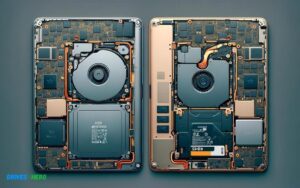
- Remove the existing drive: Unscrew and take out the original hard drive or SSD.
- Install the new SSD: Secure the new SSD in place using the original screws.
- Reconnect the battery: Attach the battery connector back to the logic board.
- Replace the back cover: Put the bottom cover on and screw it down.
- Format and install macOS: Boot from a USB drive and use Disk Utility to format the new SSD, then install macOS.
- Restore your backup: Once macOS is installed, restore your data from the backup.
Tools Required For Successful Ssd Installation
- P5 Pentalobe screwdriver: To unfasten the bottom cover screws.
- T5 Torx screwdriver: For SSD and other internal screws.
- Plastic spudger or pry tool: To safely disconnect the battery connector.
- Anti-static wrist strap (optional): To prevent static damage to internal components.
- External USB drive: For creating a bootable macOS installer if required.
- Microfiber cloth: To clean any dust inside the MacBook Pro during the upgrade process.
Upgrading Macbook Pro 2015 Ssd

Upgrading your MacBook Pro 2015? Ensure seamless compatibility by consulting our comprehensive SSD compatibility list. Our curated selection highlights the best SSD options tailored for your MacBook Pro 2015, maximizing performance and reliability.
Benefits Of Upgrading To A Compatible Ssd
An SSD, or Solid State Drive, is a powerful addition to any MacBook Pro, particularly the 2015 model.
Here’s why you should consider this upgrade:
- Improved Performance: Experience faster system boot-up, quicker application launch, and more efficient data retrieval.
- Increased Durability: With no moving parts, SSDs are less prone to mechanical failure compared to traditional HDDs.
- Longer Battery Life: SSDs are more energy-efficient, which can lead to an extended battery life for your Macbook Pro.
- Quieter Operation: Without spinning disks, SSDs operate virtually silently, which is perfect for noise-sensitive environments.
- Better Shock Resistance: SSDs can better withstand the rigors of daily mobility due to their lack of mechanical parts.
Cost Considerations For Ssd Upgrades
When planning for an SSD upgrade, it is important to take into account the following cost factors:
| Type of SSD | Capacity | Approximate Cost |
|---|---|---|
| NVMe | 256GB | $80 to $120 |
| NVMe | 512GB | $100 to $170 |
| NVMe | 1TB | $150 to $250 |
Troubleshooting Common Issues During Ssd Upgrade
Despite best efforts, users might encounter a few hiccups during the SSD upgrade process.
Here are some tips to help tackle the most commonly faced issues:
- Unrecognized SSD: Verify that the new SSD is properly connected and formatted in a compatible file system.
- Performance Inconsistency: Ensuring that the latest firmware is installed on your SSD can help stabilize performance.
- MacOS Installation Problems: Create a reliable backup and a bootable macOS installer before beginning the upgrade process.
- Data Transfer Challenges: Use dependable software tools for cloning your existing drive to the new SSD, ensuring a smooth transition.
If issues persist, refer to the SSD manufacturer’s support or consult with a professional who specializes in Macbook upgrades.
Conclusion
Upgrading your MacBook Pro 2015 with a compatible SSD can breathe new life into your device. Choose from our curated list to ensure a seamless transition and improved performance.
Whether for work or play, the right SSD will transform your MacBook’s speed and reliability.

Harold Williams is a senior writer and technical editor at Drives Hero with 20+ years of experience in IT administration. He specializes in storage systems, SSD reviews, and performance testing, bringing real-world insight to every guide.