SATA SSD vs NVMe: Is the Speed Upgrade Worth It for Everyday Users?
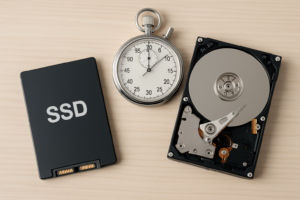
You’ve already made the jump from a traditional hard drive to an SSD, and the difference was dramatic. But now you’re eyeing NVMe drives and wondering if there’s another leap waiting for you. If you’re mostly browsing the web, working in Office apps, and playing the occasional game, does NVMe actually feel faster than a SATA SSD? Or are you paying extra for benchmark numbers you’ll never notice?
I’ve tested both extensively in everyday scenarios, and the honest answer might save you some money. If you’re still running a spinning hard drive, check out our SSD vs HDD comparison first, because that upgrade is the one that truly transforms your experience.
The Specs vs. the Reality
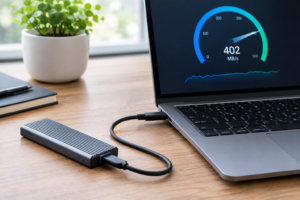
On paper, NVMe drives destroy SATA SSDs. A typical SATA SSD like the Samsung 870 EVO tops out around 550 MB/s for sequential reads. An NVMe drive like the Samsung 990 Pro can hit 7,450 MB/s. That’s roughly 13 times faster. Sounds incredible, right?
Here’s where it gets interesting. Most everyday tasks don’t involve large sequential file transfers. When you open Chrome, launch Excel, or boot Windows, your system is reading thousands of small, scattered files. For these random read/write operations, the gap between SATA and NVMe narrows significantly. You’re looking at maybe a 1 to 3 second difference in boot times and app launches, often less.
For a deeper look at the form factors involved, our M.2 vs 2.5-inch SSD comparison guide breaks down the physical differences and compatibility considerations.
Real-World Testing: Where NVMe Wins (and Where It Doesn’t)
Web Browsing and Office Work
Virtually identical. I timed launching Microsoft Word, opening a 50-page document, switching between 20 Chrome tabs, and loading Outlook with a packed inbox. The difference between a SATA SSD and an NVMe drive was imperceptible. Your internet connection and RAM are the bottlenecks here, not your storage speed.
Light Gaming
Game load times show a small but measurable improvement with NVMe. In titles like Fortnite and Valorant, I saw load times drop by 2 to 5 seconds compared to SATA. Once you’re in-game, FPS and performance are identical since that’s determined by your GPU and CPU. For a much more detailed breakdown with specific benchmarks, take a look at our gaming performance test between SATA and NVMe SSDs.
Where NVMe Actually Matters
Large file transfers are where NVMe flexes. Copying a 50GB video project folder took about 90 seconds on SATA and roughly 15 seconds on NVMe. If you’re a video editor, work with large datasets, or regularly move massive files, NVMe is a clear winner. For everyday users, this scenario comes up rarely.
My Recommendation
For most everyday users, a quality SATA SSD delivers 95% of the real-world experience at a noticeably lower price. The Samsung 870 EVO remains one of the best SATA drives you can buy, with excellent reliability and consistent performance.

Samsung 870 EVO 1TB SATA SSD
Best-in-class SATA SSD with proven reliability, perfect for everyday users who want fast performance without overspending.
If your motherboard has an M.2 NVMe slot and you want some future-proofing, the WD Black SN770 is a competitively priced NVMe option that doesn’t require a heatsink and performs well across all workloads. It’s a smart pick if the price gap between it and a comparable SATA drive is small when you’re shopping. Keep an eye on our best budget SSDs roundup for current value picks.

WD Black SN770 1TB NVMe SSD
Excellent mid-range NVMe drive with strong everyday performance and no heatsink required.
Whichever drive you choose, keep in mind that SSDs can slow down over time without basic maintenance. Our guide on why your SSD slows down and how to fix it covers the simple steps to keep your drive running like new.
Frequently Asked Questions
Will an NVMe SSD make my old laptop faster?
Only if your laptop has an M.2 NVMe slot. Many older laptops only support 2.5-inch SATA drives or M.2 SATA (which uses the same speeds as a regular SATA SSD). Check your laptop’s specifications before buying. If you’re upgrading from a hard drive to any SSD, you’ll see a massive improvement regardless of type. Our NVMe installation guide walks through the process step by step.
Can I use a SATA SSD and an NVMe SSD together in the same PC?
Absolutely. A popular setup is using a smaller NVMe drive as your boot drive for Windows and frequently used applications, then pairing it with a larger SATA SSD for general file storage and games. This gives you the best balance of speed and capacity. For more on combining different drives, check out our guide on how to use SSD and HDD together in one PC, which covers the same principles.
This article contains affiliate links. We may earn a small commission at no extra cost to you.

James Kennedy is a writer and product researcher at Drives Hero with a background in IT administration and consulting. He has hands-on experience with storage, networking, and system performance, and regularly improves and optimizes his home networking setup.