Best 2TB NVMe SSDs For 2026: Storage Without Limits
Two terabytes of NVMe storage used to feel like overkill. Not anymore. Between game installs regularly exceeding 100GB, 4K and 8K video projects eating through space like it’s nothing, and the general bloat of modern operating systems, 2TB has quietly become the sweet spot for anyone who doesn’t want to constantly juggle files or uninstall things just to make room.
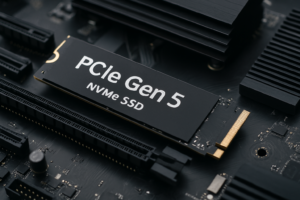
The good thing about shopping for a 2TB NVMe SSD in 2026 is that the technology has matured significantly. You’ve got PCIe Gen 4 drives delivering incredible value, Gen 5 drives pushing sequential speeds past 12,000 MB/s, and competition between manufacturers keeping quality high across the board. The tricky part is figuring out which drive actually makes sense for your specific needs.
I’ve spent time testing, researching, and comparing the best 2TB NVMe SSDs currently available. Whether you’re building a gaming rig, editing video professionally, or just want one big fast drive to handle everything, this guide will help you pick the right one without overspending or underperforming.
What to Look for in a 2TB NVMe SSD
Before we get into specific drives, it helps to understand what actually matters when you’re comparing 2TB NVMe SSDs. Not all specs are created equal, and marketing numbers can be misleading.
PCIe Generation: Gen 4 vs. Gen 5
PCIe Gen 4 drives max out around 7,000 MB/s for sequential reads. Gen 5 drives can hit 12,000 MB/s or more. In real-world use, most people won’t notice the difference for gaming or general computing. Where Gen 5 shines is in sustained large file transfers, like copying massive video projects or working with databases. If you’re primarily gaming or running a general-purpose system, Gen 4 still makes a lot of sense and saves you money.
TLC vs. QLC NAND
TLC (Triple-Level Cell) NAND is the standard for high-performance drives. It offers better endurance and more consistent write speeds, especially during sustained workloads. QLC (Quad-Level Cell) packs more data per cell but tends to slow down more noticeably once its SLC cache is exhausted. For a 2TB drive that you’ll keep for years, I’d lean toward TLC in most cases.
Endurance (TBW Rating)
TBW stands for Terabytes Written, and it tells you roughly how much data you can write to the drive over its lifetime before the warranty runs out. For a 2TB drive, you’ll see ratings anywhere from 1,200 TBW to 2,800 TBW depending on the model. More is better, but even the lower end of that range is more than enough for typical consumer use over five-plus years.
Thermal Performance
High-speed NVMe drives generate real heat, especially Gen 5 models. A drive that throttles under load because it’s overheating won’t give you those advertised speeds when you need them most. Look for drives with included heatsinks or plan to add one yourself, particularly in tight spaces like laptops or small form factor builds.
Best 2TB NVMe SSDs Compared
Samsung 990 Pro 2TB: The All-Rounder
The Samsung 990 Pro 2TB remains one of the most well-rounded NVMe drives you can buy. It’s a PCIe Gen 4 drive with sequential read speeds up to 7,450 MB/s and writes up to 6,900 MB/s. Those numbers put it right at the top of what Gen 4 can deliver.
What I really like about the 990 Pro is its consistency. Random read and write IOPS are excellent, which translates to snappy real-world performance in everything from OS responsiveness to game loading times. Samsung’s V-NAND and the Pascari controller are proven technologies at this point, and the 2TB model comes with a generous 1,200 TBW endurance rating backed by a five-year warranty.
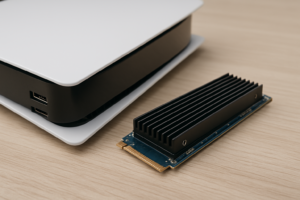
Samsung also offers a version with an integrated heatsink (the 990 Pro Heatsink model), which is perfect for PS5 users or PC builders who don’t want to buy a separate cooler. If you want a drive that does everything well and comes from the most established name in consumer SSDs, this is the one.

Samsung 990 Pro 2TB NVMe SSD
The best all-around Gen 4 NVMe drive with top-tier speeds, excellent endurance, and Samsung’s proven reliability.
WD Black SN850X 2TB: Best for Gaming
Western Digital’s WD Black SN850X 2TB is a direct competitor to the Samsung 990 Pro, and in gaming workloads, it trades blows almost evenly. Sequential reads reach up to 7,300 MB/s with writes at 6,600 MB/s. The real story, though, is in how this drive handles game loading and asset streaming.
The SN850X includes WD’s Game Mode 2.0 feature in the Dashboard software, which optimizes the drive’s performance for gaming by predicting and pre-fetching game data. Whether this makes a dramatic difference depends on the game, but in testing, it shaves a few seconds off load times in titles with heavy asset streaming. Every little bit counts when you’re staring at a loading screen.
The 2TB capacity is especially welcome for gamers. With titles like Call of Duty regularly consuming 150GB or more, and games like Microsoft Flight Simulator pushing past 200GB with add-ons, you can comfortably hold 15 to 20 major titles on a single drive without breaking a sweat. The SN850X also has a heatsink variant that works great in the PS5.
Crucial T700 2TB: The Gen 5 Speed Demon
If you want the fastest consumer NVMe drive money can buy, the Crucial T700 2TB is where you should be looking. This is a PCIe Gen 5 drive built around the Phison E26 controller and Micron’s 232-layer TLC NAND. Sequential reads hit a staggering 12,400 MB/s, and writes reach 11,800 MB/s.
Those numbers are real, but they come with caveats. You need a motherboard with a PCIe Gen 5 M.2 slot to take full advantage. The drive also runs hot, genuinely hot, so the heatsink version is essentially mandatory. Without adequate cooling, you’ll see thermal throttling during sustained writes that brings performance down to Gen 4 levels or worse.
For video editors working with 8K RAW footage, data scientists moving large datasets, or anyone who regularly transfers huge files, the T700 delivers a noticeable productivity boost. For gaming and general use, you honestly won’t feel much difference compared to a good Gen 4 drive. This is a specialty tool, and a very impressive one at that.
Crucial T700 2TB Gen 5 NVMe SSD
The fastest consumer NVMe SSD available, ideal for video editors and content creators who need maximum throughput.
SK hynix Platinum P41 2TB: The Quiet Achiever
The SK hynix Platinum P41 2TB doesn’t get as much attention as Samsung or WD drives, but it absolutely deserves to be in this conversation. It uses SK hynix’s own 176-layer TLC NAND and a proprietary controller, delivering sequential reads of 7,000 MB/s and writes of 6,500 MB/s.
Where the P41 really stands out is in power efficiency. It runs cooler and draws less power than most of its Gen 4 competitors, making it an excellent choice for laptops where battery life and thermals matter. The drive also maintains strong performance during sustained writes, thanks to a well-implemented SLC caching strategy.
With a 1,200 TBW endurance rating and SK hynix’s five-year warranty, the P41 is a seriously competitive option. It often flies under the radar simply because SK hynix doesn’t market as aggressively as Samsung, but the hardware speaks for itself.
SK hynix Platinum P41 2TB NVMe SSD
A power-efficient Gen 4 drive with excellent sustained performance, especially well-suited for laptops.
Seagate FireCuda 540 2TB: Gen 5 With Better Thermals
The Seagate FireCuda 540 2TB is another Gen 5 contender, also based on the Phison E26 controller. It delivers sequential reads up to 10,000 MB/s and writes up to 10,000 MB/s. While those numbers are slightly below the Crucial T700, the FireCuda 540 tends to manage thermals a bit better out of the box.
Seagate bundles a three-year subscription to their Rescue Data Recovery Services with this drive, which adds some extra value if data loss keeps you up at night. The 2,000 TBW endurance rating is also quite generous for a 2TB drive. If you want Gen 5 speeds but found the T700’s thermal behavior concerning, the FireCuda 540 is a solid alternative.
Best Use Cases for a 2TB NVMe SSD
Gaming Libraries
A 2TB NVMe SSD is the ideal single-drive solution for gamers. You can install your operating system, your essential applications, and still have roughly 1.8TB of usable space for games. With modern AAA titles averaging 80 to 150GB each, that’s room for a solid library of 12 to 20 games without needing a second drive.
Both the Samsung 990 Pro and WD Black SN850X are excellent choices here. DirectStorage on Windows makes NVMe speeds matter more than ever for gaming, and these drives are fast enough to take full advantage. You don’t need Gen 5 for gaming right now. Save that money for a better GPU instead.
Video Editing and Content Creation
If you’re editing 4K or 8K video in Premiere Pro, DaVinci Resolve, or Final Cut Pro, a fast 2TB NVMe drive can serve as your dedicated scratch disk and project storage. The faster your drive, the smoother your timeline scrubbing and export process will be, especially with high-bitrate codecs like ProRes or BRAW.
For this use case, the Crucial T700 is my top recommendation if your system supports Gen 5. The extra bandwidth is genuinely useful when you’re working with multi-stream 4K timelines or 8K source material. If you’re on Gen 4, the Samsung 990 Pro handles sustained writes better than most alternatives.
OS + Storage Combo Drive
One of the most practical uses for a 2TB NVMe drive is as a single “do everything” drive. Install your OS, your applications, your games, and your personal files all on one fast SSD. No need for a secondary HDD or SATA SSD cluttering up your build. With 2TB, you have enough room to keep everything on one drive for years before space becomes an issue.
The SK hynix Platinum P41 is particularly well-suited to this role, especially in a laptop. Its efficiency and thermal characteristics mean you won’t be draining extra battery or dealing with heat issues, and the performance is more than fast enough for any everyday workload.
PS5 Storage Expansion
Sony’s PS5 supports M.2 NVMe SSDs in the Gen 4 or Gen 5 range, and 2TB is the most popular capacity for PS5 users. It more than doubles the console’s usable internal storage. Make sure you choose a drive with a heatsink (or add your own thin heatsink) to meet Sony’s thermal requirements.
The Samsung 990 Pro with Heatsink and the WD Black SN850X with Heatsink are both officially tested and widely recommended by the PS5 community. Either one will work flawlessly.
Quick Comparison Table
- Samsung 990 Pro 2TB: Gen 4, 7,450/6,900 MB/s, 1,200 TBW, best all-rounder
- WD Black SN850X 2TB: Gen 4, 7,300/6,600 MB/s, 1,200 TBW, best for gaming
- Crucial T700 2TB: Gen 5, 12,400/11,800 MB/s, 1,200 TBW, fastest overall
- SK hynix Platinum P41 2TB: Gen 4, 7,000/6,500 MB/s, 1,200 TBW, best for laptops
- Seagate FireCuda 540 2TB: Gen 5, 10,000/10,000 MB/s, 2,000 TBW, best Gen 5 endurance
My Overall Pick
For most people, the Samsung 990 Pro 2TB is the drive I’d recommend first. It offers the best balance of speed, reliability, endurance, and ecosystem support (Samsung Magician software is genuinely useful for monitoring and firmware updates). It’s compatible with virtually every modern system, including the PS5, and performs brilliantly in every workload I’ve tested.
If your work involves moving massive files and your motherboard supports Gen 5, step up to the Crucial T700. For laptop users who care about battery life, go with the SK hynix Platinum P41. And gamers who want a plug-and-play PS5 upgrade should grab the WD Black SN850X with Heatsink. You really can’t go wrong with any of these drives.
Frequently Asked Questions
Is a 2TB NVMe SSD worth it over two 1TB drives?
In most cases, yes. A single 2TB drive is simpler to manage, uses only one M.2 slot (leaving others free for future expansion), and avoids the hassle of splitting files between drives. The only time two 1TB drives make more sense is if you want to separate your OS drive from your data drive for organizational or backup purposes, or if you’re building a RAID array.
Do I need a PCIe Gen 5 SSD for gaming?
Not right now. Current games and even DirectStorage implementations don’t saturate the bandwidth of a good Gen 4 drive. You’ll see virtually identical gaming performance between a Samsung 990 Pro (Gen 4) and a Crucial T700 (Gen 5). Gen 5 drives make a real difference for large sequential file transfers, but for gaming, stick with Gen 4 and spend the savings elsewhere in your build.