Best Portable SSDs for Travel, Work, and Backup in 2026
Portable SSDs have gotten ridiculously good. Speeds that would’ve been unthinkable a few years ago now fit in your pocket, and the latest models can survive drops, dust, and even a dunk in water. But with so many options on the market, picking the right one depends entirely on how you plan to use it.
I’ve spent the past several months testing the most popular portable SSDs from Samsung, SanDisk, and Crucial. Rather than just ranking them by specs, I’ve organized this guide around three real-world use cases: travel, field work, and desktop backup. Each scenario demands something different from your drive, and the “best” pick changes depending on your priorities.
Best Portable SSD for Travel: SanDisk Extreme V2
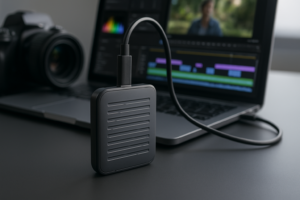
When you’re living out of a backpack or hopping between airports, you need a drive that’s light, tough, and doesn’t require babying. The SanDisk Extreme V2 remains my top pick for travelers in 2026. It weighs barely anything (under 2 ounces), has an IP55 dust and water resistance rating, and the rubberized loop makes it easy to clip onto a bag or keychain.
Read speeds hit around 1,050 MB/s, which is more than enough for transferring photos, backing up documents, or running files directly off the drive. It’s not the fastest portable SSD you can buy, but for travel, durability and portability matter more than raw throughput. The SanDisk Extreme has survived my share of coffee spills and a tumble off a hostel bunk bed without a scratch.
If you’re a Mac user, this drive works beautifully right out of the box with a quick reformat to APFS. We’ve covered the setup process in detail in our guide on how to use the SanDisk Extreme Portable SSD with MacBook Pro, which walks through the steps.

SanDisk Extreme Portable SSD V2
Best combination of durability, portability, and speed for frequent travelers
One thing to keep in mind: the SanDisk Extreme (non-Pro) model uses a USB 3.2 Gen 2 interface capped at 10 Gbps. For most travel workflows, photos, documents, even 4K video offloading, this is plenty fast. You’ll only feel limited if you’re regularly moving massive multi-hundred-gigabyte files in one sitting.
Best Portable SSD for Field Work: Samsung T9
Creative professionals working on location need speed and reliability above all else. Videographers dumping hours of RAW footage, photographers culling thousands of images at a shoot, audio engineers recording live sessions. These workflows punish slow drives with frustrating wait times and potential bottlenecks.
The Samsung T9 is the drive I recommend for demanding field work. It uses USB 3.2 Gen 2×2 to deliver sequential read speeds up to 2,000 MB/s and write speeds up to 1,950 MB/s. That’s nearly double the throughput of the SanDisk Extreme, and you’ll genuinely feel the difference when transferring large video files.
The T9 also features a rubber exterior with IP68 water and dust resistance, plus drop protection up to 3 meters. Samsung’s Dynamic Thermal Guard prevents throttling during sustained transfers, which is critical when you’re writing 200GB of footage to the drive in one go. I’ve tested sustained write performance, and while speeds do dip slightly after extended transfers (as is common with all SSDs), the T9 holds up far better than most competitors. For more on why drives slow down during heavy use, check out our explanation of why your SSD slows down over time and how to fix it.

Samsung T9 Portable SSD
Fastest portable SSD tested with 2,000 MB/s reads, ideal for video professionals and heavy file transfers
The one caveat with the T9 is that you need a USB 3.2 Gen 2×2 port on your computer to hit those top speeds. Many laptops still only support Gen 2 (10 Gbps), which would cap your transfers around 1,000 MB/s. Check your machine’s specs before buying. If your laptop only has Gen 2, you’re paying a premium for speed you can’t access, and the Crucial X10 Pro (discussed below) might make more sense.
Best Portable SSD for Desktop Backup: Crucial X9 Pro
For a drive that sits on your desk and handles regular backups of your system, work files, or media library, you don’t need the rugged build of a field drive or the ultralight profile of a travel SSD. You need solid performance, good capacity options, and dependable long-term reliability.
The Crucial X9 Pro hits that sweet spot. It delivers up to 1,050 MB/s read speeds over USB 3.2 Gen 2, comes in capacities from 1TB to 4TB, and is one of the most competitively priced portable SSDs per gigabyte. For scheduled backups, Time Machine on Mac, or Windows File History, this drive just works without drama.
It also carries IP55 water and dust resistance and Micron’s 256-bit AES hardware encryption, which is a nice bonus for backup drives containing sensitive personal or business files. If you’re replacing an aging external hard drive, you’ll notice a massive improvement. The difference between HDD and SSD backup speeds is significant, and we break down the full comparison in our SSD vs HDD guide.
For users who want a bit more speed from their backup drive, the Crucial X10 Pro steps up to 2,100 MB/s with USB 3.2 Gen 2×2 support. It’s a great middle ground between the X9 Pro and the Samsung T9, offering similar throughput in a slightly more compact package. If your desktop or laptop supports Gen 2×2, the X10 Pro is an excellent upgrade.

Crucial X9 Pro Portable SSD
Best value portable SSD for regular backups with strong capacity options up to 4TB
How to Choose the Right Capacity
All four of these drives come in multiple capacity options, typically 1TB, 2TB, and 4TB. Choosing the right size depends on your use case:
- 1TB works well for travel, document storage, and photo backup. Most travelers won’t need more unless they’re shooting video.
- 2TB is the sweet spot for most people. It gives you room for a full system backup, a healthy media library, and breathing room for growth.
- 4TB makes sense for video professionals and anyone doing full desktop backups of large drives. It’s also ideal if you want one drive that handles everything.
We have a detailed breakdown in our 1TB vs 2TB SSD capacity guide if you’re on the fence between sizes.
Quick Comparison Table
- SanDisk Extreme V2: Up to 1,050 MB/s read, IP55, USB 3.2 Gen 2, best for travel
- Samsung T9: Up to 2,000 MB/s read, IP68, USB 3.2 Gen 2×2, best for field work
- Crucial X9 Pro: Up to 1,050 MB/s read, IP55, USB 3.2 Gen 2, best for backup
- Crucial X10 Pro: Up to 2,100 MB/s read, IP55, USB 3.2 Gen 2×2, best all-rounder
All four drives support both USB-C and USB-A (via included cables or adapters), and all work across Windows, Mac, and most Android devices. You can browse the full range of portable SSDs on Amazon to compare current pricing and availability.
Tips to Get the Most from Your Portable SSD
Buying a fast drive is only half the equation. A few practical habits will keep your portable SSD running well for years:
- Always eject before unplugging. This sounds basic, but yanking a drive mid-transfer can corrupt files. If your drive acts up after a rough disconnect, our guide on fixing an external drive that’s not showing up can help.
- Encrypt sensitive data. Both the Samsung T9 and Crucial X9 Pro offer hardware encryption. Use it, especially if you travel with client files or personal documents.
- Keep firmware updated. Samsung Magician and Crucial Storage Executive both offer firmware updates that can improve performance and fix bugs. Check quarterly.
- Don’t fill the drive past 80%. SSDs need free space for wear leveling and garbage collection. A nearly full drive will slow down noticeably.
Frequently Asked Questions
Do I need USB 3.2 Gen 2×2 to use the Samsung T9 or Crucial X10 Pro?
You don’t need it, but you won’t get full speed without it. Both drives are backward compatible with USB 3.2 Gen 2 and even USB 3.0 ports. They’ll just be capped at the maximum throughput of whatever port you plug into. If your laptop only has Gen 2, you’ll get roughly 1,000 MB/s, which is still fast. But if you’re buying specifically for the 2,000+ MB/s speeds, verify your computer’s port spec first.
How long will a portable SSD last compared to an external hard drive?
Portable SSDs have no moving parts, so they’re inherently more durable and tend to last longer than mechanical external drives in real-world use. Most modern portable SSDs are rated for hundreds of terabytes written (TBW) before cells begin to wear out. For typical backup and file-transfer use, you’re looking at many years of reliable service. We analyzed real-world endurance data in our article on James Kennedy is a writer and product researcher at Drives Hero with a background in IT administration and consulting. He has hands-on experience with storage, networking, and system performance, and regularly improves and optimizes his home networking setup.