DirectStorage And SSDs: What Gamers Need To Know
You’ve probably seen the buzzword floating around PC gaming forums and hardware reviews: DirectStorage. Microsoft’s been pushing it as the next big thing for game performance, and SSD manufacturers are using it to justify their latest, fastest drives. But what does DirectStorage actually do, and does it matter enough to influence your next SSD purchase?
The short answer is that DirectStorage is genuinely important for the future of PC gaming. It fundamentally changes how game data moves from your SSD into your GPU, and the results can be dramatic. But there’s a lot of nuance that marketing materials conveniently skip over.
Let’s break down what DirectStorage is, which games actually use it right now, and whether you need to rush out and buy a Gen 5 NVMe drive to take advantage of it.
What Is DirectStorage, Exactly?
DirectStorage is a Windows API that Microsoft originally developed for the Xbox Series X and S consoles, where it’s known as the Xbox Velocity Architecture. The PC version was released in 2022, and it changes the fundamental pipeline for how game assets get from your storage drive to your GPU’s VRAM.
In the traditional model, game data follows a long, winding path. Your SSD reads compressed data, sends it to the CPU through a storage driver stack, the CPU decompresses it in system RAM, and then it finally gets transferred to the GPU. Every step in this chain adds latency, and the CPU becomes a bottleneck because it’s spending cycles on decompression instead of game logic.
DirectStorage does two critical things differently. First, it dramatically reduces the storage driver overhead by batching many small I/O requests into fewer, larger ones. Traditional storage stacks were designed for hard drives and process requests one at a time, which is incredibly wasteful when you’re working with an NVMe SSD capable of handling thousands of simultaneous operations. Second, and more importantly, DirectStorage 1.1 introduced GPU decompression, which offloads the heavy lifting of decompressing game assets directly to your graphics card.
Why GPU Decompression Matters
Modern games compress their assets heavily to keep install sizes manageable. We’re talking about textures, meshes, audio, and world data that need to be decompressed before the GPU can render them. Traditionally, your CPU handles all of this, and it’s not particularly efficient at it.
GPUs, on the other hand, are massively parallel processors. They can decompress data significantly faster than any consumer CPU. In Microsoft’s own testing, GPU decompression with DirectStorage was up to 2.4 times faster than CPU decompression. That’s not a marginal improvement. That’s a generational leap in how fast assets can be prepared for rendering.
This speed improvement shows up in two ways you’ll actually notice: faster initial load times when you boot into a game or fast-travel, and better asset streaming during gameplay. The second point is arguably more important for the future of game design, because it means developers can build larger, more detailed worlds without being constrained by how fast they can feed data to the GPU.
Which Games Actually Support DirectStorage?
This is where enthusiasm meets reality. Despite being available since 2022, DirectStorage adoption has been slow. Only a handful of games have shipped with support as of mid-2025:
- Forspoken was the first PC game to implement DirectStorage. Load times dropped from around 5 seconds on an NVMe SSD to about 1-2 seconds with DirectStorage enabled.
- Ratchet & Clank: Rift Apart uses DirectStorage for its dimension-hopping mechanic, where entire worlds need to load almost instantly.
- Final Fantasy XVI shipped with DirectStorage support in its PC port.
- Star Wars Outlaws implemented the API for faster world streaming across its open-world environments.
- Indiana Jones and the Great Circle uses DirectStorage to handle its detailed environments.
A growing number of titles are in development with DirectStorage in mind, and Unreal Engine 5 has built-in support that should accelerate adoption. But right now, the list is still relatively short. This matters because you’re buying hardware today based on where things are heading, not just where they are.
SSD Requirements for DirectStorage
DirectStorage technically works with any NVMe SSD. That’s right: you don’t need a bleeding-edge Gen 5 drive to use it. The API is designed to function with any NVMe device on Windows 11 (and Windows 10, with some limitations). However, faster SSDs will give you better results, since DirectStorage’s efficiency improvements mean your SSD’s raw speed becomes a more direct factor in performance.
The Minimum: PCIe Gen 3 NVMe
A Gen 3 NVMe SSD with sequential read speeds around 3,500 MB/s is the bare minimum for a good DirectStorage experience. If you’re still running a SATA SSD, you’ll technically have DirectStorage support, but you’re leaving massive performance on the table. The WD Blue SN580 or Kingston NV2 are solid budget Gen 3/Gen 4 options that will get you into the DirectStorage ecosystem without breaking the bank.
The Sweet Spot: PCIe Gen 4 NVMe
Gen 4 drives are where DirectStorage really starts to shine. With sequential read speeds of 5,000 to 7,000 MB/s, these drives give you enough bandwidth to keep up with GPU decompression in most current titles. The Samsung 990 Pro (2TB), WD Black SN850X, and Crucial T500 are all excellent choices.
For most gamers in 2025, a Gen 4 NVMe drive is the right pick. These drives are mature, widely available, and the performance per dollar is outstanding. The Samsung 990 Pro in particular has been my go-to recommendation for a gaming-focused NVMe drive. Check current pricing on Amazon, but Gen 4 2TB drives have dropped to very attractive price points.
The Enthusiast Tier: PCIe Gen 5 NVMe
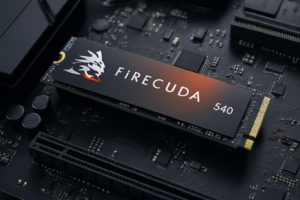
Gen 5 SSDs like the Crucial T700, Samsung 990 EVO Plus, and Corsair MP700 Pro deliver sequential reads above 10,000 MB/s, sometimes reaching 12,000+ MB/s. That’s nearly double the fastest Gen 4 drives. On paper, this should translate to noticeably better DirectStorage performance.
In practice, the gains are real but not as dramatic as the spec sheet suggests. In Forspoken, for example, the difference between a fast Gen 4 drive and a Gen 5 drive was often less than half a second on load times. The GPU decompression step, not the raw SSD read speed, tends to be the limiting factor in most current DirectStorage implementations.
Is Gen 5 Worth It for Gamers Right Now?
I’m going to give you a direct answer: no, not for most gamers. Not yet.
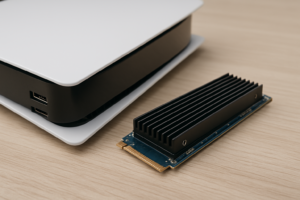
Gen 5 SSDs run hotter (most require a heatsink), consume more power, and cost meaningfully more per terabyte than Gen 4 alternatives. The real-world gaming performance difference is minimal with today’s DirectStorage titles. You’re paying a premium for headroom that games haven’t learned to use yet.
That said, there’s a reasonable argument for Gen 5 if you’re building a system you plan to keep for 4-5 years. As DirectStorage adoption grows and developers optimize for faster storage, the gap between Gen 4 and Gen 5 should widen. Games built from the ground up with DirectStorage (rather than having it bolted on post-release) will push more data through the pipeline and benefit more from extra bandwidth.
If you’re buying today and want future-proofing without overspending, the Crucial T700 2TB with heatsink is my pick for a Gen 5 drive. It offers top-tier performance, and Crucial’s reliability track record gives me confidence in it as a long-term investment. Check current pricing on Amazon.
DirectStorage vs. the PlayStation 5 Approach
It’s worth understanding why the PS5 set expectations so high for storage-based performance. Sony built a custom I/O complex with dedicated decompression hardware right on the SSD controller. This means the PS5’s storage pipeline is incredibly tight and efficient, with the console able to load around 5.5 GB/s of raw data (and much more after decompression) with almost zero CPU involvement.
Microsoft’s DirectStorage on PC is a software solution trying to achieve similar results across thousands of different hardware configurations. It’s impressive, but it will never be quite as optimized as a console’s fixed hardware approach. This is why some PC ports of PS5 games with instant loading can still feel slightly slower on PC, even with fast NVMe drives and DirectStorage enabled.
The gap is closing, though. As GPU decompression matures and developers get better at implementing DirectStorage, the PC experience will continue to improve.
Windows 11 vs. Windows 10 for DirectStorage
Microsoft has stated that DirectStorage works on Windows 10, but Windows 11 is the preferred platform. The new storage stack optimizations in Windows 11 reduce overhead more aggressively, and some DirectStorage features may work better or only be available on Windows 11.
If you’re still on Windows 10 and considering an SSD upgrade for gaming, I’d recommend making the jump to Windows 11 at the same time. The combination of a fast NVMe SSD and Windows 11’s optimized storage stack will give you the best possible foundation for current and future DirectStorage titles.
Practical Tips for Getting the Most Out of DirectStorage
Here are some concrete steps you can take to make sure your system is ready:
- Install games on your NVMe SSD, not a SATA drive or hard drive. This sounds obvious, but plenty of gamers still use HDDs for their game libraries to save money on storage. DirectStorage requires NVMe to deliver its benefits.
- Keep your GPU drivers updated. Both NVIDIA and AMD have released driver updates specifically optimizing GPU decompression for DirectStorage titles. Running outdated drivers means you might not be getting the full benefit.
- Make sure your NVMe drive has adequate cooling. When DirectStorage is pushing data fast, your SSD will be working harder and generating more heat. Throttled SSDs defeat the purpose. Most motherboards include M.2 heatsinks these days, so use them.
- Check game settings. Some titles have a specific toggle for DirectStorage or GPU decompression in their graphics or system settings. It’s not always enabled by default.
- Leave at least 10-15% of your SSD capacity free. NVMe SSDs slow down as they fill up due to how NAND flash works. A nearly full drive will underperform regardless of what API is reading from it.
Frequently Asked Questions
Do I need a new motherboard for DirectStorage?
No. DirectStorage works with any system that has an NVMe SSD slot. You don’t need a specific chipset or motherboard generation. As long as your motherboard has an M.2 NVMe slot (PCIe Gen 3 or newer), you’re good to go. The performance will scale with the speed of your SSD and the generation of the PCIe slot, but the feature itself is purely a software API.
Will DirectStorage make my old games load faster?
Only if the game developer patches in DirectStorage support. The API isn’t something that works automatically with all games. Each title needs to be specifically coded to use DirectStorage’s batch I/O requests and GPU decompression. Your older games will still benefit from a fast NVMe SSD through traditional storage performance, but they won’t use the DirectStorage pipeline unless updated.
Does DirectStorage improve FPS or just load times?
Both, potentially. The most noticeable benefit right now is faster load times. But the asset streaming improvements can also reduce texture pop-in and stuttering during gameplay, especially in open-world games where the engine is constantly loading new areas as you move through the world. This can lead to a smoother overall experience, even if your average FPS counter doesn’t change much.
Should I buy a 1TB or 2TB NVMe SSD for a DirectStorage gaming setup?
Go with 2TB if your budget allows it. Modern games regularly exceed 100GB in size, and some titles like Call of Duty and Star Wars Outlaws push past 150GB. A 1TB drive fills up fast, and remember that you need to keep some free space for optimal SSD performance. The price gap between 1TB and 2TB Gen 4 drives has shrunk considerably. The Samsung 990 Pro 2TB and WD Black SN850X 2TB are both excellent choices. Check current pricing on Amazon for the latest deals.
The Bottom Line on DirectStorage
DirectStorage is a genuinely meaningful technology for PC gaming. It’s not marketing fluff. The ability to bypass traditional CPU-bound decompression and feed game assets directly to the GPU through a more efficient I/O pipeline is a real architectural improvement that will shape how games are built going forward.
But the key word there is “going forward.” Right now, with a limited library of supported games and relatively modest real-world differences between Gen 4 and Gen 5 drives, the smart move for most gamers is to invest in a high-quality Gen 4 NVMe SSD with 2TB of capacity. You’ll get excellent DirectStorage performance in supported titles, great general gaming performance everywhere else, and you won’t be paying a premium for speed that games can’t fully use yet.
Save the Gen 5 upgrade for your next full system build in a couple of years, when the game library has caught up to the hardware. Your wallet will thank you, and you honestly won’t notice the difference in the meantime.

James Kennedy is a writer and product researcher at Drives Hero with a background in IT administration and consulting. He has hands-on experience with storage, networking, and system performance, and regularly improves and optimizes his home networking setup.