Ssd Vs Hard Drive Speed Test: Which One Is Superior?
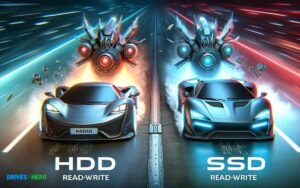
Solid State Drives (SSDs) typically outperform Hard Disk Drives (HDDs) in speed tests due to their lack of moving parts and faster data access times.
Check out this helpful video on the topic:
An SSD can deliver read and write speeds that far exceed those of a conventional HDD, leading to shorter boot times, rapid file transfers, and greater overall system responsiveness.
The difference in performance between SSDs and HDDs is primarily due to their underlying technology.
HDDs use spinning disks to read and write data, which creates a latency due to mechanical movement. In contrast, SSDs utilize NAND flash memory, allowing for instant data access.
Here’s a comparison:
- SSDs:
- Faster read/write speeds (typically 500MB/s to 5500MB/s)
- No moving parts, less prone to physical damage
- Silent operation
- Higher cost per gigabyte
- HDDs:
- Slower read/write speeds (typically 80MB/s to 160MB/s)
- Moving parts (spindle and read/write head), more prone to wear and damage
- Audible noise due to spinning disks
- Lower cost per gigabyte
Key Takeaway
11 Features Of Ssd Vs Hard Drive Speed Test
| Feature | SSD (Solid State Drive) | HDD (Hard Disk Drive) |
|---|---|---|
| Average Read Speed | 500 MB/s to 5500 MB/s | 80 MB/s to 160 MB/s |
| Average Write Speed | 300 MB/s to 5000 MB/s | 70 MB/s to 150 MB/s |
| Access Time | 0.1 ms | 5 ms to 10 ms |
| Power Consumption | Lower (2W to 5W) | Higher (6W to 15W) |
| Noise | No moving parts, silent operation | Moving parts, noise during operation |
| Heat Production | Lower | Higher due to mechanical movement |
| Vibration | None | Some, due to spinning disks |
| Failure Rate | Lower, due to no moving parts | Higher, mechanical wear and tear |
| Physical Size | Compact and light | Larger and heavier |
| Cost per GB | Higher | Lower |
| Maximum Storage Capacity | Currently up to 8TB for consumer drives | Currently up to 18TB for consumer drives |
The Basics Of Storage Drives
Storage Drive Types
When it comes to choosing a storage drive for your computer, two main options come to mind: Solid State Drives (SSD) and Hard Disk Drives (HDD).
Functionality And Purpose
- SSDs: These drives use flash memory to store data, resulting in faster read and write speeds. They are perfect for increasing the overall speed and performance of your computer, making them ideal for tasks like gaming, video editing, and booting up your operating system quickly.
- HDDs: Traditional hard disk drives use mechanical platters to read and write data, which makes them slower than SSDs. However, they are still widely used for storing large amounts of data at a lower cost per gigabyte.
When considering which type of storage drive to choose, it’s essential to understand your specific usage and prioritize either speed or capacity.
SSD Vs Hard Drive Speed Test
In today’s data-driven world, the choice between SSDs and traditional hard drives can have a significant impact on system performance.
SSD vs. Hard Drive Speed Test
In our quest to understand the performance disparities between SSDs (Solid State Drives) and traditional Hard Disk Drives (HDDs), we’ve conducted a series of tests to highlight the differences in speed and efficiency.
Understanding SSDs:
Solid State Drives utilize flash memory to store data, resulting in lightning-fast read and write speeds. Unlike HDDs, SSDs lack moving parts, leading to improved durability and reliability.
Here’s a breakdown of SSD characteristics:
- Speed: SSDs excel in speed, offering rapid data access and transfer rates. Their lack of mechanical components allows for near-instantaneous data retrieval, significantly reducing boot times and application loading times.
- Durability: With no moving parts, SSDs are inherently more durable than HDDs. They are better equipped to withstand physical shock and vibrations, making them ideal for mobile computing and rugged environments.
- Energy Efficiency: SSDs consume less power compared to HDDs since they don’t require motors to spin disks. This energy efficiency translates to longer battery life in laptops and lower operational costs in data centers.
- Noiseless Operation: The absence of moving parts renders SSDs virtually silent during operation, contributing to a quieter computing environment.
- Price per Gigabyte: While SSD prices have been declining steadily, they still tend to be more expensive per gigabyte compared to HDDs. However, the superior performance and reliability often justify the higher cost, especially for users seeking optimal speed and responsiveness.
Understanding Hard Drives:
Traditional Hard Disk Drives rely on spinning magnetic disks and mechanical read/write heads to store and retrieve data. Despite being the older technology, HDDs remain relevant for certain use cases due to their affordability and large storage capacities.
Here are key attributes of HDDs:
- Capacity: HDDs offer significantly larger storage capacities compared to SSDs at a lower cost per gigabyte. This makes them ideal for storing vast amounts of data such as multimedia files, archival data, and backups.
- Cost Efficiency: HDDs are more economical in terms of cost per gigabyte, making them a preferred choice for budget-conscious consumers and businesses with extensive storage needs.
- Sequential Read/Write Performance: While HDDs lag behind SSDs in random access speeds, they can still deliver respectable performance in sequential read/write operations. This makes them suitable for tasks like bulk data transfers and large file streaming.
- Mechanical Vulnerability: The mechanical nature of HDDs makes them susceptible to wear and tear over time. Factors such as head crashes, disk platter damage, and motor failures can compromise data integrity and lead to data loss.
- Noise and Heat: HDDs generate noise and heat during operation due to the spinning platters and moving read/write heads. This can be a concern in quiet environments or compact systems where noise and heat dissipation are critical factors.
While SSDs offer unparalleled speed, durability, and energy efficiency, HDDs remain a cost-effective solution for high-capacity storage requirements.
The choice between SSDs and HDDs ultimately depends on the specific needs of the user, balancing performance, capacity, and budget considerations.
Performance Factors
Read And Write Speed Comparison
When comparing SSD and hard drive performance, one of the key factors to consider is their read and write speeds. SSDs typically have much faster read and write speeds compared to traditional hard drives.
This is due to the lack of moving parts in SSDs, which allows for quicker data access and transfer. On the other hand, hard drives rely on spinning disks and read/write heads, which can cause slower performance.
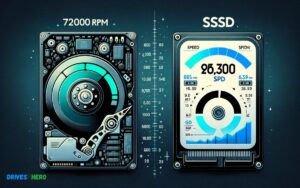
Below is a comparison of the average read and write speeds for SSDs and hard drives:
| Type | Average Read Speed | Average Write Speed |
|---|---|---|
| SSD | Up to 550 MB/s | Up to 520 MB/s |
| Hard Drive | Up to 150 MB/s | Up to 120 MB/s |
Boot Time And Loading Speed
Another significant performance factor to consider is the boot time and loading speed when comparing SSDs and hard drives. SSDs have significantly faster boot times and loading speeds compared to hard drives.
This is due to the faster read/write speeds and lack of moving parts in SSDs, which allows for quicker access and retrieval of data, resulting in faster boot times and reduced loading times for applications and files.
Technology Differences
The technology differences between SSD and hard drive are critical factors to consider when comparing their speed and performance.
Understanding the distinct features of solid-state drives (SSD) and hard disk drives (HDD) can help users make informed decisions when selecting the appropriate storage solution for their needs.
SSD Technology Overview:
Solid-state drives utilize NAND flash memory to store data electronically.
Unlike traditional hard disk drives, SSDs have no moving parts, leading to several key technological differences:
- Data Storage: SSDs store data using NAND flash memory cells, which retain information even when the power is turned off. This non-volatile storage mechanism allows for faster access to data compared to HDDs, where data is stored magnetically on spinning disks.
- Access Speeds: SSDs offer significantly faster read and write speeds compared to HDDs. With no mechanical components involved in retrieving data, SSDs provide near-instantaneous access times, resulting in quicker boot times, application launches, and file transfers.
- Durability and Reliability: The absence of moving parts in SSDs makes them more durable and resistant to physical shock, vibration, and temperature fluctuations. This enhanced durability translates to a longer lifespan and reduced risk of data loss due to mechanical failures.
- Energy Efficiency: SSDs consume less power compared to HDDs since they don’t require motors to spin disks. This energy-efficient design results in lower power consumption, making SSDs ideal for portable devices and environments where power efficiency is paramount.
- Noiseless Operation: SSDs operate silently due to the absence of moving parts, contributing to a quieter computing experience compared to HDDs, which produce noise during disk rotation and head movement.
Hard Drive Technology Overview:
Traditional hard disk drives rely on spinning magnetic disks (platters) and mechanical read/write heads to store and retrieve data.
Here are the primary technological characteristics of HDDs:
- Magnetic Storage: HDDs store data magnetically on spinning platters coated with a magnetic layer. Data is written and read by moving read/write heads, which access specific sectors on the rotating disks.
- Access Speeds: HDDs generally offer slower access speeds compared to SSDs due to the mechanical nature of their operation. The time required for the read/write heads to move to the correct position and the platters to spin up contributes to latency in accessing data.
- Capacity: HDDs typically offer larger storage capacities compared to SSDs at a lower cost per gigabyte. This makes them suitable for applications that require vast amounts of storage space, such as data centers, multimedia storage, and archival purposes.
- Cost Efficiency: HDDs are generally more cost-effective than SSDs in terms of price per gigabyte of storage. This affordability makes HDDs a preferred choice for budget-conscious consumers and organizations with extensive storage needs.
- Mechanical Vulnerability: The mechanical components of HDDs, including spinning disks and moving read/write heads, make them susceptible to mechanical failures, such as head crashes and disk platter damage.
The technological disparities between SSDs and HDDs stem from their distinct storage mechanisms and operational principles.
While SSDs offer superior speed, durability, and energy efficiency, HDDs remain relevant for applications requiring high-capacity storage at a lower cost.
The choice between SSDs and HDDs ultimately depends on factors such as performance requirements, budget constraints, and specific use-case scenarios.
Impact On System And Application Performance
When it comes to comparing SSD vs. hard drive speed, it’s essential to understand the impact on system and application performance.
Both types of storage have distinctive characteristics that can significantly influence how quickly your system starts up and applications load.
System Startup Time Comparison
SSDs, being solid-state drives, offer remarkably faster system startup times compared to traditional hard drives.
- This is due to their lack of moving parts and flash memory technology, which allows for quicker access to data.
- In a speed test comparison, a computer equipped with SSD boots up in a matter of seconds, while a hard-drive-based system may take several minutes to initialize.
- The superior speed of SSDs in this aspect results in a more responsive and efficient computing experience.
Application Loading Time Comparison
When it comes to loading applications, the impact of an SSD’s speed becomes even more evident. Applications launch instantly when stored on an SSD, whereas those running from a hard drive may experience noticeable delays.
In a side-by-side speed test comparison, users can observe the significant difference in loading times, with SSD-based systems offering immediate access to programs and data, enhancing productivity and user experience.
The streamlined performance of SSDs in this regard ensures that demanding applications and multitasking activities can be handled with efficiency and speed.
Real-world Performance
When it comes to comparing the real-world performance of SSDs and hard drives, speed test parameters play a crucial role in determining which one reigns supreme.
Speed Test Parameters
Speed test parameters are essential in providing a comprehensive understanding of the performance differences between SSDs and hard drives.
The main aspects to consider in these speed tests include:
- Data transfer speed: Measured in megabytes per second (MB/s), this parameter indicates the rate at which data can be read or written to the storage device. It directly impacts the overall speed and responsiveness of the system.
- Access time: The time it takes for the storage device to locate and retrieve data. SSDs typically exhibit significantly lower access times compared to hard drives, contributing to faster data access and system boot times.
- IOPS (Input/Output Operations Per Second): This parameter measures the number of input/output operations the storage device can perform in one second. Higher IOPS generally translates to improved system responsiveness and faster application loading times.
Gaming Performance Comparison
In the context of real-world performance, the gaming experience provides a tangible comparison between SSDs and hard drives.
When it comes to gaming, the speed at which the storage device can load game levels, textures, and assets directly impacts the overall gaming experience.
- SSDs exhibit superior gaming performance compared to hard drives.
- With faster data transfer speeds, lower access times, and higher IOPS, SSDs significantly reduce game loading times, provide smoother gameplay, and minimize in-game loading delays.
- The result is a seamless and immersive gaming experience that elevates overall performance and player satisfaction.
- By contrast, hard drives may lead to longer game loading times, potential stuttering during gameplay, and increased wait times for level loading.
- The limitations of hard drives in accessing and loading game data can impact the gaming experience, particularly in modern, resource-intensive games that demand quick data access and processing.
When it comes to real-world performance, the speed test parameters and gaming performance comparison clearly illustrate the advantages of SSDs over hard drives in enhancing overall system responsiveness, data access speed, and gaming experience.
Price And Capacity Consideration
When it comes to choosing between SSDs and hard drives, price and storage capacity are crucial factors to consider.
Cost Per Gigabyte Analysis
SSDs are known for their high performance, but they typically come with a higher price tag compared to traditional hard drives.
However, the cost per gigabyte of SSDs has significantly decreased over the years, making them more affordable for consumers.
On the other hand, hard drives offer a lower cost per gigabyte, making them a cost-effective option for users who require large amounts of storage without breaking the bank.
Storage Capacity Evaluation
When it comes to storage capacity, hard drives have the upper hand. They are available in larger capacities, making them ideal for storing large media files, such as videos and photos.
SSDs, while offering lesser storage capacities compared to hard drives, excel in speed and responsiveness, making them ideal for users who prioritize performance over sheer storage space.
Conclusion
The speed test demonstrates the superior performance of SSDs over HDDs. With faster data transfer speeds and quicker boot-up times, SSDs are the optimal choice for those seeking improved system performance.
Investing in an SSD can significantly enhance the overall speed and efficiency of your computer. Upgrade now for a seamless computing experience.

Harold Williams is a senior writer and technical editor at Drives Hero with 20+ years of experience in IT administration. He specializes in storage systems, SSD reviews, and performance testing, bringing real-world insight to every guide.