Will a Ssd Improve My Computer Speed? Yes!
Yes, upgrading to a Solid State Drive (SSD) can significantly improve your computer’s speed.
Check out this helpful video on the topic:
An SSD can enhance overall system responsiveness, shorten boot times, and speed up file transfers and application loading times compared to a traditional Hard Disk Drive (HDD).
An SSD improves computer speed through its technology, which differs from an HDD in several key ways:
For example:
- If you upgrade from an HDD to an SSD, you could expect your computer’s boot time to decrease from a minute or more to just seconds.
Upgrading to an SSD is a practical move to revitalize an aging computer or enhance a new system’s performance, offering a noticeable improvement in everyday computing tasks.
Key Takeaway
What Is An Ssd?
Definition And Basic Workings
- An SSD, or solid-state drive, is a storage device that uses flash-based memory to store data.
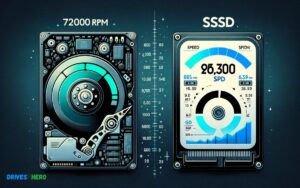
- Unlike traditional hard disk drives (HDDs), which use spinning disks and moving read/write heads, SSDs have no moving parts, allowing for quicker access to data and improved performance.
- This results in faster boot times, quicker file transfers, and overall improved system responsiveness.
Comparison With Hdds
- When compared to HDDs, SSDs offer significant advantages in terms of speed, reliability, and durability.
- While HDDs rely on mechanical components that can degrade over time, SSDs are more resistant to physical shocks and have lower latency, which reduces the time it takes to access data.
- SSDs are quieter, consume less power, and generate less heat than traditional HDDs
The Impact Of An Ssd On Boot Time And Application Loading
Switching to a solid-state drive (SSD) can significantly enhance your computer’s speed and performance. One of the most noticeable improvements is in boot time and how quickly applications load.
Understanding the explanations behind these enhancements provides insight into the benefits of upgrading to an SSD.
Explanations On How An Ssd Can Improve Boot Time
SSDs contribute to faster boot times due to their lack of moving parts and their ability to access data more quickly than traditional hard disk drives (HDDs).
Unlike HDDs, which rely on mechanical components to read and write data, SSDs use flash memory, enabling them to retrieve information almost instantly.
This results in significantly shorter boot times, allowing you to start using your computer much sooner after it’s powered on.
Examples Of Applications That Benefit From Ssd Speed
With an SSD, applications that require intensive data access, such as video editing software and 3D rendering programs, experience substantial performance improvements.
These applications often involve processing large files and complex data sets, which SSDs can access and load much faster than their HDD counterparts.
Gaming is another area that benefits from SSD speed, as games load faster and experience reduced stuttering and lag during gameplay.
Factors Affecting Overall Computer Speed Improvement With An Ssd
Influence On Gaming Performance
Adding a solid-state drive (SSD) to your computer can significantly enhance gaming performance and overall user experience.
When it comes to gaming, faster read and write speeds provide quicker loading times and smoother gameplay.
The improved random access times and reduced latency of an SSD ensure that game levels load faster, and in-game assets render quickly, ultimately enhancing the immersive gaming experience.
Impact On System Responsiveness And Overall Speed
When you upgrade to an SSD, the impact on system responsiveness and overall speed is remarkable. The increase in read and write speeds enables brisk boot-up times, rapid application launch, and swift data processing.
These improvements translate into a more fluid and responsive computing experience, making multitasking seamless and reducing the time spent waiting for tasks to complete.
Practical Considerations And Recommendations For Ssd Upgrade
Upgrading a computer with a solid-state drive (SSD) can significantly improve its speed and overall performance. However, there are practical considerations and recommendations to keep in mind before diving into the upgrade process.
Compatible Systems And Installation Tips
Before considering an SSD upgrade, it’s crucial to check if your computer is compatible with an SSD. Most modern computers support SSDs, but it’s essential to ensure that the necessary connectors and mounting capabilities are available.
When installing the SSD, consider following these tips:
- Back up your data before starting the installation process.
- Consult the user manual or online resources for specific installation instructions.
- Ensure that the SSD is correctly connected to the motherboard and power supply.
- Check for any BIOS settings that may need to be adjusted to fully utilize the SSD’s potential.
Cost-effectiveness And Performance Trade-offs
When contemplating an SSD upgrade, it’s essential to consider the cost-effectiveness and potential performance trade-offs.
While SSDs offer faster read and write speeds compared to traditional hard disk drives (HDDs), they typically come at a higher cost per gigabyte.
To assess the trade-offs:
- Compare the price per gigabyte of SSDs and HDDs to determine the cost-effectiveness of upgrading to an SSD.
- Evaluate the specific performance gains that matter most to your computer usage, such as faster boot times, quicker application launches, and improved system responsiveness.
- Consider the overall impact on your computing experience and the potential productivity gains from the speed improvements brought by an SSD upgrade.
Will external SSD speed up iMac?
Adding an external SSD to an iMac can indeed speed up its performance, particularly in terms of data access and application loading times.
This is because SSDs are much faster than traditional HDDs due to their lack of moving parts and use of flash memory for data storage.
When connected to an iMac via a high-speed interface such as Thunderbolt or USB 3.0/3.1, an external SSD can significantly improve the overall responsiveness of the system.
Here are some specific ways an external SSD can speed up an iMac:
- Faster Boot Times: An SSD can dramatically reduce the time it takes for your iMac to boot up, allowing you to start using your computer more quickly.
- Improved Application Launching: Applications installed on the external SSD will load much faster compared to those installed on a traditional HDD.
- Quicker File Transfers: Moving files between your iMac and the external SSD will be much faster, which can be particularly beneficial for large files or when transferring multiple files simultaneously.
- Enhanced Overall System Responsiveness: With an external SSD, tasks such as opening files, saving documents, and accessing system files will be noticeably quicker, leading to a smoother user experience overall.
However, it’s important to note that while an external SSD can significantly improve certain aspects of performance, it won’t necessarily increase the processing power or capabilities of the iMac’s CPU or GPU.
The speed improvement may be limited by factors such as the speed of the interface used to connect the SSD (e.g., Thunderbolt 3 being faster than USB 3.0) and the specific model and configuration of the SSD itself.
Conclusion
Investing in an SSD can significantly enhance your computer’s speed. Its fast read and write speeds will improve overall performance and reduce load times.
With the additional benefits of durability and energy efficiency, an SSD is a worthwhile upgrade for boosting your computer’s speed and responsiveness.

Harold Williams is a senior writer and technical editor at Drives Hero with 20+ years of experience in IT administration. He specializes in storage systems, SSD reviews, and performance testing, bringing real-world insight to every guide.