5400 Rpm Vs Ssd Speed: Which One Is More Preferable?
A 5400 RPM hard drive typically has slower read and write speeds compared to a solid-state drive (SSD), with SSDs offering significantly faster data transfer rates.
Check out this helpful video on the topic:
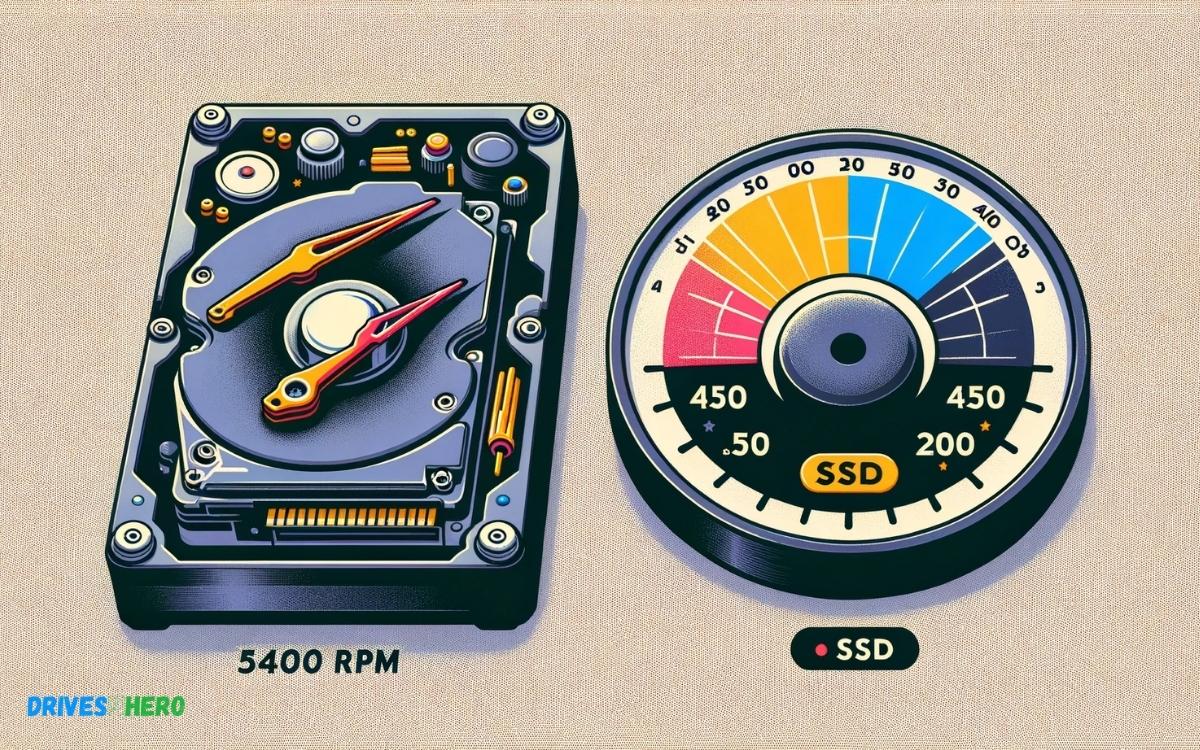
The speed difference between a 5400 RPM (revolutions per minute) hard drive and an SSD is substantial. A 5400 RPM drive is a traditional mechanical hard disk that uses spinning platters to read and write data.
Its speed is limited by the physical movement of the read/write head and the rotational speed of the platters. In contrast, an SSD uses flash memory with no moving parts, allowing for much quicker access to data.
Here’s a comparison:
The performance difference can be noticed during tasks like booting up the operating system, launching applications, transferring files, and loading games.
Choosing an SSD over a 5400 RPM HDD drastically improves system responsiveness and reduces loading times for a more efficient computing experience.
Key Takeaway
11 Specifications Of 5400 Rpm Vs Ssd Speed
| Specification | 5400 RPM HDD | SSD |
|---|---|---|
| Average Read Speed | 80-100 MB/s | 200-550 MB/s (depending on the SSD technology) |
| Average Write Speed | 80-100 MB/s | 200-500 MB/s (depending on the SSD technology) |
| Random Read Speed (IOPS) | 100-200 IOPS (Input/Output Operations Per Second) | 6000-100,000 IOPS (varies greatly with SSD technology) |
| Random Write Speed (IOPS) | 100-200 IOPS | 20,000-90,000 IOPS (varies with SSD technology) |
| Power Consumption | 6-7 watts (active), 2-3 watts (idle) | 2-3 watts (active), 0.3-1 watts (idle) |
| Heat Generation | Higher due to moving parts | Lower, as there are no moving parts |
| Noise | Audible clicks and spinning sounds | Silent operation |
| Vibration | Present due to mechanical parts | None, as there are no moving parts |
| Durability | Susceptible to physical damage from shock | High resistance to shock and vibration |
| Lifespan | 3-5 years (can vary based on usage) | 5-7+ years (can be longer with proper maintenance) |
| Cost per GB | Lower | Higher, but prices are continuously dropping |
Differentiating 5400 Rpm And Ssd
When considering storage drives for your computer, you might come across the choice between a 5400 RPM (Revolutions Per Minute) hard drive and a Solid State Drive (SSD).
Understanding the differences between these two technologies can help you make an informed decision when upgrading or purchasing a new computer.
Physical Structure Of 5400 Rpm Drives
The physical structure of a 5400 RPM drive involves rotating magnetic platters and a read/write head, similar to traditional hard disk drives.
These drives store data on the platters using magnetization, and the speed at which the platters spin 5400 RPM in this case determines the data transfer rate.
Physical Structure Of Ssd Drives
On the other hand, an SSD is a flash storage device that has no moving parts. It consists of interconnected flash memory chips that retain data even when the power is turned off.
This absence of moving parts makes SSDs more durable and resistant to physical shock, as well as quieter and more energy-efficient compared to traditional HDDs.
Speed Performance Of 5400 Rpm Vs Ssd
- When it comes to speed performance, SSDs outperform 5400 RPM drives by a significant margin.
- The absence of mechanical components in SSDs allows them to access and retrieve data much faster than 5400 RPM HDDs.
- This results in improved overall system responsiveness, faster boot times, and quicker file transfer speeds.
Advantages Of 5400 Rpm Drives
When it comes to storage drives, the debate between 5400 RPM and SSD speed is ongoing. However, it’s important to recognize the advantages that 5400 RPM drives offer in various aspects.
Cost-effectiveness
5400 RPM drives present a cost-effective storage solution for individuals and businesses alike. Despite being slower than SSDs, they are considerably more affordable, making them an attractive choice for those working within budget constraints.
Sufficient For Basic Usage
For basic usage such as web browsing, document creation, and light multitasking, 5400 RPM drives provide sufficient speed and reliability. They can handle everyday computing tasks without any noticeable lag, making them a practical choice for casual use.
Suitable For Long-term Storage
- When it comes to long-term storage, the slower rotational speed of 5400 RPM drives can actually be advantageous.
- These drives are well-suited for archiving files, storing large media libraries, and maintaining backups.
- Their capacity and durability make them a dependable option for preserving data over extended periods.
Advantages Of Ssd Drives
SSD drives offer significantly faster performance compared to traditional 5400 RPM drives, resulting in quicker boot times, file transfers, and overall system responsiveness.
With no moving parts, SSDs also provide a more durable and reliable storage solution, making them an ideal choice for improved productivity and longevity.
Superior Speed
- When it comes to speed, SSD drives reign supreme over traditional 5400 RPM hard drives.
- With no moving parts, SSDs can access data almost instantly, resulting in faster boot times, quicker file transfers, and smooth multitasking capabilities.
- Their impressive read and write speeds make them ideal for tasks that demand high performance and responsiveness.
Enhanced Performance
SSD drives offer enhanced system performance, ensuring that applications load quickly and run smoothly.
Whether you’re gaming, editing videos, or multitasking with resource-intensive applications, an SSD drive can significantly improve your overall computer experience.
The near-instant access to data and improved input/output operations help in reducing lag and increasing overall system responsiveness.
Durability And Reliability
Unlike traditional hard drives, SSDs are built without any moving mechanical components, which makes them more durable and reliable.
The absence of moving parts means less wear and tear, reducing the risk of mechanical failure and data loss.
SSDs are better equipped to withstand vibrations and shocks, making them an ideal choice for portable devices and laptops.
Performance Comparison In Different Applications
Performance comparison in different applications is essential when choosing between a hard disk drive (HDD) with 5400 RPM and a solid-state drive (SSD).
Each type of drive excels in various areas, affecting boot time, loading large files, gaming experience, and multimedia editing.
Boot Time
Boot time is a crucial factor influencing the overall user experience. SSDs significantly outperform 5400 RPM HDDs in this aspect. With SSDs, the boot time is notably faster, resulting in quicker system startup and productivity gains.
Loading Large Files
When it comes to loading large files, SSDs again demonstrate their superiority. Their efficient read and write capabilities enable faster access to large files, resulting in quicker processing and reduced waiting time.
On the other hand, 5400 RPM HDDs may experience delays when handling large files due to their slower speed.
Gaming Experience
Gaming experience is greatly impacted by storage speed. SSDs offer enhanced loading times, seamless level transitions, and reduced stuttering, providing gamers with a more immersive and enjoyable gaming experience.
In contrast, 5400 RPM HDDs may lag in delivering the necessary speed for modern gaming demands, affecting overall gameplay.
Multimedia Editing
In multimedia editing, such as video rendering and photo editing, speed is of the essence. SSDs provide significant advantages in terms of faster file access, rendering, and overall performance, contributing to a smooth and efficient editing workflow.
Conversely, a 5400 RPM HDD may cause delays in loading large multimedia files, impacting productivity and editing experience.
Factors Influencing 5400 Rpm And Ssd Speed
The performance of a computer’s storage drives is influenced by several factors that affect the speed of 5400 RPM and SSD drives. Understanding these factors can help users make informed decisions when choosing the right drive for their computing needs.
Hardware Configuration
The hardware configuration of a computer system plays a crucial role in determining the speed of 5400 RPM and SSD drives.
SSD drives are solid-state drives that use flash memory for storage, while 5400 RPM drives are traditional hard disk drives with spinning platters.
SSDs tend to outperform 5400 RPM drives significantly due to their faster data retrieval and read/write speeds. The presence of up-to-date interfaces such as SATA III or NVMe can further enhance the speed of SSDs.
Data Access Patterns
The way data is accessed and utilized on a drive can impact its speed. SSD drives excel in random read/write operations and are well-suited for frequent and concurrent data access.
On the other hand, 5400 RPM drives may experience slower performance when handling multiple read/write requests simultaneously due to the mechanical nature of their operation.
Operating System Integration
- The efficiency of the operating system in utilizing the capabilities of storage drives has a significant effect on their speed.
- Modern operating systems are optimized for SSD integration and utilize TRIM support to maintain optimal performance.
- 5400 RPM drives, while compatible with most operating systems, may not fully leverage the speed benefits that SSDs offer.
User Experience Preferences
User experience preferences also play a role in determining the appropriate drive speed. Users looking for faster boot times, application loading, and data transfer may opt for SSDs due to their superior speed.
Conversely, those with higher storage requirements and less emphasis on performance may find 5400 RPM drives to be sufficient for their needs.
Conclusion
Both 5400 RPM and SSD drive each have their unique advantages. SSD delivers faster data transfer and better performance overall, whereas 5400 RPM drives are more affordable and offer larger storage capacity.
When choosing between the two, consider your budget and specific needs for storage and speed. Keep in mind that SSD drives are more resilient and perform better in the long run.

Harold Williams is a senior writer and technical editor at Drives Hero with 20+ years of experience in IT administration. He specializes in storage systems, SSD reviews, and performance testing, bringing real-world insight to every guide.