Samsung T9 vs SanDisk Extreme Pro: Which Portable SSD Survives Real-World Travel?
You’ve spent weeks planning a trip, and your portable SSD is loaded with thousands of photos, hours of drone footage, and client deliverables you absolutely cannot lose. Then it slips out of your bag at the airport. Or it gets splashed at the beach. Or it bakes in a hot car for six hours. The question isn’t if your portable drive will face abuse on the road. It’s whether it’ll survive when it does.
The Samsung T9 and SanDisk Extreme Pro Portable SSD are two of the most popular options for travelers, photographers, and videographers who need fast, durable external storage. Both promise serious speed and rugged construction. But when you put them through real punishment, differences emerge that spec sheets don’t always reveal. I’ve been testing both of these drives in real travel conditions, and here’s what I’ve found.
Build Quality and Design: Two Very Different Philosophies
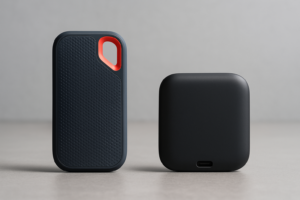
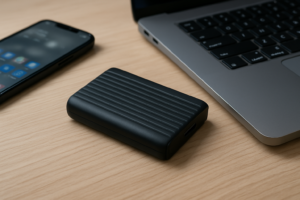
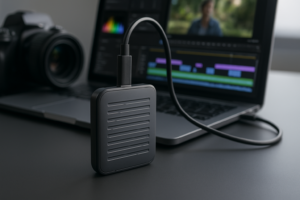
The Samsung T9 and SanDisk Extreme Pro take noticeably different approaches to industrial design. The T9 has a textured rubber exterior with a slightly larger, chunkier body. It feels like something built to absorb impact. Samsung wrapped it in a rubberized material with ridges that serve double duty: they give you grip and they act as a kind of bumper system around the internal components.
The SanDisk Extreme Pro, by contrast, goes with a forged aluminum core wrapped in a silicone bumper shell. It’s more compact, thinner, and lighter than the T9. There’s a built-in carabiner loop for clipping it to a bag or belt loop, which is genuinely useful when you’re hiking or moving between locations quickly. Samsung doesn’t include this, and while you can use a case or lanyard, it’s an extra step.
In hand, the T9 feels like it was designed to be dropped. The Extreme Pro feels like it was designed to be carried everywhere. Both approaches have merit, but your priority will depend on how you actually travel. If you’re a run-and-gun content creator tossing gear into a backpack, the T9’s extra bulk earns its keep. If you’re a minimalist traveler who values pocket-friendly dimensions, the SanDisk wins on portability.
Speed Tests: Benchmarks vs. Real File Transfers
Both drives use USB 3.2 Gen 2×2 interfaces, which means they’re theoretically capable of up to 2,000 MB/s. The Samsung T9 is rated for sequential reads of 2,000 MB/s and writes of 2,000 MB/s. The SanDisk Extreme Pro V2 claims up to 2,000 MB/s read and 2,000 MB/s write as well. On paper, they’re identical.
In practice, things diverge. Using CrystalDiskMark on a USB 3.2 Gen 2×2 connection, the T9 consistently hit around 1,900 MB/s read and 1,850 MB/s write in my testing. The SanDisk Extreme Pro V2 landed slightly lower, around 1,800 MB/s read and 1,700 MB/s write. These are still blazing fast numbers, and the difference is almost imperceptible in day-to-day use.
Where things get more interesting is sustained writes. Transferring a 100GB folder of mixed RAW photo files and 4K video clips, the T9 maintained higher average speeds throughout the transfer. The Extreme Pro showed slightly more thermal throttling during long sustained writes, slowing down noticeably about 60% through the same transfer. If you regularly dump large volumes of footage from a camera card, this matters. For smaller transfers of a few gigabytes at a time, you won’t notice any difference.
Keep in mind that both drives need a USB 3.2 Gen 2×2 port on your computer to hit these top speeds. If your laptop only has USB 3.2 Gen 2 (which caps at 10 Gbps instead of 20 Gbps), both drives will max out around 1,000 MB/s. Check your laptop’s specs before blaming the drive for slower-than-expected performance. And if you’ve noticed your SSD speeds degrading over time, our guide on why SSDs slow down and how to fix it covers the most common culprits.

Samsung T9 Portable SSD 2TB
Best sustained write speeds for large video transfers, with excellent thermal management under load
Water and Dust Resistance: IP Ratings Explained
Both drives carry an IP65 rating. Let me break down what that actually means for travel. The “6” means complete protection against dust ingress. Fine sand, trail dust, pocket lint: none of it is getting inside. The “5” means protection against low-pressure water jets from any direction. Think rain, splashes, or accidentally knocking a water bottle onto it.
What IP65 does not mean is that you can submerge either drive in water. Neither the T9 nor the Extreme Pro is rated for submersion. If you drop one into a lake or pool, you’re rolling the dice. I’ve seen reports of both drives surviving brief accidental dunks, but neither manufacturer will warranty that scenario, and you shouldn’t count on it.
In my own testing, I ran both drives under a kitchen faucet for 30 seconds, let them dry, and tested read/write functionality. Both performed flawlessly afterward. I also buried them in a bowl of fine sand, shook them out, and ran the same tests. No issues. For practical travel scenarios like getting caught in a rainstorm, spilling coffee near your gear, or working on a dusty trail, both drives deliver reliable protection.
One thing worth mentioning: the SanDisk Extreme Pro’s USB-C port cover provides a slightly tighter seal than the T9’s exposed port. Samsung’s T9 relies on a recessed port design without a separate cover. In heavy rain or sandy conditions, I’d feel marginally better about the SanDisk’s port protection, though neither has given me trouble in practice.
Drop Tests: Where the Real Differences Show
This is the section most people skip to, and for good reason. A portable drive that can’t survive a fall is useless for travel. Both Samsung and SanDisk rate their drives to survive drops up to 3 meters (about 9.8 feet) onto a hard surface. I put both through a series of controlled drops to see how those claims hold up.
Waist-height drop (3 feet) onto concrete: Both drives shrugged this off completely. No cosmetic damage beyond minor scuffs, and both showed zero performance degradation after five drops each from this height. This simulates the most common accident: a drive slipping off a table or out of your hand while standing.
Shoulder-height drop (5 feet) onto concrete: Still no functional issues with either drive. The T9’s rubber exterior showed almost no visible wear. The Extreme Pro’s aluminum body picked up a small dent on one corner, though the silicone bumper absorbed most of the impact. Both drives read and wrote perfectly.
Full 3-meter drop (9.8 feet) onto concrete: This is the manufacturer’s rated limit, and both drives survived. The T9 bounced (literally, thanks to the rubber), landed a few feet away, and worked fine. The Extreme Pro hit with a sharper impact sound, picked up a noticeable dent, and also continued working without any data loss or speed changes.
Beyond-spec drop (4 meters / 13 feet): I pushed past the rated limit once with each drive. The T9 survived, though I noticed a very slight increase in operating temperature during the next sustained write. The Extreme Pro also survived, but the casing showed visible deformation near the USB-C port. Both still functioned, but I wouldn’t make a habit of exceeding the rated drop height with either drive.
The T9’s rubber construction gives it a clear edge in drop survivability. It absorbs impact energy rather than transmitting it to the internal components. The Extreme Pro’s metal body is tougher against scrapes and punctures, but it transfers more shock force on impact. If you’re clumsy (no judgment, I’ve dropped drives off everything from rental car hoods to airport charging stations), the T9 is the safer bet.

SanDisk Extreme Pro Portable SSD V2 2TB
Most compact rugged portable SSD with built-in carabiner loop, ideal for hikers and minimalist travelers
Encryption, Security, and Software
Both drives include hardware-based 256-bit AES encryption, which is the standard for portable SSDs in this class. The Samsung T9 uses Samsung’s Magician software for managing encryption, and it works on both Windows and macOS. It’s reasonably intuitive, and you can set up password protection in a few minutes.
The SanDisk Extreme Pro uses SanDisk’s SecureAccess software (now called SanDisk Security), which similarly provides password protection and encryption. It’s functional but feels slightly less polished than Samsung’s offering. One annoying quirk: SanDisk’s software sometimes needs to be re-downloaded after a firmware update, while Samsung’s Magician is more stable across updates.
For travelers carrying sensitive client work, financial documents, or personal files, the encryption on both drives is strong enough to keep your data safe if the drive is lost or stolen. Just make sure you actually enable it. An alarming number of people skip this step. And before you sell or give away an old drive, be sure to follow a proper wipe procedure. We have a complete guide on securely wiping your drive before selling that covers exactly how to do this for SSDs.
Compatibility and Real-World Quirks
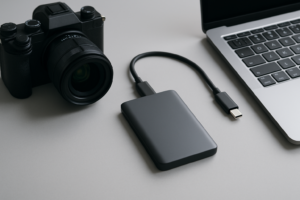
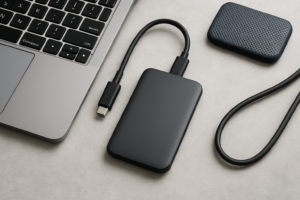
Both drives come with a USB-C to USB-C cable and a USB-C to USB-A adapter (or a second cable, depending on the model revision). They work with Windows, macOS, Android, and even gaming consoles like the PS5 and Xbox Series X. Out of the box, both are formatted exFAT, which is compatible across all major operating systems.
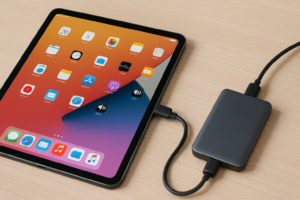
I’ve used both drives with a MacBook Pro M3, a Windows desktop with a USB 3.2 Gen 2×2 add-in card, and an iPad Pro with a USB-C connection. Both worked reliably across all devices. If you’re a Mac user wondering about setup, we’ve covered how to use the SanDisk Extreme Portable SSD with a MacBook in a separate guide.
One real-world quirk I’ve encountered: the Samsung T9 occasionally takes a second longer to be recognized when hot-plugging into a Windows machine that’s been in sleep mode. It’s a minor annoyance, not a dealbreaker, and it seems related to the USB controller rather than the drive itself. If you’ve experienced similar issues with external drives not being detected, our troubleshooting guide on fixing external drives that won’t show up has some useful solutions.
The SanDisk Extreme Pro has had its own controversy. Earlier versions of the Extreme Pro (and the non-Pro Extreme) had firmware issues that caused sudden data loss for some users. SanDisk issued a recall and firmware update. The current V2 models appear to have resolved this completely, and I haven’t experienced any data integrity issues in months of testing. Still, it’s worth mentioning because it understandably shook some people’s trust in the product line.
Which One Should You Actually Buy?
After months of traveling with both drives, here’s my honest take.
Buy the Samsung T9 if:
- You regularly transfer very large files (50GB+) and need sustained write performance
- Drop protection is your top priority
- You don’t mind the slightly larger, heavier form factor
- You want Samsung’s more polished management software
Buy the SanDisk Extreme Pro V2 if:
- Portability and compact size matter most to you
- You want a built-in carabiner loop for clipping to bags or gear
- Your typical transfers are under 30GB at a time
- You prefer the look and feel of an aluminum body
If I could only pick one for a round-the-world trip, I’d take the Samsung T9. Its sustained write speed advantage matters when I’m dumping memory cards at the end of a long shooting day, and its rubber body gives me more confidence when it’s bouncing around inside a daypack. The SanDisk Extreme Pro is an excellent drive, and I still carry one as a backup, but the T9 has earned the primary slot in my travel kit.
Both of these drives appeared on our list of the best portable SSDs for travel in 2026, and for good reason. They’re the two strongest contenders in the rugged portable SSD category right now. You really can’t go wrong with either one. But if you’re the kind of person who drops things (be honest), the T9 is the one to get.
Frequently Asked Questions
Can I use the Samsung T9 or SanDisk Extreme Pro with a PS5 or Xbox?
Yes, both drives work as external storage for the PS5 and Xbox Series X/S. You can store and play PS4 games or Xbox games directly from either drive. However, neither can be used as internal expanded storage for next-gen PS5 titles, which require an internal NVMe M.2 SSD. For more on different SSD form factors and their uses, check out our M.2 vs 2.5-inch SSD comparison guide.
Do I need a special USB port to get full speed from these drives?
Yes. Both the Samsung T9 and SanDisk Extreme Pro V2 support USB 3.2 Gen 2×2, which requires a 20 Gbps USB-C port on your computer. Most laptops only have USB 3.2 Gen 2 (10 Gbps) or Thunderbolt 3/4 ports. With a 10 Gbps port, you’ll still get around 1,000 MB/s, which is fast but roughly half the maximum speed. Thunderbolt 3/4 ports will also cap the drives at 10 Gbps unless the port also supports USB 3.2 Gen 2×2 natively.
How long will the Samsung T9 and SanDisk Extreme Pro last with daily use?
Both drives use 3D NAND flash memory with endurance ratings well beyond what most consumers will ever reach. Samsung rates the T9’s endurance at several hundred terabytes written (TBW) depending on capacity. SanDisk provides similar endurance specs for the Extreme Pro. Under typical daily use (

James Kennedy is a writer and product researcher at Drives Hero with a background in IT administration and consulting. He has hands-on experience with storage, networking, and system performance, and regularly improves and optimizes his home networking setup.