Samsung T7 vs T9: Is the Upgrade Worth It?
Samsung’s T-series portable SSDs have earned a loyal following, and for good reason. They’re compact, reliable, and fast enough for most people’s daily workflows. But with the Samsung T9 now on the market alongside the still-popular Samsung T7, you’re probably wondering whether the newer model justifies the price bump. Let’s break down where these two drives actually differ and where they don’t.
Speed: The T9 Is Genuinely Faster
This is the biggest gap between these two drives. The Samsung T7 uses a USB 3.2 Gen 2 interface, which tops out at 10 Gbps. In practice, you’ll see sequential read speeds around 1,050 MB/s and writes around 1,000 MB/s. That’s excellent for a portable SSD, and it still outperforms the vast majority of external drives on the market.
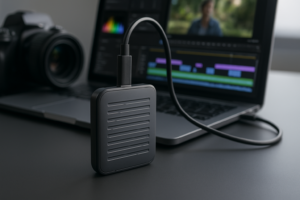
The T9 jumps to USB 3.2 Gen 2×2, doubling the theoretical bandwidth to 20 Gbps. Real-world sequential speeds land around 2,000 MB/s for both reads and writes. If you’re regularly transferring large video files, working with RAW photo libraries, or editing directly off the drive, you’ll feel that difference immediately. A 50 GB folder that takes about 50 seconds on the T7 finishes in roughly 25 seconds on the T9.
One important caveat: your computer needs a USB 3.2 Gen 2×2 port to hit those T9 speeds. Many laptops, especially MacBooks, don’t have one. If your machine only supports Gen 2, the T9 will perform almost identically to the T7. Check your ports before you buy. For a broader look at fast external storage options, our guide to the best portable SSDs for travel in 2026 covers several alternatives worth considering.

Samsung T9 Portable SSD 2TB
Best pick if your PC has USB 3.2 Gen 2×2 and you need nearly double the transfer speed of the T7
Durability and Design
The T7 is famously sleek and pocketable. It weighs just 58 grams and measures about the size of a credit card. The metal casing feels premium, and it handles drops up to 2 meters on non-carpeted floors. For everyday carry, it’s hard to beat.
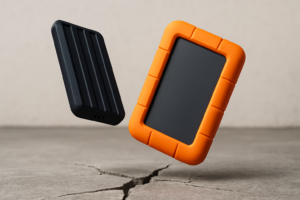
Samsung beefed up the T9 considerably. It features a rubberized exterior with a ridged texture that improves grip. It’s larger and heavier (around 122 grams), but it also earned an IP65 rating for dust and water resistance. The T7 doesn’t have an IP rating at all. If you’re working outdoors, shooting on location, or just prone to spilling coffee near your gear, the T9 offers meaningfully better protection.
Both drives include 256-bit AES hardware encryption with optional password protection. Neither drive has a fingerprint reader, though. Samsung reserved that feature for the T7 Touch variant, which is a separate model. And if you’re ever planning to sell or pass along an older portable drive, make sure you securely wipe your drive before handing it off.
Which One Should You Actually Buy?
The T7 remains a fantastic portable SSD. It’s compact, plenty fast for most tasks, and widely available at a lower price point than the T9. If you’re backing up documents, carrying your media library, or just want a reliable everyday drive, the T7 does everything you need without compromise.

Samsung T7 Portable SSD 1TB
Still the best value for everyday file transfers and backups if you don’t need 2,000 MB/s speeds
The T9 makes sense for a specific audience: content creators transferring huge files, video editors working off external storage, or anyone with a workstation that actually supports Gen 2×2 speeds. The improved ruggedness is a nice bonus, but the speed upgrade is the real selling point. Without a compatible port, you’re paying more for a slightly bigger drive that performs the same.
My recommendation? If you already own a T7 and your computer doesn’t have Gen 2×2, skip the upgrade. If you’re buying fresh and your workflow involves large file transfers on compatible hardware, go with the T9. Otherwise, the T7 remains the smarter buy for most people. Keep in mind that SSDs can slow down as they age, so regardless of which model you choose, it’s worth understanding why SSDs slow down over time and how to fix it.
Both drives come in 1TB, 2TB, and 4TB capacities. If you’re unsure which size fits your needs, our breakdown of 1TB vs 2TB SSDs can help you pick the right one. And if you want to snag either drive at a discount, keep an eye on seasonal sales with our Black Friday SSD deals roundup.
Frequently Asked Questions
Can I use the Samsung T9 with a Mac?
Yes, the T9 works with Macs out of the box. However, most Macs use Thunderbolt/USB4 ports that support USB 3.2 Gen 2 speeds (10 Gbps), not Gen 2×2 (20 Gbps). This means the T9 will run at roughly the same speed as the T7 on a Mac. You’ll still benefit from the improved durability and IP65 rating, but the speed advantage won’t apply.
Is the Samsung T7 still worth buying in 2026?
Absolutely. The T7 still delivers 1,050 MB/s sequential reads, which is more than fast enough for everyday file transfers, photo backups, and even light video editing. It’s lighter, more compact, and more affordable than the T9. Unless you specifically need the T9’s faster transfer speeds and have the port to support them, the T7 remains one of the best portable SSDs you can buy.
This article contains affiliate links. We may earn a small commission at no extra cost to you.

James Kennedy is a writer and product researcher at Drives Hero with a background in IT administration and consulting. He has hands-on experience with storage, networking, and system performance, and regularly improves and optimizes his home networking setup.