What Are IOPS and Why Do They Matter More Than Sequential Speed?
You’ve probably seen it on every SSD product page: “Up to 7,000 MB/s sequential read!” It sounds incredible, and it is. But if you’ve ever wondered why your brand-new NVMe drive still feels sluggish during boot or why apps take a beat to open, the answer almost certainly has nothing to do with sequential speed. It has everything to do with a spec that most shoppers completely ignore: IOPS.
IOPS, or Input/Output Operations Per Second, is the metric that actually determines how snappy your operating system feels, how responsive your applications are, and how well your drive handles the chaotic, unpredictable workloads of everyday computing. In this article, we’re going to break down exactly what IOPS are, why they matter far more than headline sequential speeds for most users, and how to use this knowledge to pick a drive that genuinely feels fast.
What Exactly Are IOPS?
IOPS stands for Input/Output Operations Per Second. It measures how many individual read or write operations a storage device can complete in one second. Think of it like this: sequential speed tells you how fast a truck can drive down an empty highway, while IOPS tells you how many small packages a delivery fleet can drop off across a city in the same time period.
When your computer boots up, it isn’t loading one massive file in a straight line. It’s pulling thousands of tiny files from scattered locations on the drive: registry entries, DLL files, configuration data, startup services. Each of those tiny fetches is an I/O operation, and the speed at which your drive can process them is measured in IOPS.
There are four main IOPS measurements you’ll encounter:
- Random Read IOPS: How quickly the drive can read small, scattered data. This is the most important number for everyday responsiveness.
- Random Write IOPS: How quickly the drive can write small, scattered data. Critical for multitasking and background processes.
- Sequential Read IOPS: Read operations for large, contiguous data blocks. Less commonly cited because sequential throughput (MB/s) covers this better.
- Sequential Write IOPS: Write operations for large, contiguous data blocks. Same situation as above.
When people talk about IOPS without further qualification, they almost always mean random 4K IOPS, which tests the drive’s ability to read or write tiny 4-kilobyte blocks scattered randomly across the storage. This is the real-world scenario your drive faces thousands of times per minute.
Sequential Speed vs. IOPS: Why the Marketing Doesn’t Match the Experience
Drive manufacturers love to plaster sequential read and write speeds on the box because those numbers are big and impressive. A Gen4 NVMe drive advertising 7,000 MB/s reads looks dramatically faster than a SATA SSD at 550 MB/s. And for large file transfers, it absolutely is. If you’re copying a 50 GB video file, that sequential speed is exactly what determines how long you wait.
But here’s what most people don’t realize: the vast majority of what your operating system does involves random I/O, not sequential I/O. Studies of typical desktop workloads consistently show that over 80% of all storage operations are random reads and writes of small blocks, usually 4K to 64K in size. Booting Windows, opening Chrome, launching Photoshop, loading a game level, running a database query: all random I/O.
This is exactly why upgrading from an HDD to even a basic SATA SSD feels like a miracle. A typical hard drive manages roughly 75 to 150 random read IOPS. A budget SATA SSD? Around 80,000 to 100,000 random read IOPS. That’s a 500x to 1,000x improvement in the type of operation your computer does most. If you’re still weighing that upgrade, our SSD vs HDD comparison guide breaks down the practical differences in detail.
The jump from SATA SSD to NVMe SSD, by contrast, is far less dramatic in everyday use. A good NVMe drive might deliver 500,000 to 1,000,000 random read IOPS on paper, but real-world random performance at low queue depths (which is how your OS actually accesses data) is often only 2x to 4x better than SATA. That’s noticeable, but it’s not the life-changing leap that the sequential speed numbers would suggest.
Queue Depth: The Hidden Variable That Changes Everything
If you’ve ever looked at an SSD spec sheet and seen “up to 1,000,000 IOPS,” you need to know about queue depth. Most IOPS figures are measured at high queue depths, typically QD32 or even QD256, meaning the drive is processing 32 or 256 pending requests simultaneously. This simulates a busy server environment with many users or applications hammering the drive at once.
Your desktop PC? It mostly operates at QD1 to QD4. When you click on a folder, your OS sends a single request and waits for the answer before moving on. At QD1, even premium NVMe drives deliver dramatically lower IOPS than their headline specs suggest. A drive rated at 1,000,000 IOPS at QD32 might only deliver 15,000 to 25,000 IOPS at QD1.
This is why reading the full spec sheet, or better yet, independent benchmarks that test at low queue depths, is so important. CrystalDiskMark, one of the most popular storage benchmarks, includes a QD1 random 4K test specifically for this reason. When you’re comparing drives for desktop responsiveness, the QD1 random read number is arguably the single most useful figure you can look at.
Which Workloads Actually Need High IOPS?
Not every user benefits equally from high IOPS. Let’s break down the workloads where IOPS matter most, and a few where sequential speed still takes the crown.
High IOPS Workloads (Where Random Performance Is King)
- Operating system responsiveness: Boot times, app launches, file browsing, and general “snappiness” are all dominated by random 4K I/O.
- Virtual machines: Running one or more VMs creates enormous random I/O load as multiple operating systems compete for storage access.
- Databases: MySQL, PostgreSQL, and other database engines generate heavy random read/write patterns. If you’re running a home server or doing local development, IOPS matter enormously.
- Game load times: Game assets are scattered across thousands of small files. While our SATA vs NVMe gaming benchmarks show diminishing returns at the high end, IOPS still drive the difference between SSD and HDD load times.
- Software compilation: Compiling code involves reading and writing thousands of tiny source files. Developers notice IOPS differences immediately.
- NAS and multi-user environments: When multiple users access a home NAS simultaneously, each request adds to the I/O queue, making high IOPS essential for maintaining responsiveness.
Sequential Speed Workloads (Where MB/s Still Wins)
- Large file transfers: Moving raw video footage, disc images, or massive archives benefits directly from sequential throughput.
- Video editing timeline playback: Scrubbing through high-bitrate 4K or 8K video relies heavily on sustained sequential read performance. If this is your primary concern, check out our recommended drives for video editing.
- Disk cloning and imaging: Creating a full drive image reads and writes data in long sequential streams.
For most people doing general computing, creative work, and gaming, random IOPS performance will determine your subjective experience of drive speed far more than sequential throughput ever will.
How to Compare Drives by IOPS (A Practical Approach)
Reading IOPS specs requires a more careful eye than simply comparing sequential MB/s numbers. Here’s a practical framework for evaluating drives.
Step 1: Look at Random 4K Performance at Low Queue Depths
Check reviews from outlets like Tom’s Hardware, AnandTech, or TechPowerUp that test at QD1. The 4K random read at QD1 test in CrystalDiskMark is your best friend. A drive that scores 80 MB/s in this test will feel noticeably snappier in daily use than one scoring 50 MB/s, even if the slower drive has higher sequential specs.
Step 2: Check the Controller and NAND Configuration
The SSD controller is the brain that manages I/O operations. Controllers like the Phison E18, Samsung Elpis, and WD’s in-house designs are known for excellent low-QD random performance. Drives using lower-end controllers like the Phison E21T (common in budget NVMe drives) often deliver respectable sequential speeds but lag behind in random I/O.
NAND type matters too. TLC (Triple-Level Cell) NAND with a good SLC cache delivers strong burst IOPS. QLC (Quad-Level Cell) NAND typically suffers in sustained random writes, which can cause slowdowns during heavy multitasking. Our article on why SSDs slow down over time explores how NAND and cache behavior affect long-term performance.
Step 3: Watch for IOPS Consistency, Not Just Peak Numbers
Some drives deliver incredible burst IOPS for the first few seconds, then plummet as the SLC cache fills up. This is especially common with QLC drives and budget TLC models. Look for reviews that include sustained random write tests over extended periods. A drive that maintains 70% of its peak IOPS for minutes is far more useful than one that hits a high peak for two seconds and then drops to a fraction of that speed.
Drives That Actually Deliver Great IOPS Performance
Based on real-world benchmarks and low-queue-depth testing, here are some drives that punch above their weight in the IOPS department.
The Samsung 990 Pro consistently tops random I/O benchmarks. Samsung’s Elpis controller is specifically optimized for low-latency random access, and it shows. At QD1, the 990 Pro often leads the field by a significant margin. If OS responsiveness and application loading speed are your top priorities, this is the drive to beat. We’ve covered it in depth in our Samsung 990 Pro review.

Samsung 990 Pro 2TB NVMe SSD
Best-in-class random 4K IOPS at low queue depths, making it the top pick for OS and application responsiveness
The WD_BLACK SN850X is another excellent performer, trading blows with the 990 Pro in most random I/O tests while occasionally edging ahead in sustained workloads. It’s a fantastic choice for a combined OS and gaming drive. Our 990 Pro vs SN850X showdown compares these two head-to-head.
For a more budget-conscious option, the WD_BLACK SN770 is surprisingly capable. It’s a DRAM-less design, which usually hurts random I/O, but WD’s controller firmware and HMB (Host Memory Buffer) implementation deliver strong QD1 random performance that competes with drives costing considerably more. If you’re building a system on a budget, also check our best budget SSDs roundup.

WD_BLACK SN770 1TB NVMe SSD
Outstanding random I/O performance for a DRAM-less drive, making it a top value pick for boot drives
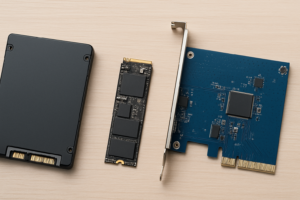
On the SATA side, the Samsung 870 EVO remains the random I/O champion for the 2.5-inch form factor. Its random read IOPS at low queue depths are remarkably close to budget NVMe drives, which makes it an excellent choice if your system doesn’t have an M.2 slot. For guidance on choosing between these form factors, see our M.2 vs 2.5-inch SSD comparison.
IOPS in Context: When to Care and When Not To
Let’s be honest about diminishing returns. If you already have any decent NVMe SSD from the last three or four years, upgrading to a drive with 20% higher IOPS probably won’t produce a noticeable difference in daily use. The jump from HDD to SSD is dramatic. The jump from SATA SSD to NVMe is noticeable. The jump from one NVMe to a slightly faster NVMe is often imperceptible outside of benchmarks.
Where IOPS differences become truly meaningful in consumer use:
- Moving from an HDD to any SSD (massive, transformative improvement)
- Moving from a QLC SSD to a TLC SSD (especially under heavy multitasking)
- Running virtual machines or databases locally
- Using a drive in a NAS or multi-user environment
- Working with development environments that read/write thousands of small files
If you mostly browse the web, watch videos, and do light productivity work, any modern SSD will deliver more IOPS than you’ll ever saturate. Spend your money on capacity instead. Getting a 2 TB drive instead of a 1 TB drive will do more for your real-world experience than chasing the last 10% of IOPS performance.

Samsung 990 EVO Plus 2TB NVMe SSD
A balanced mid-range option offering strong IOPS with generous capacity for everyday users
Frequently Asked Questions
How many IOPS does a typical hard drive deliver compared to an SSD?

James Kennedy is a writer and product researcher at Drives Hero with a background in IT administration and consulting. He has hands-on experience with storage, networking, and system performance, and regularly improves and optimizes his home networking setup.