How SSD Controllers Affect Performance
You probably spend a lot of time comparing SSD read/write speeds, NAND types, and capacities. But there’s a critical component hiding inside every SSD that has an outsized impact on how fast your drive actually performs: the controller. Think of it as the brain of the SSD. Two drives with identical NAND flash chips can perform very differently depending on which controller is managing the data. Let’s break down why this matters and what to look for.
What Does an SSD Controller Actually Do?
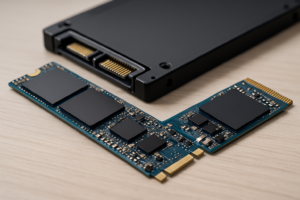
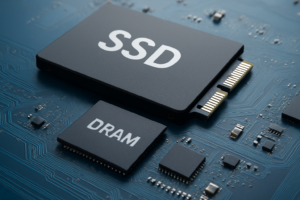
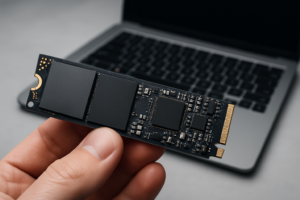
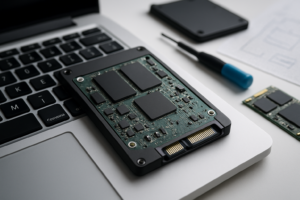
The controller is a small processor embedded on the SSD’s circuit board. It handles every read and write request between your computer and the NAND flash memory. It manages the flash translation layer (FTL), wear leveling, error correction, garbage collection, and encryption. Essentially, every single byte of data flows through this chip.
A fast controller with efficient firmware can squeeze maximum performance from even mid-tier NAND. A weak or poorly optimized controller will bottleneck premium flash, leaving potential speed on the table. This is especially true during sustained workloads, when cheaper controllers tend to throttle aggressively. If you’ve ever noticed your SSD slowing down over time, the controller’s garbage collection and wear leveling algorithms are often part of the equation.
The Big Three: Phison, Samsung, and Silicon Motion
Samsung (In-House Elpis and Pablo Controllers)
Samsung designs its own controllers for its consumer SSDs, and this vertical integration is a significant advantage. The company makes its own NAND, its own DRAM, and its own controllers, then tunes the firmware to work perfectly across all three. The Elpis controller in the Samsung 990 Pro is one of the best-performing PCIe Gen4 controllers available, delivering consistent speeds even under heavy sustained loads. If you want a deeper look at this drive, we’ve done a full review of the Samsung 990 Pro.

Samsung 990 Pro 2TB NVMe SSD
Top-tier Gen4 performance with Samsung’s in-house Elpis controller and excellent sustained write speeds
Phison (PS5018-E18, PS5021-E26)
Phison is the go-to controller supplier for dozens of SSD brands that don’t make their own silicon. When you buy an SSD from Corsair, Seagate, Kingston, or Sabrent, there’s a good chance a Phison controller is inside. The E18 controller dominated the Gen4 era, and the newer E26 powers many PCIe Gen5 drives. Phison controllers tend to deliver excellent peak speeds, though sustained performance can vary depending on how each brand tunes the firmware and what NAND they pair it with.
The Corsair MP600 PRO LPX and Sabrent Rocket 4 Plus both use Phison E18 controllers but can behave a little differently in benchmarks due to firmware tuning and thermal solutions.
Silicon Motion (SM2262EN, SM2264)
Silicon Motion (SMI) controllers are extremely common in budget and mid-range SSDs. You’ll find them inside popular drives from WD, ADATA, and many house-brand SSDs. The SM2262EN was a workhorse for Gen3 drives, and the newer SM2264 targets Gen4. These controllers are efficient and affordable for manufacturers, which helps keep drive prices competitive. The trade-off is that they can lag behind Phison and Samsung in sustained random I/O and heavy mixed workloads, though for typical consumer tasks like gaming and general desktop use, most people won’t notice.
If you’re comparing SATA and NVMe options for gaming, the controller gap matters less for load times and more for large file transfers. We covered this in our SATA vs NVMe real-world gaming test.
How to Pick the Right Controller for Your Needs
For everyday computing, web browsing, and light gaming, almost any modern controller will feel fast. You won’t notice the difference between a Phison E18 and an SMI SM2264 when you’re booting Windows or loading a web browser.
For content creation, video editing, and large file transfers, the controller matters a lot more. Samsung’s Elpis and Phison’s E18/E26 handle sustained workloads much better than entry-level Silicon Motion chips. If you regularly move 50GB+ files or edit 4K video from your SSD, invest in a drive with a proven high-end controller.

Sabrent Rocket 4 Plus 1TB NVMe
Phison E18 controller with strong sustained write performance, great for creative workloads
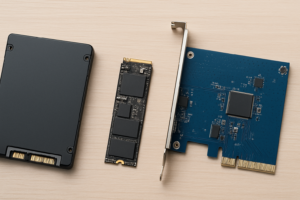
Also consider the form factor. If you’re deciding between M.2 and 2.5-inch drives, the controller choices available in each format differ significantly. Our M.2 vs 2.5-inch SSD comparison covers the practical differences. And if you’re shopping on a tighter budget, check our best budget SSDs roundup to find drives where the controller-to-price ratio makes sense.
Frequently Asked Questions
Can I check which controller my SSD uses?
Yes. Tools like CrystalDiskInfo or HWiNFO will often report the controller model. You can also search your SSD’s exact model number on review sites like TechPowerUp or AnandTech, which typically disassemble drives and identify the controller chip. Knowing your controller can help you understand why your drive performs the way it does and whether a firmware update might improve things.
Does the SSD controller affect drive lifespan?
Indirectly, yes. The controller manages wear leveling, which determines how evenly data writes are distributed across the NAND cells. A well-designed controller with smart wear leveling algorithms will extend the practical life of the flash memory. Poor wear leveling can cause certain cells to degrade faster. This is one reason why drives from Samsung and those using high-end Phison controllers often have generous endurance (TBW) ratings.
This article contains affiliate links. We may earn a small commission at no extra cost to you.

James Kennedy is a writer and product researcher at Drives Hero with a background in IT administration and consulting. He has hands-on experience with storage, networking, and system performance, and regularly improves and optimizes his home networking setup.