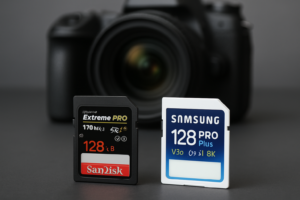
CFexpress Type B vs SD UHS-II: Which Card for Your Mirrorless Camera?
You just dropped serious money on a new mirrorless camera, and you’re staring at two very different memory card slots. One takes CFexpress Type B. The other takes SD. Your camera manual says both work, but the performance gap between these two formats is enormous, and picking the wrong card can bottleneck your entire shooting experience.
Whether you’re a wedding photographer rattling off 30 frames per second or a hobbyist who shoots landscapes on weekends, the card you slot into your camera matters more than most people realize. This guide breaks down everything you need to know about CFexpress Type B and SD UHS-II cards so you can make the right call for your camera, your workflow, and your budget.
Understanding the Two Formats: What’s Actually Different?
CFexpress Type B and SD UHS-II look nothing alike, and their internal technology is just as different. CFexpress Type B cards use the PCIe 3.0 and NVMe interface, the same protocol that powers the M.2 NVMe SSDs in your laptop or desktop. SD UHS-II cards, on the other hand, use a much older bus architecture with a second row of pins for faster transfer.
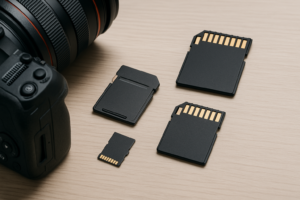
CFexpress Type B cards are physically larger (roughly the size of old XQD cards) and built with a thicker, more rugged shell. SD cards are the slim, familiar format that’s been around for decades. If your camera has dual card slots with one of each type, you’ve got a real decision to make about which slot handles your primary recording duties.
Speed Specifications on Paper
CFexpress Type B cards offer theoretical maximum speeds up to 2,000 MB/s read and 1,700 MB/s write on newer models. The ProGrade Digital Cobalt CFexpress Type B and Sony TOUGH CFexpress Type B cards consistently hit sustained write speeds above 1,400 MB/s in real-world tests.
SD UHS-II cards max out at a theoretical 312 MB/s. In practice, the fastest SD UHS-II cards (like the Sony SF-M Tough and ProGrade V90) deliver around 250-270 MB/s for reads and 200-250 MB/s for writes. That’s fast for an SD card, but it’s roughly one-seventh the throughput of a top-tier CFexpress Type B card.
Real-World Performance: Where the Gap Actually Matters
Raw specifications only tell part of the story. What matters is how these cards behave during actual shooting sessions, where buffer depth and sustained write speed determine whether you can keep firing or have to wait.
Burst Shooting and Buffer Clearing
This is where CFexpress Type B absolutely dominates. Take the Nikon Z8, which shoots 20 fps in raw. With a fast CFexpress Type B card like the Nikon MC-CF660G, you can fire continuously for well over 100 raw frames before the buffer fills. Switch to an SD UHS-II card in the second slot, and that number drops to roughly 30-40 frames before the camera starts stuttering.
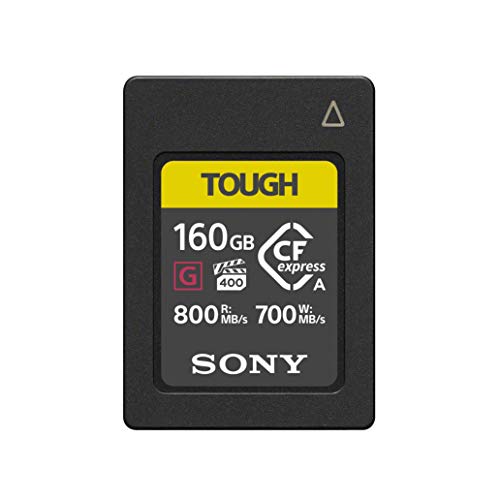
Sony TOUGH CFexpress Type B 160GB
Exceptional sustained write speeds and drop-proof durability, ideal for sports and wildlife shooters
Buffer clearing time tells an even bigger story. After a 5-second burst of 14-bit lossless compressed raw files on a Nikon Z9, a CFexpress Type B card clears the buffer in about 4-5 seconds. An SD UHS-II card in the same camera takes upwards of 25-30 seconds to write the same data. During those 30 seconds, your camera becomes sluggish, and you might miss critical moments.
Video Recording
For 4K 60p video, most modern mirrorless cameras require data rates between 200-400 Mbps (25-50 MB/s). A V90 SD UHS-II card handles this fine. Even internal 4K 120p on cameras like the Sony A7S III works with fast SD cards because the internal recording bitrates stay within the SD card’s capabilities.
The situation changes with 8K video and high-bitrate formats. The Canon EOS R5, for example, requires CFexpress Type B for 8K RAW recording, which demands sustained writes well beyond what SD can deliver. Nikon’s N-RAW and ProRes RAW HQ on the Z8 and Z9 also require CFexpress. If you shoot in these demanding formats, CFexpress isn’t optional. It’s mandatory.
Offloading to Your Computer
After a long shoot, transferring files to your editing machine is another area where card speed matters. A CFexpress Type B card reader connected via USB 3.2 Gen 2 can dump 128GB of data in under two minutes. The same amount of data from an SD UHS-II card takes closer to 8-10 minutes. If you’re regularly transferring large volumes of photos and video, this time difference compounds quickly. It’s also worth considering how you back up your files after import, since a fast card doesn’t help much if your backup workflow creates another bottleneck.
Cost Comparison: The Uncomfortable Truth
CFexpress Type B cards carry a significant price premium over SD UHS-II cards at every capacity tier. A 128GB CFexpress Type B card from Sony, ProGrade, or SanDisk typically costs several times more than a 128GB SD UHS-II V90 card. At 256GB and above, the gap widens even further.
You’ll also need a dedicated CFexpress Type B card reader, since standard SD readers won’t work. Good readers from ProGrade, Sony, and SanDisk add to the investment. If you’re building a kit from scratch, the total cost of two or three CFexpress cards plus a reader versus the same setup in SD UHS-II is dramatically different.
For photographers watching their budget, pairing a CFexpress card purchase with deals on other storage can help. Keep an eye on seasonal sales, especially Black Friday SSD and storage deals, since CFexpress cards occasionally see meaningful discounts during these events.
Which Card Slot Should You Use? Camera-Specific Guidance
Not all dual-slot cameras treat their two slots equally. Understanding your specific camera’s slot behavior helps you make smarter purchasing decisions.
Nikon Z8 and Z9
Both cameras feature one CFexpress Type B slot and one SD UHS-II slot. For burst shooting, N-RAW, and ProRes RAW HQ video, you must use the CFexpress slot. The recommended setup is to record primary files to CFexpress and use the SD slot for JPEG backups or overflow. A 256GB or 325GB CFexpress card paired with a 128GB SD card gives you excellent coverage for a full day of professional shooting.
Canon EOS R5 and R5 Mark II
The original R5 has one CFexpress Type B/XQD slot and one SD UHS-II slot. For 8K recording and fast burst clearing, CFexpress is essential. The R5 Mark II continues this dual-slot approach. Use the same primary/backup strategy as the Nikon bodies.
Sony A7R V and A1
The Sony A1 features one CFexpress Type A/SD slot and one standard SD slot. Note that Sony uses CFexpress Type A, not Type B. These are different cards entirely. If you have a Sony body, this entire comparison doesn’t apply to you in the same way, so double-check your camera’s card type before purchasing.
Cameras with SD-Only Slots
Many excellent mirrorless cameras, like the Sony A7 IV, Canon EOS R6 Mark II, and Fujifilm X-T5, only accept SD cards. If your camera doesn’t have a CFexpress slot, stick with the fastest SD UHS-II V90 card you can find. There’s no adapter that lets you use CFexpress in an SD slot.

ProGrade Digital 128GB SD UHS-II V90
Consistently hits rated V90 speeds and is an excellent choice for SD-only camera bodies
How to Choose: A Decision Framework Based on Shooting Style
Your shooting style should drive this decision more than anything else. Here’s a practical breakdown.
Sports, Wildlife, and Photojournalism
If you’re regularly shooting fast action at 20+ fps, you need CFexpress Type B in your primary slot. The buffer depth and clearing speed difference isn’t subtle. It’s the difference between capturing a decisive moment and staring at a blinking card activity light. Invest in at least one fast 256GB+ CFexpress card for these situations.
Wedding and Event Photography
Speed matters here, but data safety matters more. The ideal wedding setup uses CFexpress for primary recording (faster buffer clearing during ceremony moments) and SD for redundant backup. If budget is tight, two V90 SD cards in a dual-SD body work fine since most wedding photographers don’t need 20fps burst depth continuously.
Landscape and Studio Work
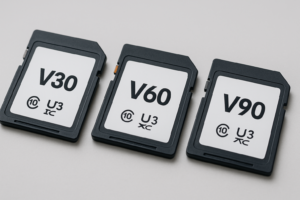
You’re shooting at a measured pace, often on a tripod, taking single frames with careful composition. CFexpress Type B is overkill for this workflow. A quality SD UHS-II V60 or V90 card provides more than enough speed. Spend your saved budget on better glass, a sturdier tripod, or a portable SSD for field backup instead.
Video-Focused Creators
Check your camera’s specific video mode requirements. If you’re shooting 4K at standard bitrates, SD UHS-II V90 handles it perfectly. If you need 8K, internal RAW, or ProRes HQ, you’ll need CFexpress. There’s no workaround. Also consider your post-production storage. High-bitrate video files add up fast, and you may want to explore external drives optimized for video editing to keep your workflow running smoothly.
Top CFexpress Type B and SD UHS-II Cards Worth Buying
Not all cards within each format perform equally. Cheap CFexpress cards can actually be slower than premium SD cards, so brand and model matter.
Best CFexpress Type B Cards
- Sony TOUGH CFexpress Type B (available in 128GB, 256GB, 512GB): Exceptional durability with drop, dust, and moisture resistance. Consistent write speeds above 1,480 MB/s.
- ProGrade Digital Cobalt (available in 165GB, 325GB, 650GB): Professional-grade reliability favored by many working photographers. Excellent sustained write performance.
- SanDisk Extreme Pro CFexpress Type B (available in 128GB, 256GB, 512GB): Strong all-around performer from a brand with decades of memory card history.

ProGrade Digital CFexpress Type B 325GB Cobalt
Sweet spot capacity for professional shooters who need all-day reliability and top-tier write speeds
Best SD UHS-II Cards
- Sony SF-M TOUGH UHS-II: V90 rated with excellent sustained writes. The TOUGH designation means it’s waterproof and bend-resistant.
- ProGrade Digital V90: Reliable V90 performance at a competitive position in the market. A solid choice for dual-slot backup duties.
- SanDisk Extreme Pro SD UHS-II: Widely available, well-tested, and a workhorse card that many photographers have relied on for years.
Caring for Your Memory Cards: Tips That Prevent Data Loss
Regardless of format, memory cards require some basic care to stay reliable. Always format your card in-camera, not on your computer. Camera formatting creates the proper file structure your specific body expects, which reduces the chance of write errors and corrupted files.
Never pull a card while data is being written. Wait for the activity light to stop. And don’t fill cards to absolute maximum capacity. Leaving 10-15% free space helps the card’s internal controller manage wear leveling more effectively, a concept similar to why SSDs slow down when nearly full.
Keep cards in a protective case when not in use. CFexpress Type B cards are more rugged than SD cards, but both can be damaged by extreme heat, moisture, and static discharge. If a card starts producing errors or corrupted files, retire it immediately. No memory card is worth risking an irreplaceable shoot.
Frequently Asked Questions
Can I use a CFexpress Type B card in an SD card slot with an adapter?
No. CFexpress Type B and SD use completely different physical connections and communication protocols. No adapter exists to bridge them. If your camera only has SD slots, you’re limited to SD cards. Conversely, there are XQD-to-CFexpress Type B compatibility updates on some older cameras (like the Nikon Z6 and Z7 original models), but that’s a firmware update, not a physical adapter situation.
Is a V60 SD card good enough, or do I really need V90?
V60 SD UHS-II cards offer minimum sustained writes of 60 MB/s, which is sufficient for most photography and 4K video at moderate bitrates.

James Kennedy is a writer and product researcher at Drives Hero with a background in IT administration and consulting. He has hands-on experience with storage, networking, and system performance, and regularly improves and optimizes his home networking setup.