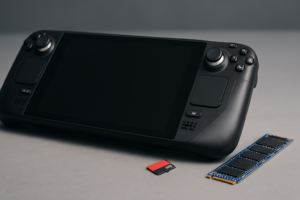
Best MicroSD Cards for Steam Deck and Nintendo Switch in 2026
Your Steam Deck or Nintendo Switch has a microSD slot just waiting to be filled, and choosing the right card makes a bigger difference than most people realize. A cheap, slow card can mean longer load times, stuttering gameplay, and frustrating app installations. A fast one, especially with the right Application Performance class rating, can make your handheld gaming experience feel buttery smooth.
But not every microSD card labeled “fast” is actually built for gaming. In this guide, I’ll walk you through exactly which cards perform best on the Steam Deck and Nintendo Switch in 2026, why A2-rated cards matter, and which capacities give you the best bang for your storage dollar.
Why A2-Rated Cards Matter for Handheld Gaming
You’ll see two Application Performance ratings on modern microSD cards: A1 and A2. Both guarantee minimum random read and write speeds, but A2 cards are significantly faster where it counts. An A2 card delivers a minimum of 4,000 random read IOPS and 2,000 random write IOPS, compared to just 1,500 and 500 for A1 cards.
For the Steam Deck specifically, this difference is noticeable. SteamOS treats your microSD card like an app drive, installing and running full games from it. Random I/O performance directly affects how quickly games load textures, save progress, and handle shader caches. If you’ve ever wondered how different storage types affect real-world gaming performance, the same principles apply here on a smaller scale.
The Nintendo Switch is less demanding because its games are smaller and less I/O-intensive, but A2 cards still offer faster install times from the eShop and snappier menu navigation when you have dozens of titles stored.
Speed Class Requirements: What You Actually Need
MicroSD card specs can be confusing with all the different class ratings. Here’s what actually matters for gaming handhelds:
- UHS-I interface: Both the Steam Deck and Nintendo Switch use UHS-I, which caps bus speed at 104 MB/s. Buying a UHS-II card won’t hurt, but you won’t see the extra speed on these devices.
- U3 / V30 speed class: This guarantees 30 MB/s sustained sequential write speed. You want this as a minimum for game installations and updates.
- A2 Application Performance: As discussed above, this is the single most important spec for gaming use. Don’t settle for A1 if you can avoid it.
A card labeled “U3, V30, A2” hits every requirement for both devices. You don’t need to chase cards rated V60 or V90, as those video speed classes offer no benefit through a UHS-I slot and just inflate the price.
The Best MicroSD Cards for Steam Deck and Nintendo Switch
Top Pick: Samsung PRO Plus microSD
Samsung’s PRO Plus line has been the gold standard for years, and the current generation continues to deliver. These cards are rated U3, V30, A2 and consistently hit close to the UHS-I ceiling in sequential reads. What sets them apart is their consistent random I/O performance, which stays strong even as the card fills up. Samsung also backs them with excellent endurance ratings and a long warranty.
For the Steam Deck, the 512GB Samsung PRO Plus is my go-to recommendation. It’s large enough to hold 8 to 12 modern AAA titles alongside a library of indie games, and Samsung’s NAND quality means it won’t degrade noticeably over time. If you’re curious about how long flash storage really lasts, Samsung’s track record is reassuring.
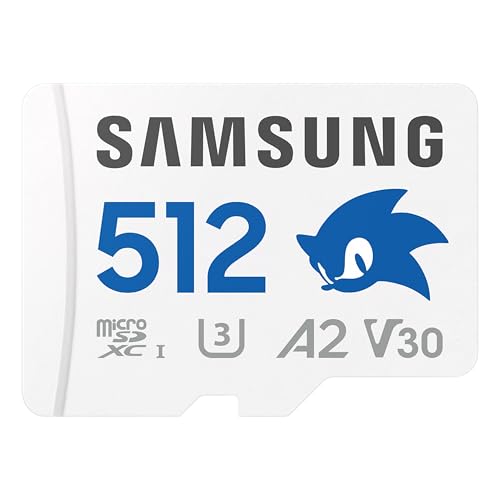
Samsung PRO Plus 512GB microSD A2 V30
Best all-around A2 microSD for Steam Deck and Switch with excellent random I/O and long-term reliability
Best Value: SanDisk Extreme microSD
The SanDisk Extreme has long been the default recommendation in gaming communities, and for good reason. It carries the same U3, V30, A2 rating as premium competitors, and real-world benchmarks show performance very close to the Samsung PRO Plus on UHS-I devices. The difference is mainly in sustained write endurance under heavy workloads, which isn’t a major concern for gaming use.
SanDisk also makes a Nintendo Switch-branded version of this card, which is functionally identical to the standard Extreme with a slightly different cosmetic design. Either works perfectly. The 256GB capacity is a sweet spot for Switch owners, since most Nintendo titles are much smaller than PC games.

SanDisk Extreme 256GB microSD A2 V30
Excellent A2 performance at a more affordable price point, ideal for Nintendo Switch owners
Premium Option: Lexar PLAY 1TB microSD
If you want maximum capacity and don’t want to think about storage management, the Lexar PLAY 1TB is an A1-rated option that delivers solid sequential performance. I’d normally push harder for A2, but at the 1TB tier, Lexar’s pricing is often compelling enough to make the trade-off worthwhile, especially for Steam Deck users with massive libraries.
For a 1TB A2 alternative, look at the Samsung EVO Select 1TB. It carries the full A2 certification and is Samsung’s Amazon-exclusive line, which often comes in at a lower price than the PRO Plus for comparable performance in UHS-I devices.
Budget Pick: Samsung EVO Select 256GB
For budget-conscious gamers, the Samsung EVO Select 256GB is the right call. It’s A2-rated, U3, V30, and built on the same Samsung NAND as the pricier PRO Plus. You’re giving up some peak write speed and the included full-size SD adapter sometimes differs, but for gaming on the Switch or Deck, day-to-day performance is virtually identical.
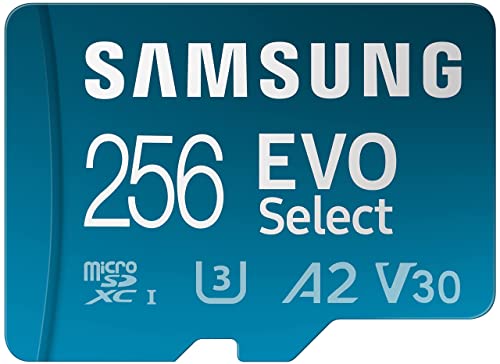
Samsung EVO Select 256GB microSD A2 V30
Budget-friendly A2 card with Samsung reliability, perfect for getting started without overspending
Capacity Sweet Spots: How Much Storage Do You Need?
Choosing the right capacity depends on which device you’re buying for and how you game.
For the Nintendo Switch: Most Switch titles range from 1GB to 16GB, with a few outliers like Hogwarts Legacy pushing past 20GB. A 256GB card holds roughly 20 to 50 games depending on your library mix. Unless you’re a digital-only buyer with hundreds of titles, 256GB is plenty. A 512GB card is overkill for most Switch users but nice if you never want to think about it.
For the Steam Deck: PC games are much larger. A single title like Cyberpunk 2077 or Baldur’s Gate 3 can eat 100GB or more. I recommend 512GB as the minimum for serious Steam Deck gaming, and 1TB if you prefer keeping a large library installed. The internal SSD handles your OS and a few priority games, while the microSD card serves as your extended library. If you’re also thinking about how to choose the right storage capacity for other devices, the same logic of estimating your actual usage applies.
Avoid 128GB cards for either device in 2026. The per-gigabyte cost savings compared to 256GB are minimal, and you’ll outgrow the storage faster than you’d expect.
Tips to Get the Most From Your MicroSD Card
Once you’ve picked the right card, a few quick habits will keep it performing well:
- Format the card in your device. Don’t pre-format on a PC. Let the Steam Deck format to ext4 and the Switch format to its preferred filesystem. This avoids compatibility issues.
- Don’t remove the card while the device is on. Hot-swapping can corrupt data. Always power down or use the software eject option first.
- Buy from reputable sellers. Counterfeit microSD cards are rampant. Stick to official Amazon listings (sold by Amazon or the brand’s official store) to avoid fakes that advertise 512GB but only contain 32GB of actual storage.
- Monitor card health on the Steam Deck. In Desktop Mode, you can use standard Linux tools to check your card’s SMART data and remaining write endurance.
If you’re planning to sell or give away your old card when upgrading, make sure to securely wipe the drive first. Game saves and account data can linger even after a quick format.
Frequently Asked Questions
Can I use the same microSD card in both my Steam Deck and Nintendo Switch?
Physically, yes. Both devices use standard microSDXC cards. However, the Steam Deck formats cards to ext4 (a Linux filesystem) while the Switch uses FAT32 or exFAT. You’d need to reformat the card each time you swap between devices, which erases all data. It’s best to keep a dedicated card for each system.
Will a UHS-II microSD card run faster in the Steam Deck or Switch?
No. Both devices have UHS-I card readers, which max out at 104 MB/s regardless of the card’s rating. A UHS-II card will work perfectly fine, but it will be limited to UHS-I speeds. Save your money and buy a high-quality UHS-I A2 card instead, or put the savings toward a larger capacity.
Is there a noticeable performance difference between A1 and A2 cards in games?
On the Steam Deck, yes. Load times and shader cache performance improve measurably with A2 cards because SteamOS relies heavily on random read/write operations. On the Switch, the difference is smaller but still present during eShop downloads and game updates. For a few dollars more, A2 is always the better choice when it’s available. You can check out current microSD card options on Amazon to compare what’s available right now.
This article contains affiliate links. We may earn a small commission at no extra cost to you.

James Kennedy is a writer and product researcher at Drives Hero with a background in IT administration and consulting. He has hands-on experience with storage, networking, and system performance, and regularly improves and optimizes his home networking setup.