Best MicroSD Cards for Nintendo Switch and Switch 2 in 2026
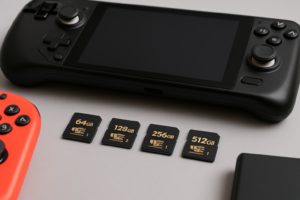
The Nintendo Switch’s 32GB of internal storage filled up fast, and the Switch OLED’s 64GB wasn’t much better. With digital game sizes ballooning and the Switch 2 on the horizon, picking the right microSD card matters more than ever. A good card doesn’t just give you more room for games. It also cuts down on load times, sometimes dramatically.
Here’s what you actually need to know before buying a microSD card for your Switch or Switch 2, along with our top picks for 2026.
What Capacity and Speed Do You Really Need?
For the original Nintendo Switch and Switch OLED, 256GB is the sweet spot for most players. It holds roughly 15 to 25 major titles depending on game sizes, and the price-per-gigabyte ratio is excellent at this capacity. If you’re an all-digital buyer who grabs every eShop sale, bump up to 512GB or even 1TB.
For speed class, the Switch supports UHS-I microSD cards. You want at minimum a U3, A1-rated card. The A1 (Application Performance) rating means faster random read/write speeds, which directly affects how quickly games load. An A2-rated card is even better, though the Switch’s UHS-I bus limits how much benefit you’ll see from the fastest cards.
The Switch 2 is expected to support UHS-II or even microSD Express, which would allow significantly faster transfer speeds. If you’re buying a card today with the Switch 2 in mind, go with a UHS-II, A2-rated card at 256GB or larger. You’ll be future-proofed and still get solid performance on the current Switch. This mirrors how faster storage technology consistently improves real-world performance across devices.
Our Top MicroSD Card Picks
Best Overall: Samsung EVO Select 256GB
The Samsung EVO Select 256GB consistently delivers reliable performance with read speeds up to 160MB/s. It’s U3, A2-rated, and Samsung’s flash memory is among the most durable in the industry. In our experience, games like The Legend of Zelda: Tears of the Kingdom load noticeably faster from this card compared to cheaper U1 alternatives, shaving off 5 to 15 seconds on initial loads.
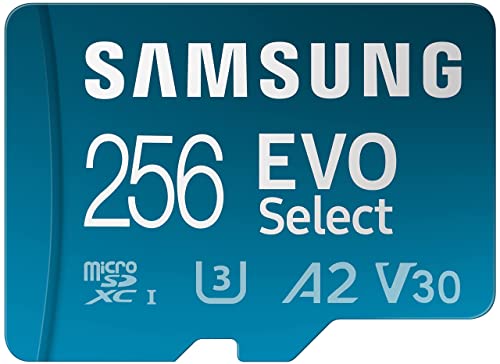
Samsung EVO Select 256GB microSD
Our top pick for Switch owners who want reliable speed and plenty of storage for a growing digital library.
Best High Capacity: SanDisk 1TB Ultra microSDXC
If you’ve built a massive digital library or plan to carry your entire collection with you, the SanDisk 1TB Ultra microSDXC gives you room to breathe. SanDisk also makes a licensed Nintendo Switch edition if you want the themed look, though the specs are identical to the standard version. At 1TB, you can store 50 or more full-size Switch titles without worrying about managing storage. For travelers who want to pair this with other portable gear, check out our roundup of the best portable SSDs for travel in 2026.
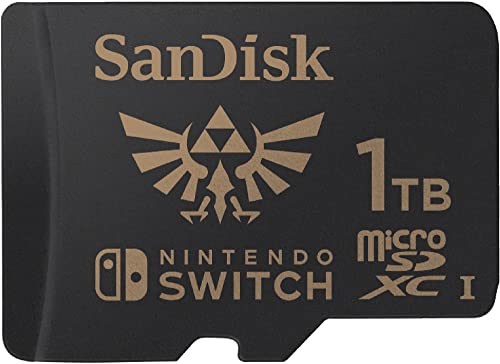
SanDisk 1TB Ultra microSDXC
The go-to choice if you want to store your entire Switch library on a single card.
Best for Switch 2 Future-Proofing: Samsung PRO Plus 512GB
The Samsung PRO Plus 512GB supports UHS-II speeds up to 160MB/s read and offers an A2 rating. If the Switch 2 takes advantage of UHS-II, this card will be ready to deliver faster load times from day one. It’s also backward compatible with the current Switch, so you can start using it right away. Just like how upgrading from SATA to NVMe SSDs shows real gains in gaming, moving to a faster microSD standard on the Switch 2 should produce noticeable improvements.
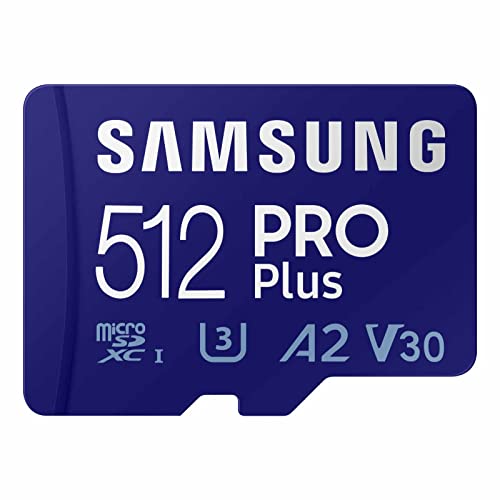
Samsung PRO Plus 512GB microSD
A UHS-II card ready for the Switch 2 while still performing great on the current Switch.
Do MicroSD Cards Actually Improve Load Times?
Yes, but the gains depend on the game and the card you’re comparing against. Switching from the Switch’s internal storage (or a slow U1 card) to a quality U3/A2 card typically reduces load times by 10 to 30% in games with large open worlds. Titles like Xenoblade Chronicles 3 and Pokémon Legends: Arceus benefit the most because they frequently stream data during gameplay.
The difference between two high-end cards (say, a U3/A1 vs. a U3/A2) is smaller, usually just a few seconds. But the gap between a cheap, unrated card and a proper A2 card is very real. Don’t buy the cheapest no-name card you find. Flash storage quality matters for longevity too, and you can read more about how long flash storage really lasts if you’re curious about durability over time.
FAQ
Can I use the same microSD card in both the Nintendo Switch and Switch 2?
Almost certainly yes. Nintendo has confirmed the Switch 2 will have a microSD card slot, and microSD cards are backward and forward compatible across devices. Your current card will physically work in the Switch 2. However, the Switch 2 may require you to reformat the card or redownload games due to different system software. Back up your save data to Nintendo Switch Online cloud saves before swapping.
Is there any reason to avoid 1TB microSD cards for the Switch?
No technical reason. The Switch and Switch OLED both support microSDXC cards up to 2TB. The only consideration is that if a 1TB card fails, you lose access to a much larger library at once compared to spreading games across two smaller cards. In practice, you can always redownload purchased games from the eShop, so the risk is mainly inconvenience rather than permanent data loss. If you’re worried about drive failure recovery in general, our guide on recovering data from a failed drive covers useful techniques.
This article contains affiliate links. We may earn a small commission at no extra cost to you.

James Kennedy is a writer and product researcher at Drives Hero with a background in IT administration and consulting. He has hands-on experience with storage, networking, and system performance, and regularly improves and optimizes his home networking setup.