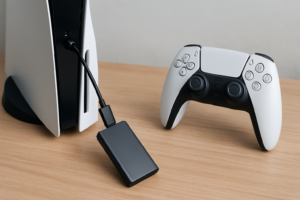
Seagate Game Drive vs WD_Black P10: Which External Drive for Console Gaming?
Modern game installs are enormous, and console storage fills up fast. A single AAA title on PlayStation 5 or Xbox Series X can eat through 100GB or more, leaving you constantly deleting and re-downloading games. External hard drives offer a practical solution: store your library on a portable drive and transfer games back to internal storage when you’re ready to play. For last-gen titles on Xbox, you can even play directly from the external drive.
Two of the most popular options for console gamers are the Seagate Game Drive and the WD_Black P10 Game Drive. Both are portable HDDs built with gamers in mind, but they approach the job a little differently. Let’s break down which one deserves a spot next to your console.
Quick Specs Comparison
Before getting into the details, here’s a side-by-side look at what each drive offers:
- Seagate Game Drive: Available in 2TB and 4TB capacities. USB 3.0 interface. Bus-powered (no external power needed). Compact, lightweight design. Comes in Xbox-branded green or PlayStation-branded blue/black variants.
- WD_Black P10: Available in 2TB, 4TB, and 5TB capacities. USB 3.2 Gen 1 (effectively the same speed as USB 3.0). Bus-powered. Metal top cover for added durability. Available in standard black or special edition Xbox/PlayStation variants.
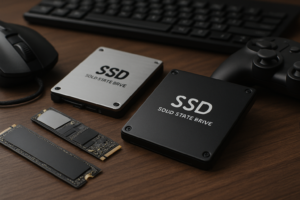
Both drives use traditional spinning hard drive platters, not solid-state memory. That means read/write speeds top out around 130MB/s in real-world use. For cold storage and last-gen game playback, this is perfectly adequate. If you’re curious about the broader differences between spinning drives and SSDs, our guide on SSD vs HDD in 2026 covers the performance tradeoffs in detail.
Design and Build Quality
The Seagate Game Drive uses an all-plastic enclosure that keeps weight down. It’s noticeably lighter than the P10, making it easy to toss in a bag if you’re heading to a friend’s house. The downside is that it feels a bit cheaper in hand, and there’s minimal protection if you drop it.
The WD_Black P10 has a stamped metal top plate that gives it a more premium, rugged feel. It’s slightly heavier and a touch thicker, but still very portable. The textured finish resists fingerprints better than the glossy Seagate. If your drive is going to live permanently beside your console, the design difference barely matters. If you travel with it regularly, the P10’s metal construction inspires more confidence. For truly travel-ready storage, you might also want to look at the best portable SSDs for travel, though those come at a higher price per gigabyte.
Capacity Options and Value
This is where the comparison gets interesting. Both drives offer 2TB and 4TB models, but the WD_Black P10 also comes in a 5TB version. That extra terabyte matters when you’re talking about game libraries that grow every month with Game Pass or PlayStation Plus downloads.
At 4TB, you can store roughly 50 to 80 modern games depending on the mix of indie and AAA titles. Bump up to 5TB on the P10 and you gain room for another 10 to 20 games before things get tight.
In terms of price per gigabyte, the two drives tend to trade blows depending on current sales. Check current pricing on Amazon for both, as these drives frequently see discounts during seasonal sales events. Our Black Friday deals roundup is worth bookmarking if you’re willing to wait for a better deal on storage.

WD_Black P10 5TB Game Drive
The 5TB model offers the best capacity per dollar for serious console game libraries
For most gamers, the 4TB sweet spot balances capacity and cost effectively. But if you have a massive backlog across multiple generations, the P10’s 5TB option is the only way to get that much portable HDD storage from a gaming-branded drive without jumping to a desktop-class external.
Performance on Console
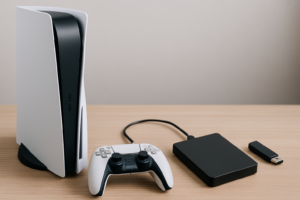
Let’s be clear about what these drives can and can’t do. On PS5 and Xbox Series X/S, external HDDs serve as cold storage for current-gen games. You store the files on the drive and transfer them to internal storage when you want to play. You cannot play PS5 or Xbox Series X|S optimized games directly from an external HDD.
However, backward-compatible PS4 and Xbox One games can run directly from either drive. Load times will be longer than running from internal SSD storage, but the experience is perfectly playable. In testing, both the Seagate Game Drive and WD_Black P10 deliver similar load times within a few seconds of each other. Neither drive has a meaningful speed advantage over the other since they both use the same USB interface and similar 5400 RPM hard drive mechanisms.
Transfer speeds when moving games from external HDD to internal SSD average around 1.5 to 2.5 GB per minute, meaning a 50GB game takes roughly 20 to 30 minutes to transfer. This is the same for both drives. The bottleneck is the USB connection and the spinning platter, not the console.
One common frustration with external drives on consoles is random disconnection. If you run into that, check out our troubleshooting guide on why external drives keep disconnecting for practical fixes.
Which Drive Should You Buy?
After comparing both drives across design, capacity, and performance, my recommendation leans toward the WD_Black P10 for most console gamers. Here’s why:
- The 5TB option exists. No other gaming-focused portable HDD gives you this much space in this form factor. If you’re buying an external drive to avoid constantly managing storage, go big.
- Better build quality. The metal top plate adds meaningful durability for a drive that might get bumped around on a desk or packed in a travel bag.
- Three-year warranty. Both Seagate and WD offer comparable warranty coverage, so you’re covered either way.
The Seagate Game Drive remains a solid pick if you find it at a noticeably lower price for the same capacity, or if you prefer its lighter, more compact design. The Xbox-green and PlayStation-blue color options are also a nice cosmetic touch if you care about matching your setup. At 2TB and 4TB, the two drives are nearly interchangeable in real-world use.

Seagate Game Drive 4TB for Xbox
A lighter, more affordable alternative that works great for console cold storage
One more thing to consider: if your budget allows and you primarily want faster transfers rather than maximum capacity, a portable SSD like the WD_Black P40 will move games to internal storage significantly faster. You’ll sacrifice raw terabytes for speed, and our comparison of SATA vs NVMe gaming performance helps illustrate where solid-state speed actually impacts your gaming experience.
Frequently Asked Questions
Can I play PS5 or Xbox Series X games directly from an external hard drive?
No. Current-gen games optimized for PS5 or Xbox Series X|S must run from internal storage. You can store them on an external HDD for safekeeping and transfer them back to the internal SSD when you’re ready to play. Backward-compatible PS4 and Xbox One titles, however, can be played directly from either the Seagate Game Drive or WD_Black P10.
Do I need to format the drive before using it with my console?
Yes. Both PS5 and Xbox will prompt you to format the drive as extended storage when you first connect it. This process erases all existing data on the drive, so back up any files before plugging it in. The formatting is automatic and takes under a minute. If you’re repurposing an old drive, consider securely wiping it first to clear any previous data.
Is it worth upgrading to an external SSD instead of an HDD for console gaming?
It depends on your priorities. An external SSD transfers games to internal storage roughly three to five times faster than an HDD, which saves real time when swapping between titles. But for the same budget, an HDD gives you two to three times more storage capacity. If you have a huge library and don’t mind waiting a bit longer for transfers, a 4TB or 5TB HDD is the smarter buy. If you play fewer games and want snappier transfers, an SSD is the better fit.
This article contains affiliate links. We may earn a small commission at no extra cost to you.

James Kennedy is a writer and product researcher at Drives Hero with a background in IT administration and consulting. He has hands-on experience with storage, networking, and system performance, and regularly improves and optimizes his home networking setup.