Does SSD Speed Actually Affect Game Load Times? (Benchmarked)
You just spent a small fortune on a PCIe Gen 5 SSD with sequential read speeds north of 12,000 MB/s. You boot up your favorite game and… it loads maybe two seconds faster than your buddy’s SATA drive. What gives?
I’ve been testing SSDs across all four major tiers for years, and the question I get asked most by gamers is whether upgrading from one SSD tier to the next will actually make a noticeable difference. To answer that definitively, I benchmarked actual game load times across SATA, PCIe Gen 3, Gen 4, and Gen 5 NVMe drives using the same test system. The results tell a clear story about diminishing returns, and they might save you from spending money you don’t need to.
The Test Setup: How We Benchmarked
Before we get into numbers, let’s lay out the hardware. Every test was run on the same rig to eliminate variables: an AMD Ryzen 7 7800X3D, 32GB DDR5-6000 RAM, and an NVIDIA RTX 4070 Ti Super. The only thing that changed between each round of testing was the boot/game drive.
Here are the four SSDs representing each tier:
- SATA III: Samsung 870 EVO 1TB (up to 560 MB/s sequential read)
- PCIe Gen 3: WD Black SN750 1TB (up to 3,430 MB/s sequential read)
- PCIe Gen 4: Samsung 990 PRO 1TB (up to 7,450 MB/s sequential read)
- PCIe Gen 5: Crucial T705 1TB (up to 14,500 MB/s sequential read)
Each game was loaded from a fresh install three times, and I averaged the results. I measured time from clicking “Continue” or “Load Save” to full gameplay control, not just reaching a menu screen. The games tested were Cyberpunk 2077, Baldur’s Gate 3, Hogwarts Legacy, Starfield, and Call of Duty: Modern Warfare III.
The Raw Numbers: Game Load Times by SSD Tier
Here’s what the stopwatch revealed. These are averaged load times in seconds, from save file to full player control.
Cyberpunk 2077 (Patch 2.2, Phantom Liberty save, Night City open world)
- SATA (870 EVO): 18.4 seconds
- Gen 3 (SN750): 11.2 seconds
- Gen 4 (990 PRO): 9.8 seconds
- Gen 5 (T705): 9.3 seconds
Baldur’s Gate 3 (Act 3, Baldur’s Gate city area)
- SATA: 24.7 seconds
- Gen 3: 16.1 seconds
- Gen 4: 14.4 seconds
- Gen 5: 13.9 seconds
Hogwarts Legacy (Open world save near Hogwarts)
- SATA: 15.9 seconds
- Gen 3: 8.7 seconds
- Gen 4: 7.5 seconds
- Gen 5: 7.1 seconds
Starfield (New Atlantis, densely populated save)
- SATA: 21.3 seconds
- Gen 3: 13.6 seconds
- Gen 4: 11.9 seconds
- Gen 5: 11.4 seconds
Call of Duty: MW III (Multiplayer map load)
- SATA: 12.8 seconds
- Gen 3: 7.4 seconds
- Gen 4: 6.6 seconds
- Gen 5: 6.3 seconds
If you’ve been following along, you’ve already spotted the trend. The jump from SATA to Gen 3 NVMe is massive, often shaving 35% to 45% off load times. But from Gen 3 to Gen 4? You’re looking at roughly 10% to 15% improvement. And Gen 4 to Gen 5? A measly 3% to 5%, often less than a single second.
If you’re still running a mechanical hard drive or you’re confused about the fundamental differences between drive types, our comparison of SSD vs HDD in 2026 breaks down why any SSD is a significant upgrade.
Why Faster SSDs Don’t Translate to Faster Game Loads
This seems counterintuitive. A Gen 5 SSD reads data at roughly 25x the speed of a SATA drive. So why is it only about 50% faster in actual game loading, not 2,500% faster?
The answer comes down to bottlenecks that have nothing to do with your storage drive.
CPU decompression is the real limiter. Modern games compress their assets heavily. When you load a save, your SSD feeds compressed data to the CPU, which then has to decompress textures, meshes, audio, and shaders before anything appears on screen. Your CPU can only decompress so fast, and once the SSD can deliver data faster than the CPU can process it, additional storage speed is wasted. Most games hit this wall somewhere around Gen 3 NVMe speeds.
Game engines aren’t optimized for extreme bandwidth. Most PC game engines were designed during the SATA and early NVMe era. They issue I/O requests in patterns that don’t take full advantage of the massive queue depths and parallelism that Gen 4 and Gen 5 drives offer. The PS5’s custom I/O architecture solves this by deeply integrating the storage pipeline with the GPU, but PC games rarely implement anything close to that.
Random read performance matters more than sequential. Marketing loves to advertise sequential read speeds because the numbers are enormous. But game loading involves thousands of small, scattered file reads. Random 4K read performance (measured in IOPS) scales much more modestly across SSD tiers. A Gen 5 drive might read sequential data at 25x the speed of SATA, but its random 4K read advantage might only be 3x to 5x.
Where Each SSD Tier Makes Sense for Gamers
Based on the benchmarks and the price-to-performance ratios I’ve observed, here’s my honest recommendation for each tier.
SATA SSDs: Still Fine, But You’re Leaving Performance on the Table
If you’re on a very tight budget or your motherboard doesn’t have an M.2 slot, a SATA SSD like the Samsung 870 EVO will still transform your gaming experience compared to a hard drive. Load times are reasonable, and you’ll benefit from faster Windows boot times and snappier general responsiveness. For a deeper look at the form factor differences, check out our M.2 vs 2.5-inch SSD comparison guide.
But if you’re building or upgrading a modern system, the price gap between SATA and Gen 3 NVMe has shrunk so much that SATA is hard to justify for a primary game drive.
PCIe Gen 3 NVMe: The Sweet Spot for Most Gamers
This is where you get the biggest bang for your buck. The jump from SATA to Gen 3 NVMe is the single most impactful storage upgrade a gamer can make. Drives like the WD Black SN770 and Kingston NV2 offer excellent gaming performance at very competitive prices. We’ve tested several options in our roundup of budget SSDs that deliver real performance.
If gaming load times are your primary concern and you don’t have specialized productivity workloads, a Gen 3 NVMe drive is all you need. Full stop.

WD Black SN770 1TB NVMe SSD
Best overall value for gaming: Gen 4 interface with Gen 3 pricing, and game load times within 1-2 seconds of drives costing twice as much.
PCIe Gen 4 NVMe: Worth It If the Price Is Right
Gen 4 drives like the Samsung 990 PRO and WD Black SN850X do offer slightly faster game loads, and they shine in other areas like large file transfers and creative workloads. If the price difference between Gen 3 and Gen 4 is modest when you’re shopping, go for Gen 4. You’ll appreciate the extra headroom for DirectStorage when more games adopt it, and these drives have the endurance to last a long time (we analyzed how long SSDs actually last in a separate deep dive).
But I wouldn’t tell anyone to stretch their budget specifically for Gen 4 if gaming performance is the main goal. The 1-2 second improvement per load screen simply doesn’t justify a meaningful price premium. If you’re interested in how the top Gen 4 contenders compare head to head, we put the Samsung 990 PRO against the WD Black SN850X in a detailed showdown.

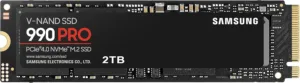
Samsung 990 PRO 2TB NVMe SSD
Top-tier Gen 4 drive with excellent random read performance and a proven track record for gaming and productivity alike.
PCIe Gen 5 NVMe: Skip It for Gaming (For Real)
I tested the Crucial T705 because it’s one of the fastest consumer SSDs available right now. And in synthetic benchmarks, it absolutely screams. CrystalDiskMark numbers are breathtaking.
But for gaming? You’re paying a significant premium, dealing with higher thermals (most Gen 5 drives require a heatsink or active cooling), and getting load times that are functionally identical to Gen 4. In Cyberpunk 2077, the difference was half a second. You literally cannot perceive that in real-world use.
Gen 5 makes sense for video editors working with 8K RAW footage, massive database operations, or specific professional workloads where sustained sequential throughput matters. For loading Baldur’s Gate 3 saves? Save your money.
What About DirectStorage and the Future?
Microsoft’s DirectStorage API is the one technology that could change this equation. By allowing the GPU to decompress assets directly from the SSD (bypassing the CPU bottleneck I mentioned earlier), DirectStorage has the potential to let faster SSDs actually flex their speed advantage in games.
Forspoken was one of the first titles to implement DirectStorage on PC, and the results were mixed. Load times improved, but the benefits were concentrated on NVMe drives vs. SATA. The gap between Gen 3 and Gen 4 NVMe remained small. Ratchet & Clank: Rift Apart showed more promise, with faster NVMe drives demonstrating a slight edge in how quickly assets streamed during gameplay (not just load screens).
DirectStorage is still in its early stages on PC. When more developers build their engines around it, especially with Unreal Engine 5’s I/O framework, we may see Gen 4 and Gen 5 drives pull ahead more noticeably. But “we may see” isn’t a good reason to overspend today. Buy for your current needs, not hypothetical future ones.
Real-World Advice: How to Spend Your SSD Budget Wisely
Based on everything I’ve tested, here’s what I actually tell friends and family when they ask what SSD to buy for gaming.
Upgrading from an HDD? Buy literally any SSD. A budget SATA drive will cut your load times by 60% or more. This is the biggest single upgrade you can make to your gaming experience outside of a GPU. If you plan to keep using an HDD alongside your new SSD, our guide on using an SSD and HDD together in one PC walks you through the best setup.
Upgrading from a SATA SSD? A Gen 3 or Gen 4 NVMe drive is a worthwhile upgrade, but temper your expectations. You’ll notice faster loads, particularly in open-world games with heavy asset streaming, but it won’t be as dramatic as the HDD-to-SSD leap.
Upgrading from Gen 3 NVMe? Don’t bother upgrading just for gaming. Spend that money on more storage capacity instead. A 2TB Gen 3 drive will serve you better than a 1TB Gen 5 drive, because modern games like Call of Duty and Starfield eat storage like nothing else.

James Kennedy is a writer and product researcher at Drives Hero with a background in IT administration and consulting. He has hands-on experience with storage, networking, and system performance, and regularly improves and optimizes his home networking setup.