Best SSDs for Gaming PCs in 2026
If you’re building or upgrading a gaming PC in 2026, your SSD choice matters more than most people realize. It affects everything from boot times and level load speeds to texture streaming in open-world games. But the market is packed with options across multiple generations, capacities, and price tiers, making it tough to know where to put your money.
I’ve spent months testing and comparing the top NVMe drives on the market right now. This guide breaks down exactly which SSDs deliver the best gaming experience, whether Gen 4 still makes sense, when you should consider Gen 5, and how much storage you actually need for a modern game library.
Why Your SSD Choice Matters for Gaming in 2026
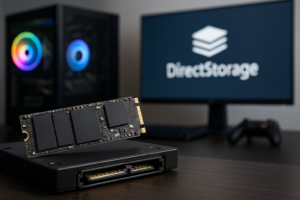
Modern games are enormous. Titles like Star Wars Outlaws, Black Myth: Wukong, and the latest Call of Duty installations routinely demand 100GB to 200GB each. DirectStorage and similar asset streaming technologies are now standard in many AAA titles, meaning your SSD’s sequential read speed directly impacts how quickly textures and assets load during gameplay.
If you’re still running a SATA SSD or an older NVMe drive, you’re leaving performance on the table. Our real-world testing of SATA vs NVMe SSDs for gaming shows measurable differences in load times and texture pop-in, especially in newer titles that were designed around fast storage.
The good thing is that you don’t need to spend a fortune. The sweet spot for gaming SSDs in 2026 sits firmly in the PCIe Gen 4 tier, with Gen 5 only justified in specific scenarios. Let’s break it all down.
PCIe Gen 4: The Sweet Spot for Most Gamers
Gen 4 NVMe drives hit sequential read speeds of around 7,000 MB/s, which is more than enough for every game currently on the market. They’ve also had years to mature, which means prices have dropped significantly while reliability and firmware stability are excellent.
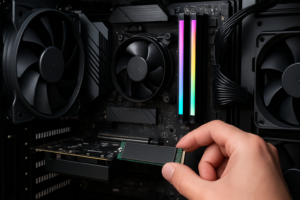
For the vast majority of gaming PCs, a Gen 4 drive is the smartest purchase. You get fantastic real-world performance without paying the Gen 5 premium, and compatibility is universal across any modern motherboard with an M.2 slot. If you’re unsure about physical installation, our guide to installing an NVMe SSD in 15 minutes walks you through the entire process.
Samsung 990 Pro (1TB / 2TB)
The Samsung 990 Pro remains one of the best all-around Gen 4 drives you can buy. It delivers up to 7,450 MB/s sequential reads, runs relatively cool thanks to its nickel-coated controller, and Samsung’s firmware is consistently reliable. Random read/write performance is among the best in its class, which translates directly to snappier game launches and faster asset streaming.
Samsung’s Magician software also gives you useful health monitoring and firmware update tools. We covered this drive extensively in our Samsung 990 Pro review, and it continues to impress months later.

Samsung 990 Pro 2TB NVMe SSD
Top-tier Gen 4 performance with excellent thermals and reliability for gaming builds
WD_BLACK SN850X (1TB / 2TB)
The WD_BLACK SN850X is the 990 Pro’s fiercest competitor, and depending on the day, it trades blows for the top Gen 4 spot. Sequential reads hit 7,300 MB/s, and its “Game Mode 2.0” feature in the WD Dashboard software provides a measurable (if modest) boost by optimizing the drive’s caching behavior for gaming workloads.
We did a head-to-head comparison in our Samsung 990 Pro vs WD_BLACK SN850X showdown, and the differences between these two are razor-thin. You genuinely can’t go wrong with either. Pick whichever one has a better price when you’re ready to buy.
Crucial T500 (1TB / 2TB)
The Crucial T500 often flies under the radar, but it’s a fantastic Gen 4 option. Built on Micron’s 232-layer NAND, it matches or beats the Samsung and WD drives in many benchmarks while typically being more affordable. Sequential reads reach 7,400 MB/s, and it comes with or without a heatsink depending on whether your motherboard already has one.
For gamers who want top-tier Gen 4 speed and don’t care about brand loyalty, the Crucial T500 is frequently the best value in this performance tier.
When PCIe Gen 5 Actually Matters
Gen 5 SSDs are the fastest consumer drives available, with sequential reads pushing past 12,000 MB/s and some reaching 14,000 MB/s. They sound incredible on paper. But for gaming specifically, the real-world advantage over Gen 4 is minimal right now.
Most game engines aren’t yet optimized to take full advantage of Gen 5 bandwidth. In our testing, loading time differences between a Gen 4 and Gen 5 drive in the same system typically amount to 1 to 3 seconds, sometimes even less. You’ll notice the difference in massive file transfers, video editing workflows, and other productivity tasks far more than in gaming.
There are a few scenarios where Gen 5 makes sense for a gaming PC:
- You also do content creation. If you edit 4K/8K video, work with large game development assets, or regularly move huge files, Gen 5 speeds save meaningful time.
- You’re future-proofing. As DirectStorage and similar APIs mature over the next couple of years, Gen 5 bandwidth will become more relevant. If you’re building a system you plan to keep for 4+ years, buying Gen 5 today isn’t unreasonable.
- You simply want the fastest available. There’s nothing wrong with wanting peak performance if your budget allows it.
Crucial T700 (1TB / 2TB)
The Crucial T700 was one of the first Gen 5 drives to market and remains a strong option. It hits 12,400 MB/s sequential reads, and Crucial has refined its firmware substantially since launch. It does run hot, so you’ll absolutely need the heatsink version or a motherboard with good M.2 cooling.

Crucial T700 2TB Gen5 NVMe SSD
Best Gen 5 option for gamers who also handle heavy content creation workloads
Samsung 990 EVO Plus
Samsung’s 990 EVO Plus takes an interesting hybrid approach, supporting both Gen 4 x4 and Gen 5 x2 modes. This makes it compatible with a wider range of motherboards while still offering a speed bump over traditional Gen 4 drives. If you’re on a platform that supports Gen 5 but you don’t want to pay the premium for a full-speed Gen 5 drive, the 990 EVO Plus hits a nice middle ground.
How Much Storage Do You Actually Need?
Capacity is where many gamers make their biggest mistake, either overspending on storage they won’t use, or buying too little and constantly juggling game installs. Here’s a realistic breakdown for 2026.
1TB: The Bare Minimum
A 1TB SSD holds your operating system, a handful of key applications, and roughly 5 to 8 modern AAA games. If you’re primarily playing one or two competitive titles (like Valorant, CS2, or Fortnite), 1TB works fine. But if you play a variety of single-player games, you’ll be uninstalling and reinstalling frequently.
2TB: The Recommended Sweet Spot
For most gamers, 2TB is the ideal capacity in 2026. It gives you enough room for your OS, a solid library of 10 to 15 games, creative software, and general files without constantly managing space. The per-gigabyte pricing on 2TB NVMe drives has gotten very competitive, making this the best balance of capacity and value. Our 1TB vs 2TB SSD comparison goes deeper into this decision if you’re on the fence.
4TB: For the Serious Collector
If you maintain a large game library, do content creation alongside gaming, or simply hate managing storage, a 4TB drive like the WD_BLACK SN850X 4TB or Samsung 990 Pro 4TB is worth considering. These higher-capacity models are premium-priced per gigabyte, but the convenience of never worrying about space is real.
Best Budget Gaming SSD Picks
Not everyone needs a flagship drive. If you’re building a budget gaming rig or adding a secondary game storage drive, several more affordable options deliver excellent performance for gaming specifically.
The WD_BLACK SN770 is a Gen 4 drive that tops out at 5,150 MB/s sequential reads. It’s slower than the SN850X on paper, but in actual game load tests, the difference is negligible for most titles. It’s a popular choice among budget builders for good reason.
Another strong contender is the Kingston NV2, which offers solid Gen 4 performance in a no-frills package. It won’t top any benchmark charts, but for loading games and general system responsiveness, it gets the job done. For even more options in this price tier, check out our roundup of the best budget SSDs with a performance vs. price analysis.

WD_BLACK SN770 2TB NVMe SSD
Best value Gen 4 gaming SSD with performance that punches well above its price tier
Heatsinks, Thermals, and Installation Tips
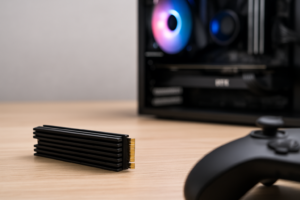
NVMe SSDs generate heat, and high temperatures can cause thermal throttling that reduces performance. Most Gen 4 drives stay within safe operating temps with a basic heatsink, and nearly all modern gaming motherboards include M.2 heatsinks. If yours doesn’t, aftermarket M.2 heatsinks are cheap and easy to install.
Gen 5 drives run significantly hotter. If you go the Gen 5 route, make sure your case has decent airflow around the M.2 slot, and use the thickest heatsink your motherboard can accommodate. The Crucial T700 heatsink version adds considerable bulk, so double-check clearance with your GPU.
One more tip: if you’re upgrading from an existing drive, you don’t need to start from scratch. You can clone your existing drive to preserve your OS, games, and settings. It saves hours of reinstallation.
Using Multiple Drives: SSD + HDD Combos
A common and smart approach is pairing a fast NVMe SSD as your primary drive with a secondary storage device for less frequently played games, media files, and backups. You can keep your most-played titles on the NVMe for fast loading while storing the rest on a larger, more affordable drive.
We have a dedicated guide on how to use an SSD and HDD together in one PC that covers the setup process and best practices. This combination lets you maximize both speed and capacity without breaking the bank.
Over time, all SSDs can experience some performance degradation as they fill up. If you notice your drive isn’t as snappy as it used to be, our article on why SSDs slow down and how to fix it covers TRIM, over-provisioning, and other maintenance steps that keep your drive running at peak speed.
Our Top Picks at a Glance
- Best Overall Gaming SSD: Samsung 990 Pro 2TB
- Best Gen 4 Alternative: WD_BLACK SN850X 2TB
- Best Budget Gaming SSD: WD_BLACK SN770 2TB
- Best Gen 5 for Future-Proofing: Crucial T700 2TB
- Best Value Gen 4:

James Kennedy is a writer and product researcher at Drives Hero with a background in IT administration and consulting. He has hands-on experience with storage, networking, and system performance, and regularly improves and optimizes his home networking setup.