How Much Storage Do Modern Games Need in 2026?
Modern games are enormous. If you haven’t upgraded your storage in a couple of years, there’s a good chance you’re already juggling installs, deleting one title just to make room for another. It’s a frustrating loop, and it’s only getting worse as developers push higher-resolution textures, larger open worlds, and expanded DLC packs.
I went through the install sizes of dozens of popular titles available in 2026 and calculated what you actually need based on different types of gaming libraries. Here’s what I found, along with specific storage recommendations for each tier of gamer.
How Big Are Today’s Most Popular Games?
Let’s look at real numbers. These are approximate install sizes on PC and current-gen consoles as of early 2026:
- Call of Duty: Black Ops 6 (with Warzone): ~150 GB
- GTA VI: ~160+ GB
- Starfield (with Shattered Space DLC): ~140 GB
- Final Fantasy VII Rebirth (PC): ~155 GB
- Microsoft Flight Simulator 2024: ~130 GB
- Baldur’s Gate 3: ~130 GB
- Cyberpunk 2077 (with Phantom Liberty): ~85 GB
- Fortnite: ~45 GB
- Elden Ring (with Nightreign): ~70 GB
- Hogwarts Legacy: ~90 GB
A single AAA title now regularly demands 100 GB or more. Even mid-tier games land between 40 and 80 GB. And these sizes grow with patches, seasonal updates, and DLC. A game that ships at 100 GB can easily balloon to 150 GB within a year.
Calculating Storage for Different Library Sizes
Your operating system and essential apps will eat roughly 80 to 100 GB on a typical Windows install. Factor that in before counting game storage. Here’s a quick breakdown of total drive capacity you’d need based on how many games you keep installed:
- Casual gamer (3 to 5 games installed): A 500 GB SSD gets tight fast. You could manage with a 1 TB drive, but you’ll bump up against the ceiling regularly.
- Average gamer (8 to 12 games installed): This is where 2 TB becomes the sweet spot. With a mix of AAA and indie titles, expect to use 800 GB to 1.2 TB on games alone.
- Power gamer (15+ games installed): You’ll want 4 TB, or a multi-drive setup combining a fast NVMe boot drive with a larger secondary SSD for your library.
If you’re debating between capacity tiers, our guide to choosing between 1 TB and 2 TB SSDs breaks down the decision in detail. For most gamers in 2026, 1 TB is the bare minimum. I’d call 2 TB the new standard.
Recommended Drives for Gaming in 2026
Speed matters for gaming, but capacity matters more. A fast NVMe SSD will reduce load times, especially on games that use DirectStorage, but you won’t notice a dramatic difference between a mid-range and top-tier NVMe drive in most titles. Our SATA vs NVMe real-world gaming test covers this in more depth.
For a primary gaming drive, the WD_BLACK SN850X 2TB is an excellent NVMe option with fast sequential reads and solid endurance ratings. It’s a favorite among PC gamers for a reason.

WD_BLACK SN850X 2TB NVMe SSD
Top-tier Gen4 NVMe drive with 2TB capacity, ideal as a primary gaming SSD
If you want to maximize storage per dollar, a 2.5-inch SATA SSD like the Samsung 870 EVO 4TB works well as a secondary game library drive. Load times will be slightly longer than NVMe, but still vastly better than any spinning hard drive. You can learn more about pairing drives in our article on using an SSD and HDD together in one PC.

Samsung 870 EVO 4TB SATA SSD
Massive SATA SSD perfect as a secondary game library drive with proven reliability
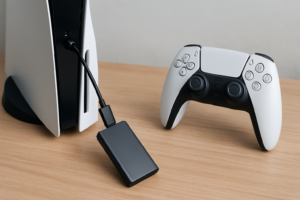
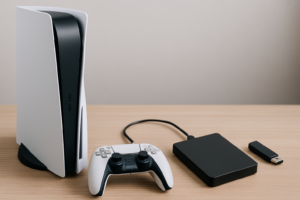
For console gamers on PS5, the Samsung 990 Pro 2TB with heatsink fits directly into the expansion slot and is one of the fastest options available. And if your current SSD has been feeling sluggish after a year or two of heavy use, check out our guide on why SSDs slow down over time and how to fix it.
FAQ
Is 1 TB enough for gaming in 2026?
It depends on what you play. If you stick to a handful of titles and don’t mind uninstalling frequently, 1 TB can work. But with AAA games routinely exceeding 100 GB each, most gamers will find 1 TB limiting. A 2 TB drive gives you much more breathing room and is the better long-term investment.
Should I get an NVMe SSD or a SATA SSD for games?
NVMe is faster, and a growing number of games are optimized for it through DirectStorage. For your primary drive, NVMe is the better choice. But a large SATA SSD still performs well for storing and loading games, and it often offers more capacity for the same budget. Many gamers use both: a fast NVMe boot drive and a spacious SATA SSD for their full library. Our M.2 vs 2.5-inch SSD comparison can help you decide which form factor fits your setup.
This article contains affiliate links. We may earn a small commission at no extra cost to you.

James Kennedy is a writer and product researcher at Drives Hero with a background in IT administration and consulting. He has hands-on experience with storage, networking, and system performance, and regularly improves and optimizes his home networking setup.