Hdd Vs Ssd Vs M 2 Speed
Modern computing demands rapid data access and reliable storage solutions, which has led to the evolution of storage devices from traditional Hard Disk Drives (HDDs) to Solid-State Drives (SSDs) and the newer M.2 form factor SSDs.
Check out this helpful video on the topic:
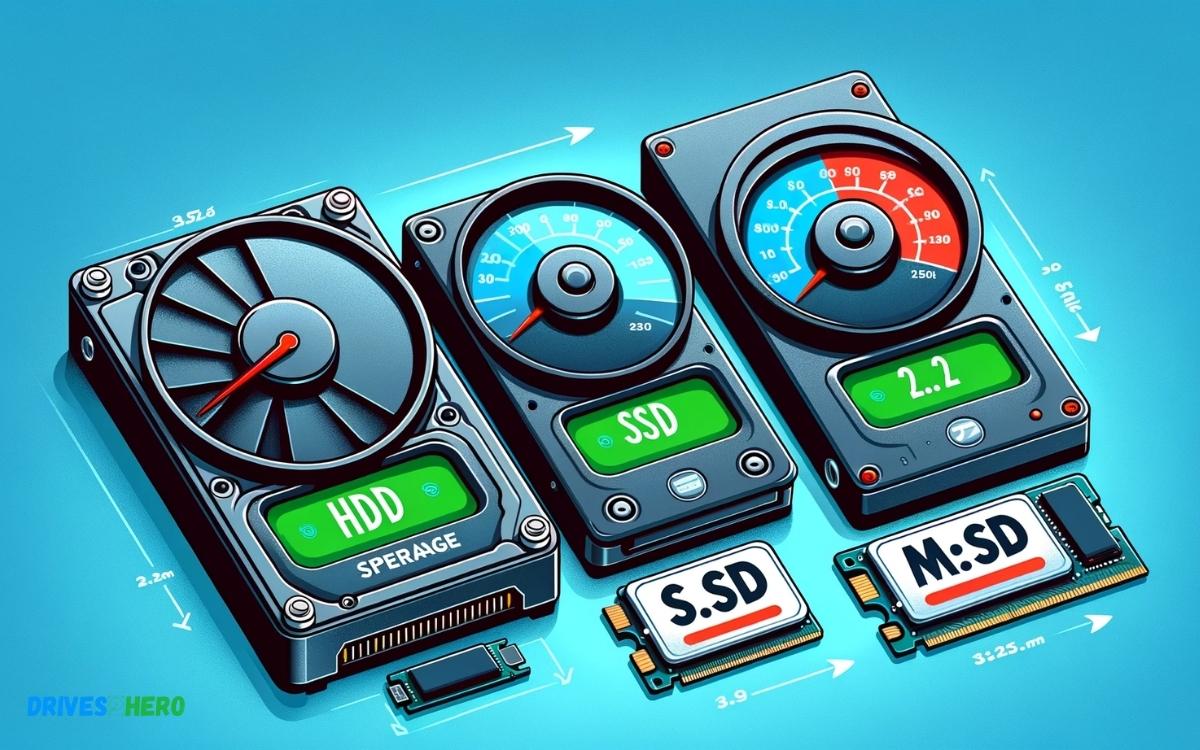
The speed of these devices varies significantly:
M.2 SSDs leveraging NVMe (Non-Volatile Memory Express) technology deliver the fastest performance among the three, thanks to their design that connects directly to the motherboard’s PCIe lanes.
This ensures rapid data transfer rates that far exceed those of traditional HDDs and SATA SSDs. Traditional HDDs rely on mechanical parts and magnetic storage, leading to slower data retrieval speeds due to the physical movement required to read and write data.
SATA SSDs ditch the moving parts for NAND flash memory, improving speed, but they’re still limited by the older SATA connection’s bandwidth.
M.2 SSDs are the latest evolution, offering not only a compact form factor but also a direct PCIe connection, bypassing the limitations of the SATA interface.
NVMe protocol takes full advantage of this by offering low latency and high queue depth, which translates to much faster speeds, especially in sequential read/write operations.
Key Takeaway
11 Features Of Hdd Vs Ssd Vs M 2 Speed
| Feature | HDD (Hard Disk Drive) | SSD (Solid State Drive) | M.2 SSD |
|---|---|---|---|
| Storage Type | Magnetic | NAND Flash | NAND Flash |
| Interface | SATA, IDE | SATA, PCIe, NVMe | PCIe, NVMe |
| Form Factor | 3.5″, 2.5″ | 2.5″, 1.8″, mSATA | 22mm width, various lengths |
| Speed (Read) | 80-160 MB/s | 300-550 MB/s (SATA) up to 3500 MB/s (NVMe) | Up to 3500 MB/s or higher |
| Speed (Write) | 80-160 MB/s | 200-500 MB/s (SATA) up to 3000 MB/s (NVMe) | Up to 3000 MB/s or higher |
| Data Transfer | Up to 6 Gb/s (SATA) | Up to 6 Gb/s (SATA), up to 32 Gb/s (NVMe) | Up to 32 Gb/s (NVMe) |
| Durability | Prone to physical damage from shock | Resistant to physical shock | Resistant to physical shock |
| Power | Higher power consumption | Lower power consumption | Lower power consumption |
| Noise | Moving parts can generate noise | No moving parts, silent operation | No moving parts, silent operation |
| Cost | Generally cheaper per GB | More expensive per GB | More expensive per GB, but prices are falling |
| Use Case | Bulk storage where speed is not critical | Performance-oriented computing, gaming | High-performance computing, top-tier gaming, and professional workloads |
Benchmarking Traditional Hdds
Traditional HDDs have long been the go-to storage solution for computers, but their performance is being put to the test by newer storage options like SSDs and M.2 drives.
Transfer Speeds And Latency
When it comes to comparing transfer speeds and latency, traditional HDDs usually fall behind SSDs and M.2 drives.
HDDs rely on mechanical parts and spinning disks to read and write data, resulting in slower transfer speeds and higher latency compared to the solid-state technology employed by SSDs and M.2 drives.
The table below illustrates the average transfer speeds and latency comparisons:
| Storage Type | Transfer Speed (MB/s) | Latency (ms) |
|---|---|---|
| HDD | 80-160 | 5-8 |
| SSD | 200-550 | 0.05-0.2 |
| M.2 | 1500-3500 | 0.02-0.05 |
Impact On Overall System Performance
- The impact of traditional HDDs on overall system performance is significant due to their slower transfer speeds and higher latency.
- In today’s fast-paced computing environment, tasks such as booting up the operating system, loading applications, and accessing files are noticeably slower when using an HDD compared to an SSD or M.2 drive.
- This can lead to a less responsive and efficient user experience.
Evaluating Ssd Performance
Read And Write Speeds
When considering SSD performance, one of the key metrics to evaluate is the read and write speeds. SSDs have significantly faster read and write speeds compared to traditional HDDs.
This means that data can be accessed and written much more quickly, resulting in improved system responsiveness and reduced loading times.
This is especially beneficial for tasks such as transferring large files, video editing, and gaming, where the ability to read and write data quickly is crucial.
The faster read and write speeds of an SSD can lead to a noticeable improvement in overall system performance.
Impact On Boot Times And Application Loading
Another important aspect of SSD performance is its impact on boot times and application loading. SSDs can drastically reduce the time it takes for a system to boot up and for applications to launch.
With an SSD, the operating system boots up in a matter of seconds, and applications load almost instantly. This not only improves user experience but also enhances productivity by allowing for quicker access to essential programs and files.
Overall, the improved speed and responsiveness of an SSD can have a significant impact on the overall performance of a system, making it a valuable investment for those looking to enhance their computing experience.
Comparing M.2 Speed With Hdds And Ssds
When comparing M.2 speed with HDDs and SSDs, it’s crucial to understand the real-world performance differences and the effect on user experience.
Real-world Performance Differences
Let’s delve into the real-world performance differences between M.2, HDD, and SSD storage options.
- M.2 SSDs offer the fastest sequential read and write speeds, making them ideal for tasks that demand high-speed data access, such as gaming and video editing.
- SSDs, while not as fast as M.2, still outperform traditional HDDs with significantly faster data access and transfer speeds.
- HDDs, on the other hand, are the slowest of the three, providing slower read and write speeds, especially when dealing with large files or multitasking.
Effect On User Experience
- The speed of storage devices directly impacts user experience in various ways:
- Boot time: M.2 and SSDs significantly reduce system boot times, enabling users to start their computers and launch applications rapidly.
- File loading: M.2 and SSDs lead to snappier file loading, decreasing waiting times for opening large files and applications.
- Multi-tasking: M.2 and SSDs allow for smoother multitasking by swiftly accessing and swapping data, enhancing overall system responsiveness.
- Gaming: M.2’s high speeds reduce game loading times, eliminate in-game lag caused by data retrieval, and deliver seamless gaming experiences.
System Architecture And Interface Compatibility
When choosing between HDD, SSD, or M.2 drives for your system, it’s essential to consider the system architecture and interface compatibility.
Understanding the differences between SATA and NVMe can help you make an informed decision based on your specific needs and requirements.
Sata Vs Nvme
- Serial ATA (SATA) and Non-Volatile Memory Express (NVMe) are two different interface technologies used for connecting storage devices to a computer’s motherboard.
- SATA has been the traditional interface for HDDs and SSDs, while NVMe is a newer, high-speed interface designed specifically for SSDs and M.2 drives.
- The key difference lies in their data transfer speeds and compatibility with different types of drives.
Impact On Overall Data Transfer Speeds
The choice of interface technology, whether SATA or NVMe, directly impacts the overall data transfer speeds of the storage drive.
NVMe drives offer significantly faster data transfer speeds compared to SATA drives, making them ideal for high-performance applications and tasks that require rapid data access.
While SATA drives are more commonly used and widely compatible, NVMe drives provide a substantial performance boost for demanding workloads.
Storage Technology And Endurance
When it comes to choosing storage technology, endurance is a crucial factor to consider. HDDs, SSDs, and M.2 drives differ in their endurance and long-term performance, which can greatly impact their suitability for various applications.
Understanding the effects of fragmentation and write endurance is essential in making an informed decision about the best storage technology for your needs.
Effects Of Fragmentation
Fragmentation is a common issue in traditional HDDs. As data is written and deleted on the drive, it can become scattered across the disk, leading to slower read and write speeds.
This can significantly impact the overall performance of the HDD, especially as it becomes more heavily fragmented over time.
SSDs and M.2 drives, on the other hand, are not susceptible to fragmentation in the same way, as they do not rely on mechanical components to read and write data.
Write Endurance And Long-term Performance
- Write endurance refers to the total amount of data that can be written to a storage device before it reaches the end of its lifespan.
- In this regard, SSDs and M.2 drives outperform HDDs. SSDs utilize NAND flash memory, which has a finite number of write cycles.
- However, with advancements in technology, modern SSDs offer impressive endurance levels, making them suitable for both consumer and enterprise applications.
- M.2 drives, often using the same NAND flash memory as SSDs, also benefit from high write endurance and long-term performance.
Cost Comparison
When considering the different options for storage, it’s important to factor in the cost. Let’s take a closer look at the cost comparison between HDD, SSD, and M.2 speed storage solutions.
Each type of storage comes with its own advantages and disadvantages, so it’s crucial to balance speed requirements with budget and consider the long-term cost-effectiveness.
Balancing Speed Requirements With Budget
When looking at the cost comparison between HDD, SSD, and M.2 speed, it’s essential to balance your speed requirements with your budget.
Determine the performance needs of your system and weigh that against the cost of each type of storage.
While HDDs are typically the most budget-friendly option, they come with slower read and write speeds compared to SSDs and M.2 drives.
On the other hand, SSDs and M.2 drives offer faster performance but come at a higher cost. Consider the tasks you need to perform and determine if the faster speeds are worth the additional investment.
Long-term Cost-effectiveness
In addition to the initial purchase cost, it’s important to consider the long-term cost-effectiveness. While HDDs may be cheaper upfront, they are more prone to mechanical failures, which can lead to additional costs for repairs or data recovery.
SSDs and M.2 drives are more durable and less susceptible to physical damage, potentially saving you money in the long run.
It’s essential to evaluate the total cost of ownership, including potential maintenance and replacement expenses when deciding between HDD, SSD, and M.2 storage options.
Applications And Use Cases
When considering the speed and performance of HDDs, SSDs, and M.2 drives, it’s essential to understand how they align with specific applications and use cases.
The varied speed capabilities of these storage options significantly impact their suitability for different tasks, including gaming, multimedia, and productivity applications.
Performance Requirements For Different Tasks
Fast and reliable storage is crucial for various tasks across different industries. High-performance computing, such as data analysis and scientific simulations, demands advanced read/write speeds to process large datasets efficiently.
Video editing and content creation require storage solutions capable of handling large multimedia files without performance degradation. Web servers and database management benefit from fast I/O operations to ensure quick access to data.
Suitability For Gaming, Multimedia, And Productivity
- Gaming: While HDDs are suitable for routine gaming, SSDs improve loading times and overall game performance. M.2 drives offer even faster load times and can significantly enhance the gaming experience for enthusiasts.
- Multimedia: When dealing with high-definition video editing, SSDs outpace HDDs due to their faster data transfer rates. M.2 drives elevate this further, providing quick access to multimedia files, and accelerating editing workflows.
- Productivity: In office environments, where speed and efficiency are paramount, SSDs prove essential for swift boot times, application launches, and file transfers. M.2 drives take productivity to the next level with their exceptional speed and performance.
Future Trends And Advancements
The evolution of technology in the realm of storage devices is an ever-changing landscape. The future trends and advancements in HDD, SSD, and M.2 speed are crucial for understanding how these storage solutions will continue to shape the digital world.
As technology advances, speed becomes a pivotal factor in determining the efficiency and performance of storage devices.
Potential Impact On Speed
The ongoing trends in storage devices are poised to significantly impact speed. The emergence of M.2 technology has opened new horizons for storage speed, with its ability to harness the potential of PCIe interfaces to deliver astonishing read and write speeds.
Advancements in NAND flash technology are expected to further enhance the speed of SSDs, making them even more competitive with traditional HDDs for various applications.
The rapid evolution of storage solutions towards higher speeds is indicative of a future where storage devices will deliver ultra-fast performance, revolutionizing data access and retrieval.
Implications For Consumer And Enterprise Storage Solutions
As speed becomes a pivotal factor, both consumers and enterprises will benefit from the future advancements in storage technology.
Consumers will experience an exponential increase in the speed of data transfer, resulting in faster boot times, seamless application launches, and enhanced overall user experience.
On the enterprise front, the implications are more profound. The enhanced speed of storage devices will catalyze the transformation of data-intensive operations, leading to quicker data processing, improved server performance, and accelerated workflows.
Consequently, businesses will be empowered to handle massive amounts of data with unprecedented efficiency, fostering a more agile and competitive environment in the digital realm.
Conclusion
The choice between HDD, SSD, and M. 2 depends on your specific needs. Consider the balance between speed, storage, and cost.
For faster performance, SSD and M. 2 are excellent options. However, HDD still offers significant storage capacity at a lower cost. Understanding your requirements will help you make the best decision.

Harold Williams is a senior writer and technical editor at Drives Hero with 20+ years of experience in IT administration. He specializes in storage systems, SSD reviews, and performance testing, bringing real-world insight to every guide.