Best USB Drives for Transferring Large Video Files
You’ve just finished a long shoot, your memory cards are full, and you need to move 50GB of 4K footage to a USB drive. You plug in your flash drive, start the transfer, and watch it begin at a promising 200 MB/s. Five minutes later, the speed has cratered to 15 MB/s, and you’re staring at a progress bar that says “3 hours remaining.” This is the frustrating reality of most USB drives, and it happens because manufacturers advertise peak speeds that only last until a small cache buffer fills up. After that, you’re stuck at the drive’s true sustained write speed, which is often shockingly slow.
For video professionals, content creators, and anyone regularly moving multi-gigabyte files, sustained write speed is the only spec that matters. I’ve tested and researched the best USB drives that maintain fast write speeds even when transferring massive video files, and in this guide, I’ll share exactly which ones are worth your money.
Why Most USB Drives Fail at Large Video Transfers
Nearly every USB flash drive uses NAND flash memory with a pseudo-SLC (pSLC) cache. This cache is a small portion of the drive’s storage that operates in a faster mode, handling initial bursts of data at impressive speeds. But once that cache is full (usually after 5 to 30GB of continuous writing), the drive has to write directly to the slower TLC or QLC NAND. That’s when speeds plummet, sometimes to as low as 10 to 30 MB/s.
If you’re only transferring a few gigabytes at a time, you’ll never notice this drop-off. But if you’re regularly moving 50GB, 100GB, or larger video files (especially ProRes, RAW, or 4K/6K footage), this cache behavior turns a quick transfer into a multi-hour ordeal. This is the same phenomenon that affects internal SSDs over time, which we cover in our article on why your SSD slows down and how to fix it.
The drives I recommend below have been selected specifically because they maintain strong write speeds well beyond what most competitors offer, even after the cache runs out.
Top USB Drives for Large Video File Transfers
Best Overall: Samsung T7 Shield Portable SSD
Yes, this is technically a portable SSD rather than a traditional USB flash drive, and that’s exactly why it performs so well. The Samsung T7 Shield uses NVMe-based internals with a USB 3.2 Gen 2 interface, delivering sustained write speeds around 900 to 950 MB/s. More importantly, it doesn’t hit a wall after the cache fills. You can dump 200GB+ of video footage without watching the speed graph nosedive.
It’s IP65 rated for dust and water resistance, which makes it ideal for field work. If you’re moving between shoot locations and need to offload footage quickly and reliably, this is the drive to get. It comes in 1TB and 2TB capacities, both of which are large enough for serious video work.

Samsung T7 Shield Portable SSD 1TB
Sustained write speeds near 950 MB/s with rugged IP65 construction, ideal for offloading large video files on location.
For more portable SSD options (especially if durability is a priority), check out our roundup of the best portable SSDs for travel in 2026.
Best USB Stick Form Factor: Kingston DataTraveler Max
If you specifically need a USB stick rather than an external SSD, the Kingston DataTraveler Max is the one to beat. It uses a USB 3.2 Gen 2 interface (USB-C connector) and delivers rated sequential write speeds up to 900 MB/s. In real-world testing, sustained writes on large files typically settle around 700 to 800 MB/s, which is exceptional for a flash drive form factor.
The key here is that Kingston is using a controller and NAND configuration that doesn’t rely as heavily on pSLC caching tricks. You’ll still see some speed variation, but nothing like the catastrophic drops common on cheaper drives. Available in 256GB, 512GB, and 1TB capacities, the 1TB version is the sweet spot for video work.

Kingston DataTraveler Max 1TB USB-C
The fastest USB stick form factor available, with sustained writes that stay above 700 MB/s on large video transfers.
Best Value: SanDisk Extreme Pro USB 3.2 Solid State Flash Drive
The SanDisk Extreme Pro USB 3.2 solid state flash drive bridges the gap between budget flash drives and portable SSDs. With rated write speeds of up to 380 MB/s and sustained writes that hover around 300 to 350 MB/s even on large files, it’s significantly faster than standard USB drives while remaining compact and pocketable.
It uses a USB-A connector (with no adapter needed for most laptops and desktops) and is available in capacities up to 1TB. For videographers who need something they can toss in a gear bag without worrying about cables, this is an excellent choice. It won’t match the Samsung T7 Shield or Kingston DataTraveler Max in raw speed, but it’s noticeably more affordable and still leaves standard flash drives in the dust.
Worth Considering: Samsung BAR Plus and SanDisk Ultra Dual Drive Luxe
The Samsung BAR Plus is a popular metal-body USB drive that delivers decent performance for lighter video transfer needs. It peaks around 300 MB/s read and 50 to 80 MB/s sustained write on larger files. For 1080p footage or short 4K clips under 10GB, it works fine. But for extended large file transfers, the sustained write speed makes it a poor choice.
The SanDisk Ultra Dual Drive Luxe offers the convenience of both USB-A and USB-C connectors on one drive, which is genuinely handy. But its write speeds are similar to the BAR Plus, so it’s better suited for general file transfers rather than large video workflows.
What to Look for When Choosing a USB Drive for Video
Don’t trust marketing claims. Here’s what actually matters when you’re shopping:
- Sustained write speed, not peak speed. Look for reviews that test continuous writes of 50GB or more. Peak speeds mean nothing for video transfers.
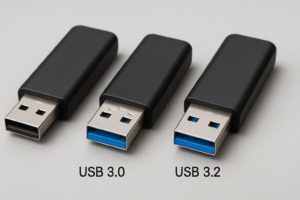
- USB 3.2 Gen 2 or better. This gives you a 10 Gbps interface ceiling. USB 3.0 (5 Gbps) is a bottleneck for the fastest drives.
- SSD-based architecture. Drives labeled as “solid state flash drives” or portable SSDs almost always outperform traditional flash drives for sustained writes.
- Sufficient capacity. 1TB is the minimum I’d recommend for serious video work. A single hour of 4K ProRes can easily eat 100GB+. For help deciding between storage sizes, our guide on 1TB vs 2TB SSDs breaks down capacity planning.
- Thermal design. Fast sustained writes generate heat. Drives that throttle due to overheating defeat the purpose. Metal housings with good thermal dissipation help.
Also, make sure your computer’s USB port actually supports the drive’s speed rating. Plugging a USB 3.2 Gen 2 drive into a USB 3.0 port will limit you to roughly half the theoretical bandwidth. And if your drive keeps disconnecting mid-transfer, that’s a separate issue we’ve addressed in our guide on why your external drive keeps disconnecting.
Flash Drive vs. Portable SSD: Which Should You Choose?
For large video transfers, portable SSDs win almost every time. They use the same NVMe or SATA controllers found in internal SSDs, which means their sustained write performance is far more consistent. USB flash drives, even the best ones, tend to use simpler controllers that prioritize cost and size over sustained throughput.
The trade-off is size and convenience. A flash drive fits on a keychain. A portable SSD needs a cable and is roughly the size of a credit card (though slightly thicker). If pocketability matters more than raw speed, the Kingston DataTraveler Max is the best compromise. If speed is everything, grab the Samsung T7 Shield or consider one of the options in our best external drives for video editing roundup for even larger capacities.
Frequently Asked Questions
How long does it take to transfer 100GB of video over USB 3.2?
With a drive that sustains 900 MB/s writes (like the Samsung T7 Shield), you’ll transfer 100GB in roughly two minutes. With a drive that drops to 30 MB/s after cache fills (like many budget flash drives), the same transfer can take over 50 minutes. The speed difference is enormous for large files, which is why sustained write performance matters so much more than peak specs.
Should I format my USB drive as exFAT or NTFS for video files?
Use exFAT. It supports files larger than 4GB (which rules out FAT32), and it works natively on both Windows and macOS without additional drivers. NTFS is fine if you only use Windows, but it’s read-only on Mac by default. For video work where you might move between different machines and operating systems, exFAT is the safest and most compatible choice.
Will a USB-C drive work with my older USB-A laptop?
Yes, but you’ll need a USB-C to USB-A adapter or cable. Keep in mind that many older USB-A ports are only USB 3.0 (5 Gbps), which will bottleneck faster drives. You’ll still get better sustained write performance from a quality drive, but you won’t reach the full rated speeds. If you’re buying new, check whether the drive comes with an adapter in the box, as some (like the SanDisk Ultra Dual Drive Luxe) include both connector types built in.
This article contains affiliate links. We may earn a small commission at no extra cost to you.

James Kennedy is a writer and product researcher at Drives Hero with a background in IT administration and consulting. He has hands-on experience with storage, networking, and system performance, and regularly improves and optimizes his home networking setup.