Samsung FIT Plus vs Kingston DataTraveler: Tiny USB Stick Battle
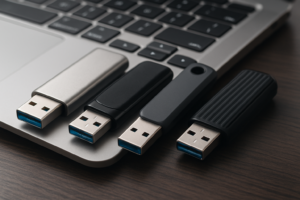
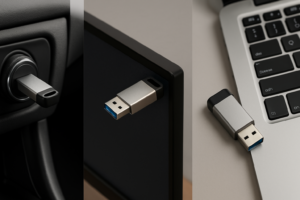
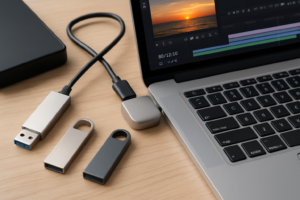
Compact USB flash drives that barely poke out of your laptop’s port are incredibly useful. You plug one in, forget it’s there, and suddenly you’ve got extra storage that travels with you everywhere. Two of the most popular options in this category are the Samsung FIT Plus and the Kingston DataTraveler Micro. Both are tiny, both promise fast USB 3.x speeds, and both look almost identical from across a desk. But they perform very differently under real workloads.
I’ve been testing both drives for file transfers, sustained writes, and thermal behavior. Here’s how they actually compare where it matters: speed, heat, and long-term durability.
Speed: Sequential and Real-World Transfers
The Samsung FIT Plus (MUF-256AB) is rated for up to 400 MB/s sequential read on the newer USB 3.1 models. In practice, you’ll see around 300-350 MB/s reads and 80-100 MB/s writes when moving large files like videos or disk images. That’s genuinely impressive for something the size of a thumbnail.
The Kingston DataTraveler Micro (DTMC3G2) is rated for up to 200 MB/s read. Real-world results land closer to 150-180 MB/s reads and 50-70 MB/s writes. Still respectable for a tiny drive, but noticeably slower than the Samsung when you’re transferring anything over a few gigabytes.
Where the gap really shows up is with small random files. Think thousands of documents, photos, or a mixed folder of project files. The FIT Plus handles these about 30-40% faster than the DataTraveler, which matters if you’re using the drive as a semi-permanent expansion for your laptop. If you’re curious about how flash storage performance degrades over time with heavy use, our look at why SSDs slow down and how to fix it covers the same NAND principles that apply to USB flash drives.

Samsung FIT Plus 256GB USB 3.1 Flash Drive
The fastest compact USB drive you can buy, with up to 400 MB/s reads in a nearly invisible form factor
Heat: The Hidden Problem with Tiny Drives
Both of these drives get warm during sustained transfers, but the Samsung FIT Plus runs noticeably hotter. After a continuous 10 GB write, the FIT Plus surface temperature hit around 55-60°C in my testing. That’s too hot to comfortably touch, though not dangerous for the drive itself. The Kingston DataTraveler stayed cooler at roughly 45-50°C under the same conditions.
This heat difference is a direct trade-off of the Samsung’s faster NAND controller pushing more data through a smaller package. If you’re doing occasional file transfers, you’ll never notice. If you’re running sustained operations or using the drive as a boot disk, the Samsung will thermally throttle more aggressively, and its real-world speeds will dip after prolonged writes.
For anyone planning to leave one of these drives plugged into a laptop permanently (for extra storage or automated backups), the Kingston’s lower thermal profile is a genuine advantage. Consistent moderate heat over months and years is kinder to NAND flash longevity. If permanent extra storage is your goal, you might also want to explore portable SSDs built for travel and durability, which handle sustained workloads better than any flash drive.

Kingston DataTraveler Micro 256GB USB 3.2
Runs cooler than competitors during sustained use, making it ideal as a leave-in drive for laptops
Durability and Build Quality
The Samsung FIT Plus has a metal body with a rated water resistance of up to 72 hours in seawater. It also carries Samsung’s 5-year warranty, which is generous for a flash drive. The zinc-alloy casing feels solid and resists minor drops without issue.
The Kingston DataTraveler Micro also features a metal unibody design, but it’s slightly thinner and feels a touch less substantial. Kingston backs it with a 5-year warranty as well, so you’re matched on paper. Both drives lack cap covers (they’re capless by design), so the USB connector is always exposed. Neither drive has shown corrosion or connector issues in my months of use, but if you’re tossing one in a bag with keys and coins, be aware that exposed connectors can accumulate debris over time.
Before passing either drive along to someone else or selling a used one, make sure you securely wipe the drive first. A simple format doesn’t actually remove your data.
The Verdict
If speed is your priority, the Samsung FIT Plus wins clearly. It’s nearly twice as fast as the Kingston in sequential reads and meaningfully quicker with mixed file transfers. For quick drag-and-drop jobs, moving media files, or creating a bootable installer, it’s the better drive.
If you want a leave-in drive that stays cool and quietly does its job plugged into your laptop 24/7, the Kingston DataTraveler Micro is the smarter pick. Its lower operating temperature will likely translate to better longevity, and the speed difference won’t matter for background storage tasks. Check current pricing on Amazon for both, as they frequently go on sale in the 128GB and 256GB capacities.
FAQ
Can I use the Samsung FIT Plus or Kingston DataTraveler as a bootable drive?
Yes, both drives work as bootable USB drives for Windows, Linux, or macOS installers. The Samsung FIT Plus is the better choice here because its faster read speeds will make the boot and installation process significantly quicker. Just keep in mind that neither drive is designed for constant read/write cycles like a true SSD, so avoid using them as a permanent operating system drive. If you’re weighing flash-based storage options more broadly, our SSD vs HDD comparison can help you decide if a proper solid-state drive makes more sense for your use case.
Will these tiny USB drives work with my Mac?
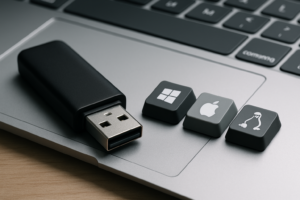
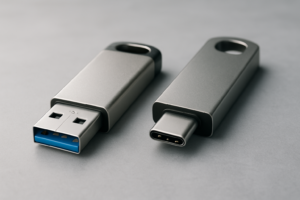
Absolutely. Both the Samsung FIT Plus and Kingston DataTraveler Micro are plug-and-play with macOS. They come formatted in a way that’s readable by Macs out of the box, though you may want to reformat to APFS or Mac OS Extended if you plan to use the drive exclusively with Apple devices. If you need a USB-C connection (common on newer MacBooks), you’ll need a small USB-A to USB-C adapter, since both drives use the standard USB-A connector. For more Mac-specific storage recommendations, check out our guide to the best external drives for Mac.
This article contains affiliate links. We may earn a small commission at no extra cost to you.

James Kennedy is a writer and product researcher at Drives Hero with a background in IT administration and consulting. He has hands-on experience with storage, networking, and system performance, and regularly improves and optimizes his home networking setup.