Sd Card Vs Ssd Speed: Which Option Is The More Favorable?
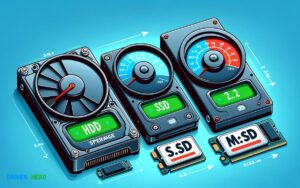
When comparing SD cards to SSDs in terms of speed, SSDs typically offer faster read/write speeds.
Check out this helpful video on the topic:
A high-end SD card may reach speeds around 100 MB/s, whereas a standard SSD can easily achieve speeds of 500 MB/s to 550 MB/s. More advanced NVMe SSDs can even surpass 3500 MB/s.
The speed difference between SD cards and SSDs is attributed to their respective designs and use cases. SD cards are designed for portability and compatibility with a wide range of devices like cameras, smartphones, and tablets.
They utilize flash memory, but with a focus on compactness rather than outright speed. SSDs, on the other hand, are intended for use as primary storage devices within computers and servers.
They also use flash memory, but with a different architecture that emphasizes speed and reliability. This architecture often includes more advanced controllers, caching, and interface technologies like SATA III or NVMe, which contribute to their superior performance.
For example, consider the following two scenarios:
- A professional photographer using an SD card in a camera for 4K video recording will need a card with fast write speeds to prevent lag or dropped frames.
- A computer user with an SSD as a boot drive will experience significantly shorter boot times and faster file transfer rates than with a traditional hard drive or an SD card.
Comparing an SD card to an SSD is like pitting a bicycle against a sports car in a race; the SSD’s design gives it an undeniable speed advantage for data-intensive tasks.
Key Takeaway
7 Features Of Sd Card Vs Ssd Speed
| Feature | SD Card | SSD |
|---|---|---|
| Speed | Varies from Class 2 (2 MB/s) to UHS-III (up to 624 MB/s) | Typically from 500 MB/s to 3500 MB/s for NVMe SSDs |
| Storage Type | Flash memory | Flash memory |
| Typical Usage | Photography, portable devices, low-intensity applications | High-speed operations, boot drives, gaming, high-intensity applications |
| Durability | Less durable, susceptible to damage from wear and environmental factors | More durable, better at handling read/write cycles and shock resistance |
| Form Factor | Small, portable | Larger, not as portable as SD cards |
| Price | Generally cheaper, cost-per-gigabyte is higher | More expensive but lower cost-per-gigabyte and higher performance |
| Capacity | Usually up to 1TB | From 120GB to 8TB or more |
Understanding The Difference
Definition Of Sd Card
An SD (Secure Digital) card is a type of storage memory commonly used in portable devices such as digital cameras, smartphones, and tablets. It provides a convenient and removable storage solution for users to store photos, videos, and other files.
Definition Of Ssd
Solid State Drive (SSD) is a type of storage device that uses flash memory to store data. Unlike traditional hard disk drives, SSDs have no moving parts, resulting in faster access times and higher durability. SSDs are commonly found in laptops and desktop computers.
Speed Comparison
When comparing the speed of SD cards and SSDs, it’s important to consider their respective read and write speeds. SSDs are known for their significantly faster read and write speeds.
They offer quicker data access and transfer rates, making them ideal for demanding tasks such as video editing, gaming, and booting up operating systems.
On the other hand, SD cards typically have lower read and write speeds compared to SSDs. They are more suitable for storing and accessing files in portable devices.
While some high-end SD cards can offer faster speeds, they generally cannot match the performance of SSDs.
Factors Affecting Speed
When choosing between an SD card and an SSD, speed is a crucial factor to consider. Both have their own advantages and limitations, and understanding the factors affecting their speed can help you make an informed decision.
Read And Write Speed
The read and write speed of storage devices like SD cards and SSDs play a significant role in determining their overall performance.
Read speed refers to the time it takes to retrieve data from the storage device, while write speed indicates the time required to save data onto the device.
For instance, an SSD typically offers much higher read and write speeds compared to an SD card. This is due to the different underlying technologies SSDs use flash memory chips with faster access times, while SD cards rely on slower NAND flash memory.
Random Access Time
Another critical factor influencing speed is the random access time. This is the measure of how quickly a storage device can locate and retrieve data from various locations on the disk.
SSDs generally have faster random access times compared to SD cards, thanks to their lack of moving parts and advanced controller technology.
The speed of an SD card versus an SSD is influenced by factors such as read and write speeds, as well as random access time.
Understanding these factors can help you make an informed decision when selecting the appropriate storage solution for your specific requirements.
Real-world Performance Comparison
When it comes to choosing the right storage solution for your devices, the debate between SD cards and SSDs has been a hot topic.
While both are popular choices for expanding storage and improving performance, understanding their real-world performance can help you make an informed decision.
Performance In Laptops
- Relatively slower data transfer speeds compared to SSDs.
- Suitable for storing photos, documents, and music; not ideal for running applications or OS.
- Rapid boot-up times, application loading, and overall system performance enhancement.
- Available in various form factors, including M.2 and NVMe, offering high-speed data transfer rates.
Performance In Cameras
- Primarily designed for storing media files in digital cameras and camcorders.
- Varied speed class ratings (e.g., Class 10, UHS-I, UHS-II) influence the write and read speeds.
- Increasingly used as external storage solutions for recording high-resolution videos and burst photo shooting.
- Deliver consistent performance in demanding shooting conditions and allow for quick data transfer to the computer.
Speed Testing Methods
When comparing the speed of SD cards and SSDs, it’s essential to consider multiple testing methods available for accurate results.
By utilizing benchmarking tools and real-world performance assessments, users can determine the speed differences between the two storage options. This exploration allows for informed decision-making based on specific usage requirements.
Benchmarking Software
Using the right benchmarking software is essential for conducting accurate speed tests of storage devices. It is crucial to select widely recognized tools such as CrystalDiskMark, AS SSD Benchmark, or ATTO Disk Benchmark.
These tools provide detailed insights into read and write speeds, as well as IOPS (Input/Output Operations Per Second) performance, enabling in-depth performance comparisons.
Testing Procedures
Conducting thorough testing procedures is essential to obtain reliable speed measurements. To ensure accuracy, it is important to perform multiple tests and average the results.
When testing, it is recommended to use similar file types, sizes, and patterns to mimic real-world usage scenarios.
Testing should involve both sequential and random read/write operations to comprehensively evaluate performance.
Future Trends
In the world of digital storage, the future is constantly evolving, with advancements in speed technology and the predicted impact these developments will have on devices.
As technology continues to progress, the debate between SD cards and SSDs in terms of speed becomes increasingly relevant.
Advancements In Speed Technology
- One of the most intriguing aspects of the future trends in storage technology is the continuous improvements in speed.
- Advancements in NAND flash memory technology have paved the way for faster read and write speeds in both SD cards and SSDs.
- The emergence of 3D NAND technology has allowed for greater capacity and improved performance.
- The development of PCIe (Peripheral Component Interconnect Express) interface has contributed to the speed enhancement of SSDs, as it provides a higher data transfer rate compared to traditional SATA drives.
The introduction of NVMe (Non-Volatile Memory Express) protocol further optimizes the performance of SSDs, delivering unprecedented speeds and decreasing latency.
Predicted Impact On Devices
- It is predicted that the future trends in speed technology will revolutionize the performance of devices that utilize SD cards and SSDs.
- The improved speed and efficiency of storage devices will lead to enhanced user experiences, especially in applications that demand high-speed data processing, such as professional image and video editing, gaming, and virtual reality.
- With the increasing demand for high-performance storage solutions in mobile and computing applications.
The anticipated improvements in speed technology will drive the integration of SSDs as the primary storage option in various devices, replacing traditional hard drives and providing faster boot times and improved overall system responsiveness.
Conclusion
The choice between an SD card and an SSD ultimately depends on your specific needs. While SD cards are suitable for smaller storage needs and portable devices, SSDs offer faster speeds and larger capacities for more demanding tasks.
Understanding the differences in speed and capabilities will help you make an informed decision for your storage requirements.

Harold Williams is a senior writer and technical editor at Drives Hero with 20+ years of experience in IT administration. He specializes in storage systems, SSD reviews, and performance testing, bringing real-world insight to every guide.