Samsung 990 Evo Plus Review: The Sweet Spot SSD
Samsung has a habit of filling every gap in its SSD lineup, and the 990 EVO Plus is a perfect example. It sits right between the budget-friendly 870 EVO (a SATA drive that’s been around forever) and the high-performance 990 Pro, giving you a middle path that balances speed, efficiency, and cost. For most people building or upgrading a PC in 2024 and 2025, this middle ground is exactly where you want to be.
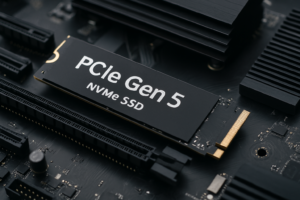
What makes the 990 EVO Plus particularly interesting is its hybrid PCIe interface. It supports both Gen 4 x4 and Gen 5 x2 connections, which means it’s designed to work well in both current and next-gen systems. Whether you’re dropping it into a laptop with a Gen 5 slot or an older desktop with Gen 4, the drive adapts. It’s a forward-thinking design choice that gives this SSD an unusually long useful life.
I’ve been testing the 990 EVO Plus across several systems over the past few weeks, and I have plenty of thoughts on where it shines, where it falls short, and who should actually buy one. Let’s get into it.
Specs and What’s New Over the Original 990 EVO
The original Samsung 990 EVO was a decent drive, but it left some performance on the table. Samsung clearly listened to the criticism because the 990 EVO Plus brings meaningful upgrades across the board.
Here’s what you’re working with:
- Interface: PCIe Gen 5 x2 / PCIe Gen 4 x4 (the drive negotiates automatically based on your system)
- Controller: Samsung in-house controller (updated from the original 990 EVO)
- NAND: Samsung 8th-gen V-NAND (TLC)
- Capacities: 1TB, 2TB, and 4TB
- Sequential Read: Up to 7,250 MB/s
- Sequential Write: Up to 6,300 MB/s
- Endurance: 600 TBW (1TB), 1,200 TBW (2TB), 2,400 TBW (4TB)
- Form Factor: M.2 2280
- Warranty: 5 years
Compared to the original 990 EVO, the Plus variant bumps sequential read speeds by roughly 43% and write speeds by a similar margin. Samsung achieved this primarily through the upgraded V-NAND and a more efficient controller. The endurance ratings also got a nice bump, which matters if you’re planning to use this drive for years of heavy workloads.
Samsung 990 EVO Plus 2TB NVMe M.2 SSD
The 2TB model hits the best balance of capacity and value for most users
The Hybrid PCIe Gen 4/Gen 5 Interface Explained
This is the feature that sets the 990 EVO Plus apart from most competitors, so it deserves some extra attention. The drive uses a PCIe Gen 5 x2 interface, which means it uses two lanes of Gen 5 bandwidth instead of the typical four lanes. In terms of raw throughput, Gen 5 x2 provides roughly the same bandwidth ceiling as Gen 4 x4.
Why does this matter? Two reasons. First, if your motherboard has a Gen 5 M.2 slot, you can install this drive and still leave room for a future Gen 5 x4 drive in another slot without worrying about lane allocation. Second, the two-lane design consumes less power than a four-lane Gen 5 setup, which is a big deal for laptops.
If your system only supports Gen 4, the drive automatically negotiates down to a Gen 4 x4 connection. You won’t get the full 7,250 MB/s reads in this mode (expect closer to 5,000 MB/s), but that’s still excellent performance. The drive doesn’t care which slot you put it in. It just works.
Performance Benchmarks: Real-World and Synthetic
Sequential Performance
In CrystalDiskMark testing on a Gen 5-capable system (AMD Ryzen 7 9800X3D, ASUS ROG Crosshair X870E), the 2TB 990 EVO Plus consistently hit its rated speeds. Sequential reads landed around 7,150 to 7,250 MB/s, and sequential writes came in at 6,100 to 6,300 MB/s. These numbers put it comfortably ahead of most Gen 4 NVMe drives and right in the territory of entry-level Gen 5 drives.
When tested in a Gen 4 x4 configuration on an older B550 board, sequential reads dropped to around 4,900 MB/s and writes to roughly 4,200 MB/s. Still very fast, and honestly, most users won’t notice the difference in daily use.
Random Read/Write (4K)
This is where real-world responsiveness lives. Random 4K read performance measured around 850K to 900K IOPS on the 2TB model, and random writes hit approximately 1,350K IOPS. These are strong numbers that compete directly with the Samsung 990 Pro in mixed workloads.
For context, the original 990 EVO managed around 700K IOPS in random reads. The Plus variant represents a substantial improvement in the kind of operations that actually affect how snappy your system feels.
Sustained Write Performance and SLC Cache
Samsung uses an intelligent TurboWrite SLC cache on the 990 EVO Plus. On the 2TB model, you get a sizable dynamic cache that handles most typical workloads without breaking a sweat. During a sustained 200GB file copy, the drive maintained near-peak write speeds for the first 100GB or so before gradually stepping down to around 1,800 MB/s as the cache filled.
This cache behavior is typical for TLC drives, and the 990 EVO Plus handles the transition more gracefully than many competitors. If you’re regularly transferring massive files (think video editors working with 4K or 8K footage), this is worth keeping in mind. For gaming, OS duties, and general productivity, you’ll rarely push past the cache.
Thermal Performance
One of the original 990 EVO’s weak spots was thermal throttling under sustained load. Samsung improved the thermal design on the Plus model, and it shows. During extended benchmarks in a well-ventilated desktop case, the drive peaked at around 72°C and never throttled. In a laptop without active cooling on the M.2 slot, temperatures climbed to 78°C during heavy sustained writes but still avoided aggressive throttling.
I’d still recommend a basic heatsink if your motherboard includes one, or pick up a simple aftermarket M.2 heatsink. But the 990 EVO Plus runs meaningfully cooler than the original under the same conditions.
Power Efficiency: A Laptop’s Best Friend
This is where the 990 EVO Plus really earns its keep. Samsung designed this drive with mobile efficiency as a priority, and the numbers back it up. Active power consumption during typical mixed workloads measures around 5 to 6 watts, while idle power drops to an impressively low 30 to 40 milliwatts with proper ASPM (Active State Power Management) support.
For comparison, many Gen 4 NVMe drives idle at 50 to 80 milliwatts, and some Gen 5 drives pull over 100 milliwatts at idle. If you’re running a thin-and-light laptop where every milliwatt counts toward battery life, the 990 EVO Plus can genuinely extend your unplugged time by 15 to 30 minutes compared to a less efficient NVMe drive.
The Gen 5 x2 interface helps here as well. Using two lanes instead of four reduces the number of active physical connections, which directly translates to lower power draw during active use. It’s a smart engineering trade-off that prioritizes efficiency without sacrificing meaningful performance.

Samsung 990 EVO Plus 1TB NVMe M.2 SSD
Great option for laptop upgrades where power efficiency matters most
How It Compares to the Competition
Samsung 990 EVO Plus vs. Samsung 990 Pro
The 990 Pro remains Samsung’s top-tier consumer drive with faster random I/O and higher sustained write performance. It’s a pure Gen 4 x4 drive, though, with no Gen 5 support. If you’re building a high-end desktop for content creation or competitive gaming and you want every last IOPS, the Samsung 990 Pro is still the better pick. But for everyone else, the 990 EVO Plus gets you 85 to 90% of the performance at a lower price point while adding Gen 5 compatibility.
Samsung 990 EVO Plus vs. WD Black SN850X
The WD Black SN850X is another excellent Gen 4 drive that often competes at a similar price. In pure sequential speed, the 990 EVO Plus wins when connected via Gen 5. In random performance, they trade blows. The Samsung drive has the advantage in power efficiency and Gen 5 future-proofing, while the WD drive has been on the market longer and occasionally shows up at aggressive discounts. Both are excellent, but I give the edge to the Samsung for its flexibility.
Samsung 990 EVO Plus vs. Crucial T500
The Crucial T500 is a strong Gen 4 contender with competitive performance. It’s a solid drive, but it lacks the hybrid Gen 4/Gen 5 interface that makes the 990 EVO Plus unique. If you’re purely running a Gen 4 system and you find the Crucial at a better price, it’s a perfectly fine alternative. For Gen 5 systems or laptop use, the Samsung wins.
Who Should Buy the Samsung 990 EVO Plus?
The 990 EVO Plus fits a surprisingly wide range of users. Here’s my take on who benefits most:
- Laptop upgraders: The power efficiency alone makes it one of the best M.2 SSDs you can put in a modern laptop.
- PC builders planning ahead: Gen 5 x2 compatibility means you won’t need to replace this drive when you upgrade to a Gen 5 platform.
- Gamers: Load times will be excellent, and the drive supports Microsoft DirectStorage for future game optimizations.
- General productivity users: If you’re upgrading from a SATA SSD or an older NVMe drive, you’ll feel the improvement immediately.
Who should skip it? If you’re a professional video editor or data scientist handling massive sequential transfers daily, the Samsung 990 Pro or a dedicated Gen 5 x4 drive like the Samsung 990 EVO Plus’s bigger sibling (when Samsung eventually releases a true Gen 5 flagship) would serve you better.
Samsung 990 EVO Plus 4TB NVMe M.2 SSD
The 4TB capacity is ideal for creators and gamers with large libraries who want everything on one drive
Installation Tips
Installing the 990 EVO Plus is the same as any M.2 2280 drive. A few tips to make it smooth:
- Check your motherboard manual to confirm which M.2 slot supports Gen 5 (if applicable). Putting a Gen 5 drive in a Gen 4 slot still works, but you won’t get the full speed.
- Use Samsung Magician software after installation. It lets you monitor drive health, update firmware, and optimize performance settings.
- If you’re migrating from an old drive, Samsung Magician includes a cloning tool that works well for simple OS migrations.
- Enable ASPM in your BIOS/UEFI for maximum power savings, especially on laptops.
Frequently Asked Questions
Is the Samsung 990 EVO Plus compatible with PS5?
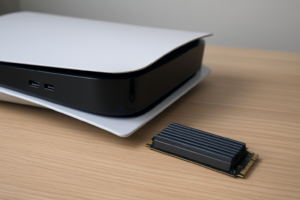
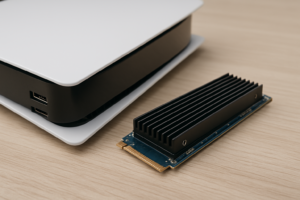
Yes, the 990 EVO Plus fits the PS5’s M.2 expansion slot and exceeds Sony’s recommended 5,500 MB/s sequential read speed. It’s an excellent upgrade for expanding your PS5 game storage. Just make sure to attach a heatsink (the PS5 doesn’t include one for the M.2 slot on older models, though the PS5 Slim has a built-in heatsink mount).
What’s the difference between the 990 EVO and the 990 EVO Plus?
The 990 EVO Plus is a significant upgrade over the original 990 EVO. It features faster sequential speeds (7,250 MB/s vs. 5,000 MB/s read), improved random I/O performance, better power efficiency, and higher endurance ratings. Samsung also upgraded the V-NAND to its 8th generation. If you’re choosing between the two today, the Plus is the clear pick.
Does the 990 EVO Plus need a heatsink?
For typical desktop use (gaming, productivity, OS drive duties), the 990 EVO Plus manages thermals well on its own. A heatsink is recommended but not strictly necessary. If you plan on running sustained heavy writes regularly, such as large file transfers or video rendering, adding a basic M.2 heatsink will help the drive maintain peak performance longer. Most modern motherboards include M.2 heatsinks, so check yours before buying a separate one.
How long will the Samsung 990 EVO Plus last?
With a 5-year warranty and endurance ratings of 600 TBW (1TB), 1,200 TBW (2TB), and 2,400 TBW (4TB), the 990 EVO Plus is built for longevity. For perspective, writing 1,200 TB to a drive means you’d need to write about 657 GB every single day for five years to hit the 2TB model’s limit. Most consumers write 20 to 50 GB per day at most. This drive will almost certainly outlast the system it’s installed in.
Final Verdict
The Samsung 990 EVO Plus is exactly what its name suggests: a refined version of an already solid concept. It delivers Gen 5-level sequential performance, excellent power efficiency, and Samsung’s industry-leading software support in a package that makes sense for the vast majority of PC users and laptop owners.
It doesn’t try to be the fastest drive on the market, and that’s perfectly fine. Instead, it occupies a sweet spot where performance, efficiency, price, and future compatibility all intersect. If you’re upgrading your storage in 2025 and you don’t have a specific reason to spend more on a flagship Gen 5 drive, the 990 EVO Plus should be at the top of your list. James Kennedy is a writer and product researcher at Drives Hero with a background in IT administration and consulting. He has hands-on experience with storage, networking, and system performance, and regularly improves and optimizes his home networking setup.