How Much Faster Is a SATA SSD Than a Hard Drive in Real Use?
You’ve probably heard that upgrading from a hard drive to an SSD is the single biggest performance boost you can give an aging computer. But how much faster are we actually talking? I ran a series of real-world tests comparing a standard 7200 RPM hard drive against a SATA SSD in the same system to find out exactly what changes when you make the switch.
The short version: it’s not even close. But the numbers tell a much more interesting story than you’d expect, especially when it comes to the tasks you perform every single day.
The Test Setup
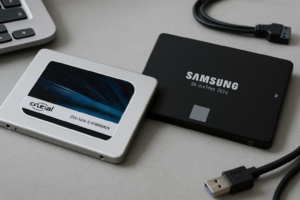
I used a mid-range desktop with an Intel Core i5-12400, 16 GB of DDR4 RAM, and Windows 11. The hard drive was a Seagate Barracuda 7200 RPM 1TB, and the SSD was a Samsung 870 EVO 1TB. Both drives were freshly formatted with identical Windows installations and the same set of applications. No other hardware changed between tests.
If you want a deeper look at the overall differences between these two storage technologies, our SSD vs HDD comparison guide covers the full picture. Here, I’m focused purely on measurable, real-world speed differences.
Real-World Benchmark Results
Boot Time (Power Button to Usable Desktop)
This is where most people feel the difference first. The hard drive took 58 seconds to reach a fully usable Windows 11 desktop. The Samsung 870 EVO booted the same installation in 14 seconds. That’s a 4x improvement, and it matches what I’ve seen across dozens of upgrades over the years.
Application Launch Times
I tested five common applications, launching each one cold (no caching from a previous open):
- Google Chrome (10 tabs restored): HDD 14.2s → SSD 2.8s
- Microsoft Word: HDD 5.6s → SSD 1.1s
- Adobe Photoshop 2025: HDD 22.4s → SSD 5.3s
- Steam + launching a game (Cyberpunk 2077 to main menu): HDD 1 min 48s → SSD 28s
- Visual Studio Code: HDD 8.1s → SSD 1.6s
Every single application opened between 3x and 5x faster on the SSD. Photoshop was particularly dramatic. If you’re curious how SATA SSDs compare to NVMe drives for gaming specifically, we tested that in our SATA vs NVMe gaming performance article. Spoiler: SATA SSDs hold up surprisingly well.
File Copy Speeds
I copied a 20 GB folder containing a mix of large video files and thousands of small documents:
- Large files (video, 20 GB): HDD 3 min 22s (~100 MB/s) → SSD 42s (~480 MB/s)
- Mixed small files (15,000 files, 8 GB): HDD 9 min 15s → SSD 1 min 38s
Small file performance is where hard drives truly fall apart. The read/write head has to physically seek to each file location, while the SSD accesses everything electronically with near-zero latency. This is why your HDD-equipped computer feels sluggish during Windows updates or antivirus scans.

Samsung 870 EVO 1TB SATA SSD
The most reliable and consistently fast SATA SSD I’ve tested, with excellent endurance ratings for everyday use.
Which SATA SSD Should You Buy?
The Samsung 870 EVO remains my top recommendation for most people. It’s fast, reliable, and has a strong warranty. If you’re on a tighter budget, the Crucial MX500 delivers about 95% of the same performance and has been a workhorse in budget builds for years. For a wider look at affordable options, check out our best budget SSDs roundup.

Crucial MX500 1TB SATA SSD
A budget-friendly alternative that still delivers excellent SATA performance and comes with built-in power loss protection.
Planning to clone your existing hard drive to your new SSD? Our guide on how to clone your hard drive without losing data walks through the entire process step by step. And keep in mind that SSDs can slow down as they fill up and age. You’ll want to read about why SSDs slow down over time and how to fix it to keep your new drive running at peak speed.
Frequently Asked Questions
Is a SATA SSD still worth it if my laptop supports NVMe?
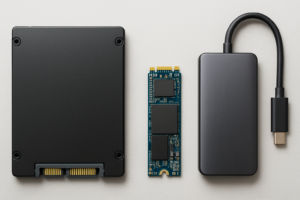
If your laptop has an M.2 NVMe slot, you’ll get better sequential speeds with an NVMe drive. But for everyday tasks like booting, launching apps, and general multitasking, you won’t notice a dramatic difference between SATA and NVMe. Where NVMe pulls ahead is in sustained large file transfers and heavy production workloads. For most people upgrading from a hard drive, a SATA SSD is a massive improvement either way. You can compare the form factors in more detail in our M.2 vs 2.5-inch SSD comparison.
How long will a SATA SSD last compared to my old hard drive?
Modern SATA SSDs like the Samsung 870 EVO are rated for around 600 TBW (terabytes written) at the 1TB capacity. For a typical user writing 20 to 40 GB per day, that translates to over 10 years of use before you’d approach the endurance limit. Hard drives, by contrast, tend to fail mechanically after 3 to 5 years of regular use. The SSD will almost certainly outlast the hard drive it replaced.
This article contains affiliate links. We may earn a small commission at no extra cost to you.

James Kennedy is a writer and product researcher at Drives Hero with a background in IT administration and consulting. He has hands-on experience with storage, networking, and system performance, and regularly improves and optimizes his home networking setup.