Crucial T700 vs T500: When Does Gen 5 Speed Actually Matter?
PCIe Gen 5 SSDs are here, and Crucial has entries in both the Gen 5 and Gen 4 camps. The Crucial T700 promises blistering sequential speeds north of 12,000 MB/s, while the Crucial T500 quietly delivers excellent Gen 4 performance at a much friendlier price. But raw speed numbers on a spec sheet don’t always translate to a real difference on your screen.
I’ve spent enough time with both drives to tell you this upfront: most people should buy the T500. But “most people” might not include you, so let’s break down exactly where each drive earns its place.
Specs That Actually Matter
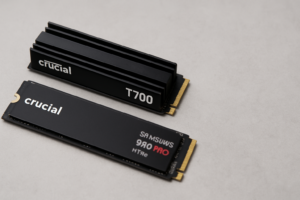
The T700 uses a Phison E26 controller with Micron 232-layer TLC NAND, hitting rated sequential reads of 12,400 MB/s and writes of 11,800 MB/s on the 2TB model. The T500, built on a Phison E26 controller variant with the same NAND, tops out at 7,400 MB/s reads and 7,000 MB/s writes. Both come in 1TB, 2TB, and 4TB capacities, and both carry a 5-year warranty with identical TBW (terabytes written) ratings per capacity tier.
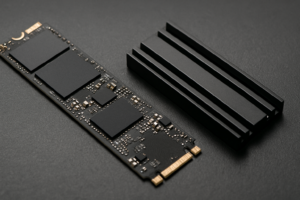
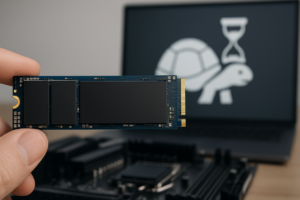
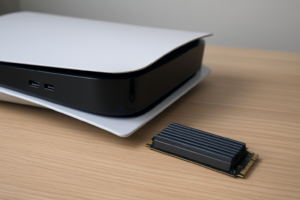
One critical hardware note: the T700 runs hot. Crucial sells it with and without a heatsink, but you’ll want active airflow or a motherboard heatsink regardless. The T500 stays much cooler and doesn’t require nearly as much thermal management. If you’re building in a compact ITX case, that thermal difference alone could steer your decision. And if your SSD does start to slow down from thermal throttling or other issues, understanding why SSDs lose speed over time and how to fix it becomes essential.
Where the T700 Actually Pulls Ahead
Sequential speed advantages show up in very specific workflows. If you’re regularly moving massive files (think 50GB+ video project folders, large database dumps, or virtual machine images), the T700’s extra bandwidth is genuinely noticeable. A 100GB file transfer that takes roughly 15 seconds on the T500 finishes closer to 9 seconds on the T700. Do that a dozen times a day and the time savings add up.
DirectStorage in gaming is the other area where Gen 5 could matter, though real-world game implementations are still catching up to the hardware. Titles built around Microsoft’s DirectStorage API can stream assets faster from a Gen 5 drive, reducing texture pop-in and load times. We’re still in the early days here, but if you’re building a rig you plan to keep for 3 to 4 years, the T700 gives you headroom for what’s coming.
Professional video editors working with 8K RAW footage or multi-stream 4K timelines will also feel the difference, especially during scrubbing and real-time playback from the drive. For a deeper look at how NVMe drives compare in real gaming scenarios, check out our SATA vs NVMe real-world gaming test.

Crucial T700 2TB Gen 5 NVMe SSD
Best for content creators and power users who need maximum sequential throughput from a Gen 5 platform
Where the T500 Is the Smarter Buy
For everyday computing, gaming (current titles), general productivity, and even moderate content creation, the T500 performs nearly identically to the T700 in the metrics that matter most. Random 4K read/write speeds, which determine how snappy your OS feels and how quickly apps launch, are extremely close between the two drives. You won’t notice a difference opening Photoshop, booting Windows, or loading into most games.
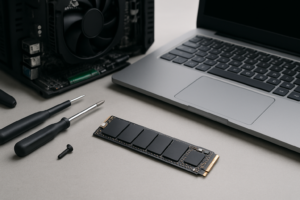
The T500 also doesn’t require a Gen 5 motherboard slot. It runs perfectly in any M.2 PCIe Gen 4 slot, which means broader compatibility with existing systems. If you’re upgrading an older build and want guidance on the physical installation, our NVMe installation guide walks you through it step by step. And if you’re debating capacity, our breakdown of 1TB vs 2TB SSD sizing can help you pick the right amount of storage.
The price gap between the T700 and T500 is significant, especially at the 2TB tier. That savings could go toward more storage, better RAM, or a GPU upgrade that will have a far bigger impact on your daily experience.

Crucial T500 2TB Gen 4 NVMe SSD
The better value pick for gamers and general users who want top-tier Gen 4 speed without the Gen 5 premium
FAQ
Do I need a Gen 5 motherboard to use the T700?
You need a PCIe Gen 5 M.2 slot to get full T700 speeds. The drive will work in a Gen 4 slot, but it’ll be capped at Gen 4 bandwidth, making it no faster than the T500. If your motherboard doesn’t have a Gen 5 slot, save your money and grab the T500 instead.
Will the T700 make my games load faster than the T500?
In most current games, no. Game load times are bottlenecked by random I/O performance and software optimization, not sequential throughput. Both drives deliver nearly identical results in game loading benchmarks right now. Future DirectStorage-optimized titles may change this, but we’re not there yet.
This article contains affiliate links. We may earn a small commission at no extra cost to you.

James Kennedy is a writer and product researcher at Drives Hero with a background in IT administration and consulting. He has hands-on experience with storage, networking, and system performance, and regularly improves and optimizes his home networking setup.