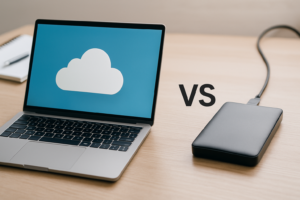
SSD vs HDD vs Cloud Storage: Full Speed and Price Comparison 2026
Choosing between an SSD, an HDD, and cloud storage isn’t really a single decision. It’s three different tools for three different jobs, and most people will end up using at least two of them. This guide breaks down real-world speed, cost per gigabyte, reliability, and the ideal use case for each option so you can stop guessing and start buying with confidence.
If you’ve already narrowed it down to solid-state vs. spinning disk, our SSD vs HDD deep dive covers that matchup in detail. This article adds cloud storage into the mix for the full three-way picture.
Speed: Where Each Storage Type Stands in 2026
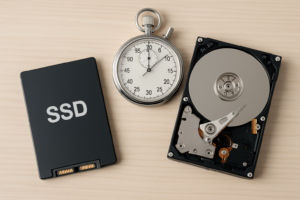
Speed is the category with the widest gap between contenders, and it’s not even close.
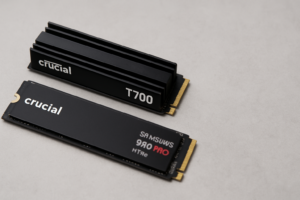
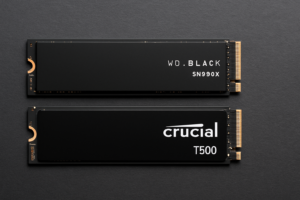
- NVMe SSDs top out around 7,000-14,000 MB/s for sequential reads on PCIe Gen 5 drives. Even a mid-range Gen 4 NVMe like the Samsung 990 Pro delivers roughly 7,450 MB/s reads. SATA SSDs are slower (around 550 MB/s) but still dramatically faster than hard drives. If you’re curious about how form factor affects these numbers, check out our M.2 vs 2.5-inch SSD comparison.
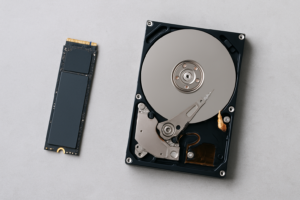
- HDDs max out between 80-260 MB/s depending on the model. A typical 7200 RPM drive like the Seagate Barracuda sits around 190 MB/s sequential read. Random access is where HDDs really struggle, often 100x slower than SSDs due to mechanical seek time.
- Cloud storage is bottlenecked by your internet connection. On a 1 Gbps fiber line, you’ll get roughly 100-125 MB/s in practice. On a 100 Mbps connection, expect around 10-12 MB/s. Uploading large files to services like Google Drive, Backblaze, or iDrive will always be the slowest option.
Winner: NVMe SSD, by a massive margin. For boot drives, game libraries, and video editing scratch disks, nothing else comes close.

Samsung 990 Pro 2TB NVMe SSD
One of the fastest Gen 4 NVMe drives available, ideal as a primary OS or creative workstation drive
Cost Per GB: Where HDDs and Cloud Still Win
Storage pricing has shifted significantly over the past year. Here’s where things stand without quoting exact figures (check Amazon for current pricing, as it fluctuates weekly):
- HDDs remain the cheapest local storage per gigabyte. Large-capacity drives like the WD Elements 8TB offer the best value when you need bulk capacity for media archives, backups, or NAS builds.
- SATA SSDs have dropped enough that 1TB models are very affordable. Budget picks like the Samsung 870 EVO 1TB or the Crucial MX500 give you solid performance without breaking the bank. NVMe drives cost a bit more per GB but the gap has narrowed.
- Cloud storage is deceptively priced. Services like Backblaze B2 charge around a couple of cents per GB per month, but those costs compound over years. A 4TB cloud archive you access occasionally will eventually cost more than buying a physical drive outright. Our cloud backup vs. local NAS cost comparison lays out the math in detail.
Winner: HDD for raw capacity. SATA SSD for the best performance-per-dollar balance.

WD Elements 8TB External Hard Drive
Best value for bulk cold storage and NAS builds when you need maximum capacity per dollar
Reliability and Best Use Cases
Each storage type has a distinct failure profile. SSDs have no moving parts and handle drops and vibration well, making them perfect for laptops and portable travel setups. They do wear out after a set number of write cycles, though modern drives last well beyond what most users will ever hit. If your SSD feels sluggish after years of use, here’s how to diagnose and fix that.
HDDs are more vulnerable to physical shock (those clicking sounds are never a good sign), but they’re excellent for cold storage, large media libraries, and NAS arrays where capacity matters more than speed.
Cloud storage is the most resilient against local disasters like fires, theft, or hardware failure. Major providers replicate your data across multiple data centers. The trade-off is that you’re trusting a third party with your files, you need internet access to retrieve them, and ongoing subscription costs add up. Cloud works best as a backup layer rather than primary storage.
The ideal setup for most people: An NVMe SSD as your boot and working drive, paired with either an HDD or NAS for local bulk storage, and a cloud backup service as your off-site safety net. If you want to build out that local storage tier affordably, our guide to building a budget home NAS is a good starting point.

Crucial MX500 2TB SATA SSD
A reliable and budget-friendly SATA SSD for secondary storage or laptop upgrades
FAQ
Can cloud storage replace a local SSD or HDD entirely?
Not for most people. Cloud storage works well as a backup and for syncing files across devices, but it’s too slow for running applications, editing video, or loading games. You’ll still want a local SSD for your operating system and active projects. Think of cloud as your safety net, not your primary workspace.
Should I use an SSD and HDD together in the same PC?
Absolutely. This is one of the most cost-effective configurations. Use an NVMe or SATA SSD for your OS, applications, and frequently accessed files, then add an HDD for photos, music, archived projects, and backups.

James Kennedy is a writer and product researcher at Drives Hero with a background in IT administration and consulting. He has hands-on experience with storage, networking, and system performance, and regularly improves and optimizes his home networking setup.