SanDisk Extreme vs Crucial X9 Pro: Budget Portable SSD Battle
Two of the most popular budget portable SSDs sit side by side on store shelves, and picking between them isn’t as simple as grabbing whichever one’s cheaper. The SanDisk Extreme Portable SSD and the Crucial X9 Pro both promise fast transfers, compact designs, and enough durability to survive life on the go. But after weeks of testing both drives with real-world file transfers, I have some strong opinions about which one deserves your money.
This comparison focuses on the latest versions of both drives in their 1TB configurations. I tested them on both Windows 11 and macOS systems using USB 3.2 Gen 2 connections, because that’s how most people will actually use them. If you’ve been exploring our guide to the best portable SSDs for travel in 2026, consider this the deep dive into two of the top contenders.
Specs at a Glance: SanDisk Extreme vs Crucial X9 Pro
Before we get into the testing results, here’s how these two drives compare on paper:
- SanDisk Extreme: Up to 1,050 MB/s read, 1,000 MB/s write (advertised), USB 3.2 Gen 2, USB-C, IP65 rated, 2-meter drop protection
- Crucial X9 Pro: Up to 1,050 MB/s read, 1,050 MB/s write (advertised), USB 3.2 Gen 2, USB-C, IP55 rated, 7.5-foot drop protection
On paper, they’re nearly identical in speed ratings. Both use the USB 3.2 Gen 2 interface, which caps theoretical throughput at about 10 Gbps. Both come in 1TB, 2TB, and 4TB capacities. The differences start to emerge when you look at the durability ratings and, more importantly, when you actually start copying files.
Real-World Speed Tests: Where It Actually Matters
Advertised speeds are marketing numbers. They represent best-case scenarios using specific benchmarking tools under ideal conditions. I ran both drives through a series of tests that better reflect how you’ll actually use a portable SSD.
Large File Transfers (Single 50GB Video File)
Copying a single 50GB video file from an NVMe internal drive to each portable SSD gave interesting results. The Crucial X9 Pro completed the transfer in approximately 58 seconds, sustaining speeds around 880 MB/s for most of the operation. The SanDisk Extreme finished in about 62 seconds, averaging roughly 820 MB/s before thermal throttling kicked in near the tail end.
Both drives slow down from their advertised peaks during sustained writes, which is completely normal for portable SSDs in this class. The X9 Pro held its peak speed slightly longer before throttling, giving it a small but consistent advantage in large file scenarios.
Mixed File Transfers (25GB Photography Folder)
A 25GB folder containing thousands of RAW photos and JPEGs tells a different story. Mixed file transfers involve more overhead because the drive has to handle many small write operations alongside larger ones. Here, the SanDisk Extreme averaged around 650 MB/s, while the Crucial X9 Pro came in at approximately 700 MB/s.
The gap narrows considerably with mixed workloads, and in everyday use, you probably won’t notice the difference. Both drives will copy a typical photography session in well under a minute.
Read Speeds (Playing Back 4K Video Directly from the Drive)
For read performance, both drives are essentially tied. Playing back 4K ProRes footage directly from each drive produced zero dropped frames on either. Sequential read speeds hovered between 1,000 and 1,050 MB/s on both units, right in line with their advertised numbers. If you’re primarily reading data rather than writing, you’ll be equally happy with either drive.

Crucial X9 Pro 1TB Portable SSD
Slightly faster sustained write speeds and consistent performance make this the better performer in our file transfer tests
Build Quality and Durability: Two Different Approaches
This is where these two drives diverge significantly, and it’s worth paying close attention depending on how you plan to use yours.
SanDisk Extreme: Built for the Outdoors
The SanDisk Extreme features a rubberized exterior with a carabiner loop, and it genuinely feels like something designed for hikers and outdoor photographers. Its IP65 rating means it’s fully protected against dust ingress and can handle water jets from any direction. I wouldn’t submerge it, but getting caught in a rainstorm with this drive clipped to your bag shouldn’t cause any concern.
The 2-meter drop protection has been tested extensively by the community, and the drive’s thick rubber bumper absorbs impacts well. It’s slightly thicker than the X9 Pro because of this protective layer, but it still fits comfortably in a pocket. If you’ve read our guide on how to use the SanDisk Extreme with a MacBook Pro, you know it’s also a popular choice among Apple users for its reliability.
Crucial X9 Pro: Sleek and Sturdy
The Crucial X9 Pro takes a different approach. Its anodized aluminum unibody design feels more premium in hand and dissipates heat better than the SanDisk’s rubber shell. This partially explains its ability to sustain higher write speeds for longer periods. The metal body acts as a passive heatsink.
However, the X9 Pro’s IP55 rating is a step down from the SanDisk. IP55 means protection against dust in limited quantities and low-pressure water jets. It’ll survive a splash, but you’ll want to keep it drier than the SanDisk Extreme. Drop protection is rated at 7.5 feet (roughly 2.3 meters), which is slightly better than the SanDisk’s 2-meter spec.
The Durability Verdict
If you work outdoors regularly, shoot on location in rough conditions, or tend to be hard on your gear, the SanDisk Extreme’s superior water and dust resistance makes it the safer pick. If you mostly work indoors or in controlled environments and value a premium feel, the X9 Pro’s aluminum body is more appealing and keeps the drive cooler under heavy workloads.

SanDisk Extreme Portable SSD 1TB
Best-in-class IP65 water and dust resistance with a rugged design that’s perfect for outdoor photographers and field work
Thermal Performance and Throttling
Heat management matters more than most people realize with portable SSDs. When a drive gets too hot, it slows down to protect itself, and this is where the design differences between these two drives produce measurable results. For a deeper understanding of why this happens, check out our article on why your SSD slows down over time and how to fix it.
During a sustained 100GB write test in a 72°F room, the SanDisk Extreme’s surface temperature hit 52°C (about 126°F) and began throttling noticeably after around 45 seconds of continuous writing. The drive didn’t become uncomfortably hot to touch, but the rubber exterior insulates the internal components rather than dissipating heat.
The Crucial X9 Pro’s aluminum shell stayed cooler to the touch, peaking at about 46°C (115°F), and it didn’t begin throttling until about 60 seconds into the same sustained write test. That extra 15 seconds of full-speed writing adds up when you’re transferring large video projects or backing up entire photo libraries.
For typical use, copying files under 30GB at a time, neither drive will throttle enough for you to notice. But if you regularly move massive files, the X9 Pro’s thermal advantage becomes relevant.
Software and Encryption
The SanDisk Extreme ships with SanDisk’s SecureAccess software, which offers 256-bit AES hardware encryption with password protection. It works, though the software interface feels dated and occasionally sluggish. You can set up a password-protected vault on the drive where sensitive files stay encrypted.
The Crucial X9 Pro doesn’t include built-in encryption software. If you need hardware-level encryption, you’ll need to use your operating system’s built-in tools (BitLocker on Windows or FileVault/disk encryption on macOS). This isn’t necessarily a dealbreaker, but it’s an extra step you won’t need with the SanDisk.
For anyone considering selling or repurposing an old portable drive, encryption matters even after you’re done with it. Our guide on how to securely wipe your drive before selling covers this process thoroughly.
Compatibility and Connectivity
Both drives use USB-C and include a USB-C to USB-C cable. The SanDisk Extreme also includes a USB-C to USB-A adapter in the box, which is a nice touch if you’re connecting to older laptops or desktops. The Crucial X9 Pro only includes the USB-C cable, so you’ll need to supply your own adapter for USB-A ports.
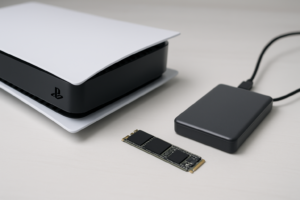
Both drives work out of the box with Windows, macOS, Android, iPad OS, and PlayStation/Xbox consoles. They come pre-formatted as exFAT, which provides broad compatibility across platforms. I tested both on a Windows 11 desktop, a MacBook Pro M3, and a PlayStation 5, and all three recognized the drives instantly with no formatting required.
If your external drive ever has connection issues, our troubleshooting guide for external drives not showing up can help you work through the most common causes.
Capacity Options and Value
Both the SanDisk Extreme and the Crucial X9 Pro are available in 1TB, 2TB, and 4TB capacities. Pricing fluctuates regularly on Amazon, so I’d recommend checking current listings to compare. Both drives frequently appear in seasonal sales, and we’ve tracked pricing trends in our Black Friday SSD deals guide if you’re willing to wait for a discount.
At the 1TB tier, both drives are competitively priced against each other and tend to trade places on which one costs less depending on the week. At 2TB and 4TB, the price-per-gigabyte improves for both, and the Crucial X9 Pro has historically been positioned slightly more aggressively on larger capacities. If you’re trying to figure out how much storage you actually need, our breakdown of 1TB vs 2TB SSD capacity can help you decide.
And the Winner Is…
After extensive testing, my pick depends on your primary use case, but if I had to choose only one, I’d go with the Crucial X9 Pro for most people.
The X9 Pro delivers slightly better sustained write performance, runs cooler under load, and its aluminum construction feels more refined. For the majority of users who work indoors, travel with their drive in a bag, and want the fastest file transfers possible, it’s the better all-around option.
However, I’d steer you toward the SanDisk Extreme if you work in harsh environments, shoot on location in rain or dusty conditions, or simply want the most durable portable SSD you can buy at this price point. Its IP65 rating and rubberized body provide a genuine safety margin that the X9 Pro doesn’t match. The included USB-A adapter and built-in encryption software are nice bonuses too.
Both drives are excellent, and honestly, you won’t be disappointed with either one. But if raw performance and thermal management are your priorities, the X9 Pro earns the edge.
Frequently Asked Questions
Can I use the SanDisk Extreme or Crucial X9 Pro with a PlayStation 5 or Xbox?
Yes, both drives work with the PS5 and Xbox Series X/S as external game storage. You can store and play PS4 and Xbox One games directly from either drive. PS5 and Xbox Series X/S native games can be stored on the drives for archival purposes, but they’ll need to be transferred back to the console’s internal storage to play. Both drives are fast enough that transferring games takes just a few minutes per title.
How long will these portable SSDs last with regular use?
Both drives are rated for years of heavy use under normal conditions. The NAND flash memory in modern portable SSDs can handle hundreds of terabytes of total data written before wearing out. For most people writing 1 to 5TB per year, either drive should last well over a decade. Our deep dive into SSD lifespan and real-world data covers the specifics in detail.
Is it worth upgrading from an older portable HDD to one of these SSDs?
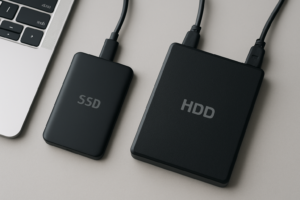
Absolutely. A traditional portable hard drive typically maxes out at 100 to 150 MB/s. Both the SanDisk Extreme and Crucial X9 Pro deliver speeds around 1,000 MB/s in real-world use, meaning file transfers that used to take 10 minutes will finish in about one minute. Portable SSDs are also far more resistant to drops and vibration since they have no moving parts. The speed improvement alone makes the upgrade worthwhile.
Do these drives work with both Mac and PC without reformatting?
Yes. Both the SanDisk Extreme and Crucial X9 Pro come pre-formatted as exFAT, which is natively supported by Windows, macOS, and most other operating systems. You can plug either drive into a Mac, copy files, then plug it into a Windows PC and access those same files without any formatting. If you want to use macOS-specific features like Time Machine backups, you’ll need to reformat the drive to APFS or Mac OS Extended, but for general file storage, exFAT works perfectly across platforms.
This article contains affiliate links. We may earn a small commission at no extra cost to you.

James Kennedy is a writer and product researcher at Drives Hero with a background in IT administration and consulting. He has hands-on experience with storage, networking, and system performance, and regularly improves and optimizes his home networking setup.