Samsung 9100 PRO vs SanDisk Optimus GX PRO 8100: A Creator’s Buying Guide
This article contains paid Amazon affiliate links. As an Amazon Associate I earn from qualifying purchases.
The Samsung 9100 PRO and SanDisk Optimus GX PRO 8100 belong on the shortlist for a creator building around a genuine PCIe 5.0 storage slot. Choosing between them should start with the project, cooling arrangement and required capacity. A small difference between advertised read speeds is a weak reason to redesign an otherwise suitable workstation.
Start with the storage job
Are you buying a system drive, an active-project volume or a scratch disk? Those jobs place different demands on storage. A system drive spends much of its time handling modest requests. A project drive may read several large media files together. A scratch disk can receive substantial temporary writes that disappear when the job finishes.
Write down the size of your largest active project, including proxies, previews and exports. Keep the original footage and a separate backup in that calculation. Our SSD capacity planning guide provides background on choosing space without treating every additional terabyte as automatically necessary.
What the specifications establish
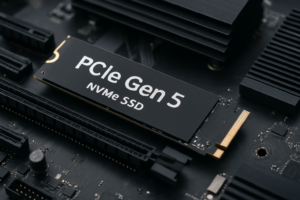
Both are M.2 2280 PCIe 5.0 x4 drives using TLC NAND and onboard DRAM. Samsung lists the 2TB 9100 PRO at up to 14,700 MB/s sequential read; SanDisk lists the 2TB Optimus at up to 14,900 MB/s. These are manufacturer ratings, not results from a shared DrivesHero benchmark.
That difference does not establish which drive finishes your export first. Decoding, effects processing, the destination drive and application behavior can all determine completion time. For more context on the component doing the work, see our SSD controller reference.
Check the motherboard before choosing a model
Find the manual for the exact motherboard revision. Confirm which M.2 socket connects at Gen 5 x4, whether occupying it changes other slot bandwidth, and which cooling hardware the board supplies. An SSD installed in a slower slot cannot bypass the slot’s limit.
Choose either the board’s compatible heatsink or the appropriate factory-heatsink variant. Do not stack two cooling assemblies. Also allow airflow around the M.2 area rather than assuming a premium drive needs no thermal planning.
Compare equal capacities and complete purchase costs
A useful comparison keeps capacity, heatsink configuration and seller condition the same. A discounted bare 2TB drive is not equivalent to a 4TB model with cooling included. Include any missing mounting hardware and the cost of a backup destination before declaring one basket cheaper.
Check the current manufacturer warranty for the exact SKU and buying region. Marketplace listings can mix new retail stock with imported or used drives; a familiar product name alone does not settle support eligibility.
Buying recommendation
Shortlist both for a compatible workstation that regularly moves large local datasets. Choose the capacity and cooling package that fits your system at the better total price from a suitable seller. If your work is mostly light editing or your motherboard has only Gen 4 slots, evaluate a less expensive drive before paying for bandwidth you cannot use.
Compare options on Amazon
- Find Samsung 9100 PRO 2TB SSD on Amazon (paid link)
- Find SanDisk Optimus GX PRO 8100 2TB SSD on Amazon (paid link)
These links open matching Amazon listings. Confirm the exact model, capacity, seller, condition and current price before ordering.
Sources
You might also like
- 1TB Vs 2TB SSD: How To Choose The Right Capacity
- SSD Controller List: Phison, Silicon Motion, Innogrit and More
Research checked November 12, 2026. This is a specification-based buying guide; DrivesHero has not performed a new hands-on test of these products for this article. Featured image: AI-generated conceptual illustration, not a photograph of the specific products.

James Kennedy is a writer and product researcher at Drives Hero with a background in IT administration and consulting. He has hands-on experience with storage, networking, and system performance, and regularly improves and optimizes his home networking setup.