Samsung 9100 PRO 2TB vs 4TB: How Much Project Space Should You Buy?
This article contains paid Amazon affiliate links. As an Amazon Associate I earn from qualifying purchases.
Choosing a 2TB or 4TB Samsung 9100 PRO is primarily a capacity decision. The larger model can hold more active work, but that does not make it necessary for every creator. The useful question is how much data must stay on the fast local volume at the same time.
Build a working-space budget
Start with the operating system and applications if they will share this drive. Add active source files, proxies, application caches, temporary renders and final exports. Then allow room for a project to grow while you are still working on it.
For example, 500GB of footage, 200GB of generated media and 100GB of exports already account for 800GB before applications and other files. That is an illustrative budget, not a measured requirement for all editing software. Our capacity planning guide explains the method in more detail.
What changes between the capacities
Samsung lists both as Gen 5 x4 M.2 2280 TLC drives with DRAM. The published endurance limits are 1,200 TBW for 2TB and 2,400 TBW for 4TB. Warranty coverage is limited by the stated term or write limit, whichever comes first; TBW is not a scheduled failure point.
Do not treat a higher write allowance as a reason to skip backups. A drive can be lost to an unrelated fault, theft or an accidental deletion well before any endurance limit becomes relevant.
Compare cost per useful terabyte
Use the current price for each exact capacity and equivalent cooling package. Divide price by the capacity you will actually use, rather than awarding the larger drive an automatic value win because it has a lower nominal price per terabyte.
If most completed projects already live on a separate archive, 2TB may leave adequate working room. If several large jobs overlap or your laptop has only one storage slot, the extra space of 4TB can prevent repeated moves and external-drive dependence.
Reserve money for the rest of the workflow
A fast working drive and a reliable backup destination solve different problems. Buying 4TB and leaving important work with no second copy can be a worse allocation than buying 2TB plus a separate backup device. Our enterprise versus consumer SSD guide also explains why a premium client drive does not automatically provide server-style protection.
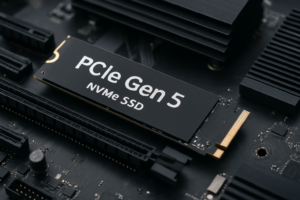
Confirm the host’s Gen 5 connection, physical clearance and cooling before purchasing either capacity. Choose the appropriate bare or factory-heatsink package; do not assume a motherboard heatsink can fit over an existing one.
Buying recommendation
Choose 2TB when the complete working set fits with comfortable free space and older jobs can move off the drive. Choose 4TB when concurrent projects or a single-slot system make local space valuable. The better choice is the capacity that prevents a foreseeable workflow bottleneck while keeping a separate backup funded.
Compare options on Amazon
- Find Samsung 9100 PRO 2TB SSD on Amazon (paid link)
- Find Samsung 9100 PRO 4TB SSD on Amazon (paid link)
These links open matching Amazon listings. Confirm the exact model, capacity, seller, condition and current price before ordering.
Sources
You might also like
- 1TB Vs 2TB SSD: How To Choose The Right Capacity
- Best Enterprise vs Consumer SSDs: Is the Price Worth It?
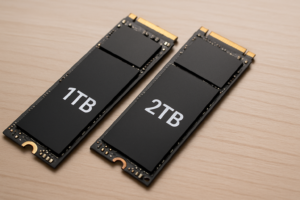
Research checked November 12, 2026. This is a specification-based buying guide; DrivesHero has not performed a new hands-on test of these products for this article. Featured image: AI-generated conceptual illustration, not a photograph of the specific products.

James Kennedy is a writer and product researcher at Drives Hero with a background in IT administration and consulting. He has hands-on experience with storage, networking, and system performance, and regularly improves and optimizes his home networking setup.