Kingston NV3 vs Lexar NM790: Choosing a 2TB Everyday SSD
This article contains paid Amazon affiliate links. As an Amazon Associate I earn from qualifying purchases.
A Kingston NV3 or Lexar NM790 can put 2TB of NVMe storage into an everyday PC without making a flagship drive the starting assumption. For a browser, office applications and a mixed game library, the best purchase is the one that matches the system and budget. It should not depend on an unsupported promise that one model makes every task faster.
Compare these specific 2TB models
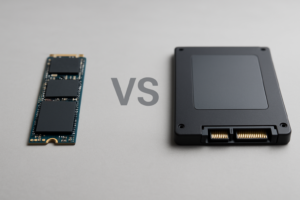
Kingston offers the NV3 in multiple physical sizes; this comparison concerns the 2280 version. Its 2TB specification lists up to 6,000 MB/s read and 5,000 MB/s write. Lexar’s NM790 is a Gen 4 M.2 2280 product advertised up to 7,400 MB/s read and 6,500 MB/s write.
Those figures describe manufacturer sequential tests. They are useful for identifying product tiers, but they do not quantify the difference in boot time, browser response or a particular game. Keep that distinction in mind when deciding how much extra to pay.
Look beyond the family name
Read the current specification for the exact capacity and revision being sold. A family-wide page can list the highest speed of one member without making every capacity identical. Do not infer an undisclosed NAND type or controller simply from a seller’s abbreviated title.
Our NAND-type guide explains why the underlying flash matters. It is background for asking better questions, not permission to assign a component to a drive whose manufacturer has not specified it.
Keep enough usable space
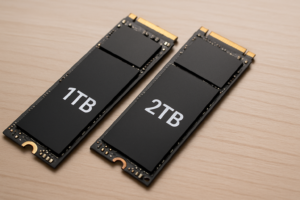
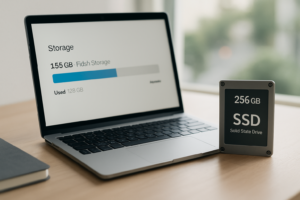
Two terabytes of advertised capacity is not two tebibytes shown in every operating system. Formatting, system partitions and the unit convention affect the number you see. More importantly, a drive packed to its limit leaves little flexibility for updates, temporary files and new installations.
Use our gaming-PC storage planning guide to think about installed games and other data together. Moving a large collection from an old drive is also a good opportunity to remove files you no longer need, after making a backup.
Compare the complete upgrade
Check that the PC supports NVMe in the chosen M.2 slot, and follow its cooling and mounting requirements. If migration requires an enclosure or an additional backup drive, count those costs. A nominally cheaper SSD can become a more expensive project when essential accessories are omitted.
Compare new retail products from sellers with suitable warranty eligibility. Refurbished stock can be a separate purchasing decision, but it should not silently enter a comparison against a new drive.
Buying recommendation
The NV3 is worth considering when it offers a meaningful saving for ordinary client use. The NM790 belongs on the list when its current price is close and its documented configuration suits the workload. Avoid declaring either universally superior from a peak-speed table; the amount of useful capacity you can afford is often the more consequential difference.
Compare options on Amazon
- Find Kingston NV3 2TB M.2 2280 SSD on Amazon (paid link)
- Find Lexar NM790 2TB SSD on Amazon (paid link)
These links open matching Amazon listings. Confirm the exact model, capacity, seller, condition and current price before ordering.
Sources
You might also like
- QLC Vs TLC Vs MLC NAND: SSD Flash Types Explained
- Optimizing Storage on a Gaming PC for Faster Performance
Research checked November 12, 2026. This is a specification-based buying guide; DrivesHero has not performed a new hands-on test of these products for this article. Featured image: AI-generated conceptual illustration, not a photograph of the specific products.

James Kennedy is a writer and product researcher at Drives Hero with a background in IT administration and consulting. He has hands-on experience with storage, networking, and system performance, and regularly improves and optimizes his home networking setup.