SanDisk Optimus GX 7100M 1TB vs 2TB: Planning a Steam Deck Library
This article contains paid Amazon affiliate links. As an Amazon Associate I earn from qualifying purchases.
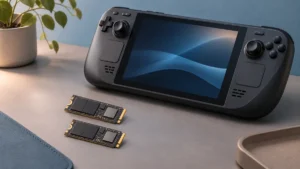
A 1TB or 2TB SanDisk Optimus GX 7100M can expand a compatible handheld game library, but doubling capacity is a convenience decision as much as a technical one. Start with the games you want available without another download, then decide what that convenience is worth.
Keep the M in the model name
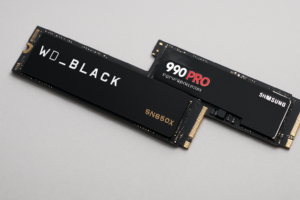
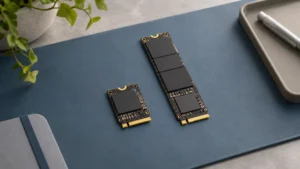
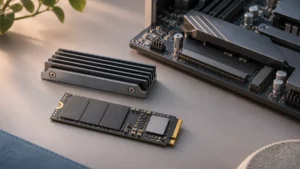
The GX 7100M is the compact M.2 2230 product. The GX 7100 without the M is a different physical format. SanDisk also lists the 7100M as the replacement family for WD_BLACK SN770M; check the actual new model’s documentation rather than transferring every old specification by assumption.
Our M.2 size guide explains why a familiar connector is not enough. Confirm the exact handheld’s service requirements before choosing either capacity.
Inventory the library you really keep
Add the installed sizes of your regular games, then allow for operating-system files, updates and other local content. Use the platform’s current storage display instead of relying on the download size shown before installation.
A 1TB drive can suit someone who rotates a modest selection. A 2TB drive becomes more compelling when travel, slow broadband or a large collection makes repeated deletion inconvenient. It does not make each title smaller or remove the need for free working space.
Compare the cost of two workable setups
Price the internal drive and any accessories needed to install it. If an existing microSD card already holds less demanding titles, a smaller internal upgrade may be sufficient. If you would immediately buy another large card, compare that combined basket against the 2TB SSD.
Do not assume a precise loading advantage between storage locations without evidence for the actual game. This article’s recommendation is about capacity planning and purchase fit, not a new performance test.
Preserve personal data during the upgrade
Cloud saves do not necessarily cover every title or local file. Verify what is synchronized and back up anything important separately. Have the approved recovery method ready before opening the handheld, and follow its servicing instructions.
Check the original storage after migration only when the new installation is stable. Our capacity planning guide offers a broader method for leaving room for future installs rather than purchasing exactly enough for today.
Buying recommendation
Choose 1TB when your measured library fits with room to grow and you are comfortable rotating games. Choose 2TB when keeping more titles local has a clear benefit and the complete cost is acceptable. In either case, confirm the GX 7100M model, capacity and seller condition; a listing for the longer GX 7100 is not a substitute.
Compare options on Amazon
- Find SanDisk Optimus GX 7100M 1TB 2230 SSD on Amazon (paid link)
- Find SanDisk Optimus GX 7100M 2TB 2230 SSD on Amazon (paid link)
These links open matching Amazon listings. Confirm the exact model, capacity, seller, condition and current price before ordering.
Sources
You might also like
Research checked November 12, 2026. This is a specification-based buying guide; DrivesHero has not performed a new hands-on test of these products for this article. Featured image: AI-generated conceptual illustration, not a photograph of the specific products.

James Kennedy is a writer and product researcher at Drives Hero with a background in IT administration and consulting. He has hands-on experience with storage, networking, and system performance, and regularly improves and optimizes his home networking setup.