SanDisk Optimus GX PRO 8100: Bare Drive or Factory Heatsink?
This article contains paid Amazon affiliate links. As an Amazon Associate I earn from qualifying purchases.
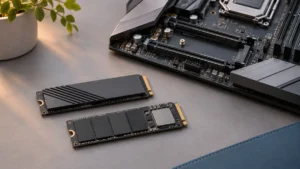
The bare and factory-heatsink versions of the SanDisk Optimus GX PRO 8100 address different installation arrangements. The right purchase depends on the motherboard or other approved host. Buying the version with more visible metal is not automatically an upgrade when the system already supplies its own cooling assembly.
Check what the motherboard includes
Open the manual and identify the exact M.2 slot you intend to use. Look for a removable cover, thermal-pad instructions, supported module thickness and any restrictions caused by nearby cards. Keep the small mounting parts with the motherboard rather than assuming every SSD includes replacements.
A bare drive is usually the configuration to evaluate when the board provides a compatible heatsink. The factory-heatsink variant is a candidate when the host has sufficient clearance and does not require its own assembly over the module.
Compare model codes, not just the product photo
SanDisk offers the Optimus GX PRO 8100 in configurations with and without a heatsink. The underlying family is Gen 5 x4 M.2 2280. Use the exact capacity and heatsink variant in the listing, since a search result can show photographs for several configurations.
Also check component-side clearance. SanDisk’s bare-drive specification distinguishes the thicker 8TB model from lower capacities. That difference can matter in a constrained slot even when the nominal length is unchanged. Our M.2 dimension guide explains the basic size terminology.
Avoid stacking cooling hardware
Two heatsinks do not create a useful upgrade if they cannot mount as designed. Do not force a motherboard cover over a factory heatsink or compress the module until a screw reaches. If the configuration does not fit naturally, stop and confirm the supported arrangement.
Follow the supplied instructions for protective-film removal, pad placement and screw pressure. Leave labels and heat spreaders in place unless the manufacturer specifically instructs otherwise. Contact quality matters more than guessing that a thicker thermal pad must be better.
Keep performance expectations realistic
A cooling accessory helps manage temperature; it does not turn a slower host slot into Gen 5. Likewise, a premium SSD is not guaranteed to speed up a workload limited by the processor, network or source drive. Our controller guide gives background on why SSD behavior involves more than the interface label.
After installation, check that the drive is detected correctly and observe temperatures during a representative workload. Compare readings against the manufacturer’s operating guidance rather than inventing a universal “safe” temperature for every sensor.
Buying recommendation
Buy the bare version for a board whose compatible cooling solution you will use. Buy the factory-heatsink version only after confirming space and mounting requirements. Compare equal capacities and total costs; do not pay for a heatsink that will need to be removed or cannot be installed safely in the intended host.
Compare options on Amazon
- Find SanDisk Optimus GX PRO 8100 2TB without heatsink on Amazon (paid link)
- Find SanDisk Optimus GX PRO 8100 2TB with heatsink on Amazon (paid link)
These links open matching Amazon listings. Confirm the exact model, capacity, seller, condition and current price before ordering.
Sources
You might also like
- M.2 2230 Vs 2242 Vs 2280 SSD Sizes Explained
- SSD Controller List: Phison, Silicon Motion, Innogrit and More
Research checked November 12, 2026. This is a specification-based buying guide; DrivesHero has not performed a new hands-on test of these products for this article. Featured image: AI-generated conceptual illustration, not a photograph of the specific products.

James Kennedy is a writer and product researcher at Drives Hero with a background in IT administration and consulting. He has hands-on experience with storage, networking, and system performance, and regularly improves and optimizes his home networking setup.