Kingston FURY Renegade: Heatsink or Low-Profile Version for PS5?
This article contains paid Amazon affiliate links. As an Amazon Associate I earn from qualifying purchases.
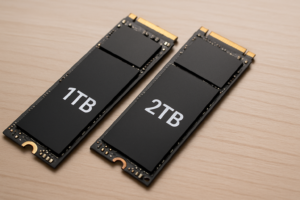
Kingston’s original FURY Renegade Gen 4 SSD is sold with a low-profile heat spreader and in factory-heatsink configurations. For a PS5 purchase, the cooling arrangement is part of compatibility. A thin heat spreader and a complete heatsink should not be treated as interchangeable accessories.
Keep Gen 4 and G5 separate
This guide concerns the original PCIe 4.0 FURY Renegade family, not the FURY Renegade G5. Check the full product name, capacity and cooling variant before comparing offers. Similar branding can place both generations in one set of search results.
Kingston’s Gen 4 documentation identifies a factory-heatsink option for console and PC use. Sony’s current PS5 expansion requirements still decide whether a complete installation is acceptable.
Understand the low-profile version
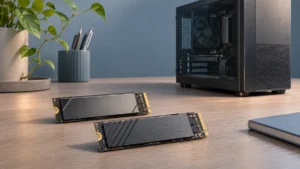
A heat spreader helps distribute heat across the module. It does not automatically provide the same cooling assembly as a taller finned heatsink. If you buy the low-profile version, identify a compatible cooling solution that meets Sony’s dimensional requirements.
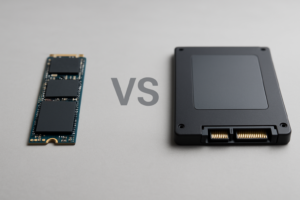
Our M.2 size guide explains module length and width, but total installed height includes the cooling hardware. Do not judge fit from the bare board’s dimensions alone.
Compare a complete basket
Add the cost of a suitable third-party heatsink to the low-profile drive’s price. Include any necessary mounting pieces and confirm compatibility with the exact capacity. The factory-heatsink version can be the simpler purchase if it avoids a separate accessory decision.
Conversely, an existing supported cooling solution may make the low-profile version sensible. There is no benefit in paying for a factory assembly you cannot use or intend to remove.
Avoid making cooling claims without a test
This is a researched purchase guide, not a comparison of temperatures measured inside a console. Heatsink size alone does not establish the result in every installation. Follow the drive and cooling manufacturer’s instructions and do not force components into the bay.
Our SSD controller guide provides background on the device beneath the heatsink. Interface and controller specifications also do not establish a universal frame-rate increase from adding storage.
Buying recommendation
For a straightforward new PS5 purchase, compare the complete factory-heatsink package against the low-profile drive plus a verified compatible cooler. Choose the arrangement that meets Sony’s requirements with the best total price and least installation uncertainty. Keep capacity, seller condition and warranty eligibility equal so a superficially cheaper listing does not become a misleading comparison.
Compare options on Amazon
- Find Kingston FURY Renegade Gen 4 2TB with heatsink SSD on Amazon (paid link)
- Find Kingston FURY Renegade Gen 4 2TB low profile SSD on Amazon (paid link)
These links open matching Amazon listings. Confirm the exact model, capacity, seller, condition and current price before ordering.
Sources
You might also like
- M.2 2230 Vs 2242 Vs 2280 SSD Sizes Explained
- SSD Controller List: Phison, Silicon Motion, Innogrit and More
Research checked November 12, 2026. This is a specification-based buying guide; DrivesHero has not performed a new hands-on test of these products for this article. Featured image: AI-generated conceptual illustration, not a photograph of the specific products.

James Kennedy is a writer and product researcher at Drives Hero with a background in IT administration and consulting. He has hands-on experience with storage, networking, and system performance, and regularly improves and optimizes his home networking setup.