What is Ssd in Laptop Specs
An ssd in laptop specs refers to a solid-state drive, a type of storage device that uses flash memory to store data. Solid-state drives, or ssds, have become increasingly popular options for laptop storage due to their faster loading times, increased reliability, and decreased power consumption compared to traditional hard disk drives (hdds).
Instead of using spinning disks and moving parts to read and write data, ssds use flash memory, which allows for much faster data access times and more efficient operation. In addition to improving laptop performance and battery life, ssds are also less prone to mechanical failure and are more durable in general.
When shopping for a new laptop, it’s a good idea to pay attention to the ssd specifications to ensure fast and reliable performance.
What Is Ssd In Laptop Specs?
Solid state drives or ssds have been a popular choice as the primary storage device in laptops in recent years. Gone are the days when large, bulky hard disk drives or hdds were the only option for laptops. Ssds changed the game by being faster, lighter, and more reliable, but what exactly are they?
Definition Of An Ssd In Laptop Specs:
An ssd is a type of storage device that uses nand-based flash memory to store data. Unlike hdds, which use moving mechanical parts to read and write data, ssds use electronic chips to store and retrieve data. The electronic chips used in ssds have no moving parts, making them more durable and less prone to mechanical failures.
Differences Between Ssd And Hdd In Laptop Specs:
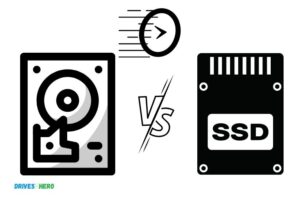
The main differences between ssds and hdds in laptop specs are as follows:
- Storage capacity: Hdds can offer larger storage capacities than ssds.
- Speed: Ssds are much faster than hdds because of their lack of moving parts.
- Power consumption: Ssds use less power than hdds, making them more energy-efficient.
- Durability: Ssds are more durable and shock-resistant than hdds because of their lack of moving parts.
- Price: Ssds are generally more expensive than hdds, making them less cost-effective on a per-gigabyte basis.
Advantages Of Choosing A Laptop With An Ssd:
Choosing a laptop with an ssd over an hdd has several advantages, including:
- Faster boot and load times: Ssds can significantly reduce boot times and load times for applications.
- Improved system performance: Ssds can improve the overall performance of the laptop by reducing data access times and increasing data transfer rates.
- Increased battery life: Ssds use less power than hdds, leading to longer battery life.
- Durability: Ssds are more shock-resistant, making them ideal for laptop users who are on the move.
- Quiet operation: Ssds have no moving parts, making them quieter than hdds.
Ssds are faster, lighter, and more reliable than hdds, making them an excellent choice for laptops. They offer increased speed, better performance, improved battery life, and durability. When buying a laptop, choosing one with an ssd can significantly impact your user experience.
How Does An Ssd Affect Laptop Performance?
Overview Of How An Ssd Works In A Laptop
Solid state drives or ssds have taken the technology industry by storm and have now become increasingly common in modern laptops. The ssd drive works as a significant replacement for the traditional hard disk drive (hdd) and provides several advantages.
When you store data on an ssd, the information is saved on interconnected flash-memory chips. Data can be retrieved instantly as the storage mechanism doesn’t require any spinning disks. This means that access to data is quicker, and the laptop boots up faster.
Comparison Of Boot-Up Speeds Between Laptops With Ssd And Hdd
Laptops that have ssd hard drives can boot up remarkably faster compared to laptops with an hdd. The key reason is when you turn on your laptop the computer must seek out the boot files needed to start the operating system.
Due to their fast read speeds, ssds can find and access these files more quickly than hdds, resulting in a faster boot-up time.
A laptop with an ssd can play an essential role in reducing the typical loading time of the operating system. However, the actual boost will vary based on the type of ssd and other hardware components of the laptop.
Impact Of Ssd On App Load Times And Multitasking Capabilities
In modern laptops with an ssd, the app load times can be significantly reduced. With ssds, applications launch and load more quickly while still maintaining performance.
Moreover, multitasking on laptops with ssds is more comfortable, as the transfer of data between the ram and ssd occurs at extremely high speeds compared to those between an hdd and ram. This means the laptop can function with more apps running in the background, without affecting performance.
To conclude, from faster boot-up time to app and multitasking speed increases, ssd laptops can provide a range of benefits to both consumers and businesses. Laptops with an ssd have a clear advantage over those with an hdd, making them the perfect choice for those seeking high-performance laptops.
Types Of Ssds Found In Laptops
Ssd, or solid state drive, is a storage device found in most modern laptops. Unlike traditional hard disk drives (hdd), ssds have no moving parts, making them faster and more reliable. We will look at the different types of ssds found in laptops and their features.
Explanation Of The Different Types Of Ssds
Ssds come in different types, each with its own features and performance characteristics. The three primary types of ssds found in laptops are:
- Single-level cell (slc): Slc is the most expensive and the fastest type of nand flash memory. It stores one bit of data per cell, making it more durable and reliable than other types of ssds. However, slc has a lower storage capacity and is not cost-effective.
- Multi-level cell (mlc): Mlc stores two bits of data per cell, making it more cost-effective than slc with larger storage capacity. However, it is slower and less durable than slc, but still a better choice for most laptop users.
- Triple-level cell (tlc): Tlc is the most common type of nand flash memory found in laptops. It stores three bits of data per cell, making it the most cost-effective with the largest storage capacity. However, it is slower, less durable, and has a shorter lifespan than slc and mlc.
Comparison Between Slc, Mlc, And Tlc Nand Flash Memory
The choice of ssd type depends on several factors, such as speed, cost, durability, and lifespan. Here is a concise comparison of slc, mlc, and tlc nand flash memory:
- Slc: Expensive, fastest, most reliable, low storage capacity.
- Mlc: Cost-effective, moderate speed, less reliable than slc, moderate storage capacity.
- Tlc: Most cost-effective, slow, least reliable, large storage capacity.
Overview Of Nvme Vs. Sata Ssd Interface
Another factor to consider when choosing an ssd is the interface, which affects the speed of data transfer between the storage device and the computer’s processor. Nvme (non-volatile memory express) is a newer interface designed for ssds that is faster than sata (serial ata), the older interface used for hdds and older ssds.
- Nvme: Offers faster data transfer, low latency, and is ideal for high-end laptops and gaming laptops. It uses pcie (peripheral component interconnect express) and m.2 connectors.
- Sata: Offers moderate data transfer speed and lower cost. Sata is still used in low-end and mid-range laptops and older hardware.
To conclude, ssds are an essential component in modern laptops, and the different types of ssds vary in terms of cost, performance, durability, and lifespan. Choosing the right ssd type and interface can significantly impact the performance of your laptop.
Considerations When Purchasing A Laptop With An Ssd
Solid-state drives (ssds) are becoming increasingly popular in laptops because they are faster, more reliable, and more durable than traditional hard drives. If you’re considering purchasing a laptop with an ssd, here are some critical factors to consider:
Evaluation Of Ssd Size And Storage Capacity
One of the primary considerations when purchasing a laptop with an ssd is the size and storage capacity of the drive. Here are some key points to consider:
- Ssds come in various sizes, including 2.5-inch and m.2 form factors.
- The storage capacity of an ssd ranges from 128gb to 2tb.
- Consider your budget and how much storage you need before making a decision.
- If you’re a gamer or video editor, you’ll need more storage than a typical user.
Discussion Of Ssd Durability And Lifespan
Another crucial factor to consider when purchasing an ssd laptop is the durability and lifespan of the drive. Here are some key points to keep in mind:
- Ssds are more durable than traditional hard drives because they don’t have any moving parts.
- They’re less prone to physical damage, making them ideal for portable devices like laptops.
- However, ssds have a limited lifespan and can only be written to a certain number of times.
- Consider the warranty and expected lifespan of the ssd before making a purchase.
Overview Of Ssd Caching In Laptops
Ssd caching is a technology that combines a smaller ssd with a larger traditional hard drive to accelerate performance. Here are some key points to consider:
- Ssd caching can improve read and write speeds, making your laptop faster.
- Some laptops come with built-in ssd caching, while others require a separate ssd.
- Ssd caching is most effective when used with frequently used files.
- Consider whether you want a laptop with built-in ssd caching or if you’re willing to purchase a separate ssd for your laptop.
There are several critical factors to consider when purchasing a laptop with an ssd. These include the size and storage capacity of the drive, the durability and lifespan of the drive, and whether you want to use ssd caching. By carefully considering these factors, you can find the perfect ssd laptop to meet your needs.
Frequently Asked Questions For What Is Ssd In Laptop Specs
What Is An Ssd In A Laptop?
An ssd or solid-state drive is a storage device used in laptops, without any moving parts, making it faster and more reliable.
What Are The Benefits Of Having An Ssd In A Laptop?
An ssd allows faster boot-up, launching applications, and improved performance and reliability. It also reduces power consumption.
Is It Better To Have An Hdd Or Ssd In A Laptop?
An ssd is a better choice for a laptop as it offers faster read and write speeds, power savings, and reliability over an hdd.
How Long Does An Ssd Last In A Laptop?
An ssd lifespan depends on usage, but an average ssd can last for approximately 5-7 years before needing a replacement.
Conclusion
Now that we’ve explored ssds and their impact on laptop performance, it’s clear that these tiny drives are revolutionizing the computing world. They offer lightning-fast data transfer speeds, improved battery life, and greater reliability compared to traditional hard drives. With their compact design and low power requirements, ssds are ideal for laptops and portable devices.
They may come at a higher price tag, but the overall improvement in performance and user experience make it a worthwhile investment. When shopping for a laptop, it’s important to consider the ssd specs and choose a model that suits your needs and budget.
With ssds becoming more mainstream, it’s only a matter of time before hard drives become a thing of the past. The future of computing is here, and it’s all about speed, efficiency, and reliability.

Harold Williams is a senior writer and technical editor at Drives Hero with 20+ years of experience in IT administration. He specializes in storage systems, SSD reviews, and performance testing, bringing real-world insight to every guide.