Does Ssd Affect Download Speed? The Ultimate Guide!
An SSD does not directly affect download speed, as download speeds are primarily determined by your internet connection and the bandwidth provided by your Internet Service Provider (ISP).
Check out this helpful video on the topic:
However, an SSD can positively influence the performance of your device, which can indirectly impact the efficiency of downloading files, as it allows for faster data access and transfer rates once the data reaches your machine.
Download speed is the rate at which data is transferred from the internet to your computer, measured in megabits per second (Mbps) or gigabits per second (Gbps).
Key factors influencing download speed include:
- The speed of the server hosting the data
- Your internet connection type (e.g., DSL, cable, fiber-optic)
- Network congestion
- Throttling by your ISP
- Data caps
An SSD (Solid State Drive) is a type of nonvolatile storage media that uses integrated circuit assemblies to store data persistently, typically using flash memory.
Compared to HDDs (Hard Disk Drives), SSDs offer:
- Faster read/write speeds
- Lower Latency
- Greater durability
When you download a file, the data is temporarily stored in your device’s memory (RAM) before being written to the storage drive.
An SSD can write this data more quickly than an HDD, which means that once the data has finished downloading, an SSD can save it to disk faster. This is particularly noticeable with large files or when installing software.
If your system is performing other tasks that involve disk usage during the download, an SSD can help ensure these tasks do not slow down your system’s overall responsiveness, thus providing a smoother multitasking experience.
Key Takeaway
Impact Of SSD on Download Speed
SSDs have revolutionized download speeds by addressing the bottleneck of traditional hard disk drives (HDDs).
Unlike HDDs, which rely on spinning magnetic disks and mechanical arms to access data, SSDs use flash memory chips, resulting in significantly faster data access times.
- This fundamental difference in technology translates to faster read and write speeds, which directly impact download speeds.
- The impact of SSDs on download speed can be seen across various applications, from downloading large files like games, movies, or software updates to streaming high-definition content or accessing cloud-based services.
- With SSDs, users experience reduced latency and quicker retrieval times, leading to more efficient data transfers and smoother overall performance.
- SSDs not only accelerate download speeds but also enhance the overall computing experience by improving system responsiveness, multitasking capabilities, and the ability to handle data-intensive tasks more efficiently.
As SSD technology continues to evolve, with advancements in NAND flash density, controller designs, and interface standards, we can expect further enhancements in download speeds and overall system performance.
History Of SSD Technology
The solid-state drive (SSD) has come a long way since its inception in the 1950s. Over the years, advancements in NAND flash technology have made SSDs faster, more reliable, and increasingly affordable.
Understanding Download Speed And How It’s Measured
Download speed is the rate at which data is transferred from the internet to your computer, and it’s typically measured in megabits per second (Mbps) or gigabits per second (Gbps).
This speed is influenced by a variety of factors, including the quality of your internet connection, the server’s capacity, and the capability of your storage device.
Factors Affecting Download Speed
Several factors can impact download speed, such as bandwidth limitations, network congestion, server load, and the efficiency of the storage device used to store the downloaded data.
Role Of Storage Devices In Download Speed
Storage devices play a crucial role in download speed, as they determine how quickly data can be read from and written to the drive. Faster storage devices can significantly improve download speed by reducing the time it takes to retrieve and store data.
Traditional Hdd Vs. Ssd
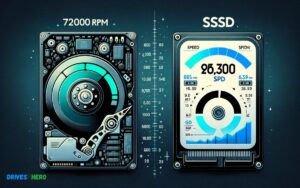
Traditional hard disk drives (HDDs) rely on spinning magnetic disks to read and write data, while SSDs use NAND flash memory for storage, resulting in faster access times and improved overall performance.
Impact Of SSD on Read And Write Speeds
SSDs offer significantly faster read and write speeds compared to HDDs, enabling quicker access to downloaded files and a smoother overall user experience when retrieving data from the storage device.
Influence Of SSD on Web Browsing And Downloading Files
The faster read and write speeds of SSDs can lead to improved web browsing experiences and faster downloading of files from the internet, resulting in reduced wait times for accessing online content.
Comparing Download Speed On HDD and SSD
When it comes to download speed, SSDs outperform HDDs due to their superior read and write speeds, resulting in quicker access to downloaded files and overall improved performance for users.
Advantages And Drawbacks Of SSD in Download Speed
Advantages of SSDs in download speed include faster data transfer rates, reduced latency, and improved responsiveness. However, drawbacks may include higher cost per gigabyte compared to HDDs and limited capacity options for some SSD models.
Does SSD improve browsing speed?
Yes, using an SSD (solid-state drive) instead of a traditional hard disk drive (HDD) can significantly improve browsing speed and overall system performance.
Here are some of the key reasons why:
- Faster load times: SSDs have much faster random read/write speeds compared to HDDs because they access data electronically with no moving parts. This means web pages, apps, files, etc. load much faster when stored on an SSD.
- Faster boot times: Because the operating system files are accessed faster, boot times are dramatically reduced with an SSD – often cutting the time in half or more.
- Improved response times: Smaller operations like opening a browser, switching tabs, scrolling up and down pages happen noticeably quicker with the improved data transfer speeds of SSDs.
- No fragmentation issues: SSDs don’t suffer performance degradation from file fragmentation like HDDs do, so speeds don’t slow down over time.
The only caveat is that the performance boost is most noticeable when switching from an older HDD. If already using a modern, high RPM HDD you may notice only moderate speed improvements in basic web browsing and loading times.
Does SSD speed affect fps?
SSD speed generally doesn’t directly affect FPS (frames per second) in gaming. FPS is primarily influenced by factors like your GPU (graphics processing unit), CPU (central processing unit), RAM (random access memory), and the optimization of the game itself.
However, having a faster SSD can improve overall system performance, which might indirectly affect FPS in certain scenarios.
For example:
- Faster Loading Times: A faster SSD can reduce loading times for games and levels. While this won’t directly increase FPS during gameplay, it can result in smoother transitions between scenes and less stuttering, particularly in games with frequent loading screens.
- Texture Streaming: Some games use dynamic texture streaming, where textures are loaded from storage as needed during gameplay. A faster SSD can help load these textures more quickly, potentially reducing texture pop-in and improving overall visual quality during gameplay.
- System Responsiveness: A faster SSD can improve overall system responsiveness, which might indirectly contribute to a smoother gaming experience, especially if background processes or system tasks are competing for resources.
While SSD speed itself doesn’t directly impact FPS in gaming, it can still play a role in overall gaming performance and user experience.
Conclusion
Ultimately, it’s evident that SSD can greatly impact download speed. With its faster read and write capabilities, SSDs enhance overall system performance.
Consider upgrading to an SSD for a significant boost in download speed and an improved computing experience. Embrace the benefits of this technology and enjoy faster download times.

Harold Williams is a senior writer and technical editor at Drives Hero with 20+ years of experience in IT administration. He specializes in storage systems, SSD reviews, and performance testing, bringing real-world insight to every guide.