Crucial T500 vs Samsung 990 EVO vs WD SN770: Mid-Range NVMe Battle
Picking a mid-range NVMe SSD should be simple, but three drives keep fighting for the same spot in your PC: the Crucial T500, Samsung 990 EVO, and WD Black SN770. All three target the sweet spot between budget and flagship, promising strong performance without the premium price tag of a 990 PRO or SN850X. But they’re not created equal, and the differences matter more than most spec sheets let on.
I’ve spent weeks comparing these three drives across benchmarks, thermal tests, and real-world workloads. If you’re upgrading from a SATA SSD or an older Gen 3 NVMe, any of these will feel dramatically faster. But if you’re choosing between them, the details in endurance ratings, thermal behavior, and price-to-performance ratios will steer you toward the right pick for your specific setup.
The Contenders: Quick Specs Overview
Before we dig into real-world performance, here’s what each drive brings to the table on paper:
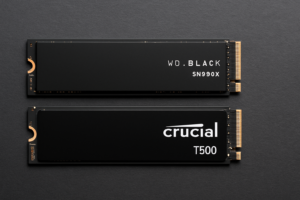
The Crucial T500 runs on the Phison E26 controller with Micron 232-layer TLC NAND. It’s a full PCIe Gen 4 x4 drive with rated sequential reads up to 7,300 MB/s and writes up to 6,800 MB/s. It comes in 500GB, 1TB, and 2TB capacities, with endurance ratings of 300 TBW, 600 TBW, and 1,200 TBW respectively.
The Samsung 990 EVO is a bit of an oddball. It supports both PCIe Gen 4 x4 and PCIe Gen 5 x2, giving it flexibility across different motherboards. Samsung rates it at up to 5,000 MB/s sequential read and 4,200 MB/s write. It uses Samsung’s in-house controller and 236-layer TLC V-NAND, with a 1TB model rated at 600 TBW.
The WD Black SN770 is the veteran of the group. It uses a custom WD controller with BiCS 5 TLC NAND, running on PCIe Gen 4 x4. Rated sequential speeds hit 5,150 MB/s read and 4,900 MB/s write on the 1TB model, which carries a 600 TBW endurance rating.
Sequential Performance: T500 Pulls Ahead
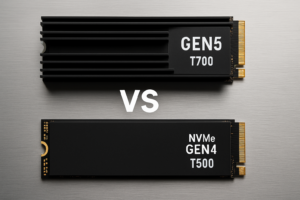
In pure sequential speed benchmarks, the Crucial T500 dominates. CrystalDiskMark consistently shows it hitting close to its rated 7,300 MB/s reads, putting it in the same territory as drives that cost significantly more. Large file transfers, like moving a 50GB video project folder, finish noticeably faster on the T500 compared to the other two.
The SN770 and 990 EVO trade blows in sequential tests. The SN770 edges out the Samsung in sustained writes thanks to a larger SLC cache relative to its capacity, while the 990 EVO’s Gen 5 x2 mode can match or slightly beat the SN770 on compatible platforms. On a Gen 4 motherboard, the 990 EVO performs almost identically to the SN770.
If you’re regularly transferring large files or working with video editing projects, the T500’s sequential advantage is real and noticeable. For gaming and general desktop use, the difference between 5,000 MB/s and 7,300 MB/s rarely translates to perceptible improvements. Our real-world gaming benchmarks comparing SATA and NVMe drives showed diminishing returns once you cross into Gen 4 territory, and that pattern holds here.

Crucial T500 1TB NVMe SSD
Best raw sequential speeds in this comparison, ideal for content creators and heavy file transfers
Random Read/Write and Real-World Responsiveness
Sequential speeds make for impressive marketing numbers, but random 4K performance is what determines how snappy your system actually feels. Boot times, application launches, game loading, and general OS responsiveness all depend heavily on random I/O.
Here, the playing field levels considerably. The Crucial T500 manages around 900K-1M random read IOPS at QD32, while the SN770 hits roughly 740K and the 990 EVO comes in around 700K. In lower queue depth tests (QD1, which better represents real desktop usage), all three drives cluster within 10-15% of each other.
During a practical test involving launching a dozen applications simultaneously, all three drives completed the task within a second of each other. Windows boot times were virtually identical across the trio. The takeaway is clear: for everyday computing tasks, you won’t feel a meaningful difference between any of these drives. The T500’s advantage only reveals itself under heavy sustained workloads.
Thermal Performance: Where the SN770 Shines
Heat management is one of the most underrated factors in SSD selection, especially for laptops and compact builds where airflow is limited. An SSD that throttles under heat will deliver worse real-world performance than a slower drive that stays cool. If you’ve ever noticed your SSD getting sluggish during extended file transfers, thermal throttling might be the culprit.
The WD Black SN770 runs coolest of the three, consistently staying under 55°C during sustained workloads without a heatsink. Its DRAM-less design and efficient controller architecture mean less heat generation overall. In a laptop without dedicated SSD cooling, this is a significant advantage.
The Samsung 990 EVO runs warmer than the SN770, typically reaching 60-65°C under sustained loads. Samsung’s thermal management firmware does a decent job of managing throttling, but in poorly ventilated M.2 slots, it can dip into the mid-70s and start pulling back on performance.
The Crucial T500 runs the hottest of the three. The Phison E26 controller is power-hungry, and under sustained writes, temperatures can hit 75-80°C without a heatsink. Crucial actually sells a heatsink-equipped version for this reason. In a desktop with decent airflow or a motherboard heatsink, this is manageable. In a laptop or Mini-ITX build with limited ventilation, it’s a genuine concern.

WD Black SN770 1TB NVMe
Runs coolest of the three, making it the best pick for laptops and compact builds with limited airflow
Endurance and Long-Term Reliability
Endurance ratings tell you how much data you can write to a drive before the manufacturer stops guaranteeing it. For most users, every drive in this comparison will outlast the system it’s installed in. But if you’re doing heavy write workloads like video editing, database work, or running virtual machines, endurance matters.
At the 1TB capacity, all three drives carry a 600 TBW (terabytes written) endurance rating. The T500 jumps to 1,200 TBW at 2TB, which is impressive and matches many flagship drives. The SN770 scales to 1,200 TBW at 2TB as well, while the 990 EVO maxes out at 1TB capacity currently.
Warranty terms are 5 years across the board. Samsung and Crucial both have solid track records for honoring warranty claims. Western Digital has improved its warranty process significantly in recent years.
For a deeper look at how SSD endurance plays out over years of use, our analysis of real-world SSD lifespan data shows that most modern TLC drives far exceed their rated TBW before experiencing issues. Don’t lose sleep over endurance unless you’re writing hundreds of gigabytes daily.
Compatibility and Platform Considerations
All three drives use the standard M.2 2280 form factor and will fit any motherboard with an M.2 slot supporting NVMe. If you’re new to installing these drives, our guide to installing an NVMe SSD walks through the entire process. It’s genuinely a 15-minute job.
The Samsung 990 EVO has a unique party trick: PCIe Gen 5 x2 support. This means it can operate in Gen 5 slots using only two lanes instead of four, leaving bandwidth available for other components. On current Gen 5 platforms like Intel 14th/15th Gen and AMD Zen 4/5, this flexibility can be useful if you’re populating multiple M.2 slots and dealing with lane allocation constraints.
The T500 and SN770 are straightforward Gen 4 x4 drives. They’ll work in Gen 5 slots (backward compatible), but won’t take advantage of the newer interface. On Gen 3 systems, all three drives will be limited to roughly 3,500 MB/s sequential speeds, which is the Gen 3 x4 bandwidth ceiling. If you’re still on a Gen 3 platform, the SN770 represents the best value since you won’t be able to use the T500’s speed advantage anyway.
If you’re trying to understand how M.2 NVMe drives differ from older form factors, our M.2 vs 2.5-inch SSD comparison guide covers the key differences in detail.
Price-to-Performance: Picking the Right Drive for You
This is where the decision gets interesting. Pricing fluctuates constantly, so I’d recommend checking current prices on Amazon before pulling the trigger. But the general positioning of these drives tends to remain consistent.
The WD Black SN770 is typically the most affordable of the three. For the performance it delivers, it’s an exceptional value. You’re getting Gen 4 speeds, cool operation, and solid endurance at a price point that often undercuts both competitors. For gamers, general users, and laptop owners, the SN770 is the drive I recommend most often.
The Samsung 990 EVO sits in the middle, often priced close to the SN770 but sometimes edging higher. The Gen 5 x2 compatibility gives it future-proofing appeal, and Samsung’s software ecosystem (Samsung Magician) is the best in the business for SSD management and monitoring. If you value the Samsung brand and want that Gen 5 flexibility, it’s a reasonable pick, but the raw performance doesn’t justify a premium over the SN770.
The Crucial T500 costs more than both, but its performance justifies the premium for the right user. Content creators working with large files, professionals running sustained workloads, and anyone who needs the fastest Gen 4 speeds available will appreciate what the T500 delivers. For general use and gaming, though, you’re paying for speed you won’t typically feel.
Keep an eye on seasonal sales for all three drives. Our roundup of Black Friday SSD deals covers the best times to buy and which discounts are genuinely worth acting on.

Samsung 990 EVO 1TB NVMe
Best software ecosystem and unique Gen 5 x2 support for future-proofing on newer platforms
My Verdict: Which One Should You Buy?
For most people, the WD Black SN770 wins this comparison. It’s the coolest-running, most affordable option with performance that’s more than sufficient for gaming, everyday computing, and even moderate content creation. Its efficient DRAM-less design keeps power consumption and heat low, making it particularly well-suited for laptops.
For content creators and power users, get the Crucial T500. The extra sequential bandwidth is tangible when you’re regularly moving large files, and the T500’s consistency under sustained workloads sets it apart. Just make sure you have adequate cooling, whether that’s a motherboard heatsink, the bundled heatsink version, or decent case airflow.
For those building on Gen 5 platforms, the Samsung 990 EVO earns consideration thanks to its dual-mode PCIe support and excellent management software. It’s not the fastest or the most affordable, but it occupies a unique niche for builders who want flexibility without paying flagship prices.
Frequently Asked Questions
Do I need a heatsink for the Crucial T500?
In a desktop with reasonable airflow, the motherboard’s built-in M.2 heatsink is usually sufficient. In a laptop or a compact build without dedicated SSD cooling, the T500 can throttle under sustained loads. Crucial offers a version with an included heatsink, which is worth considering for desktop builds. For laptops, the SN770 is a better thermal fit.
Will these drives work on a PCIe Gen 3 motherboard?
Yes, all three drives are backward compatible with Gen 3 x4 M.2 slots. Your sequential speeds will cap at around 3,500 MB/s, but random performance (which impacts daily responsiveness most) won’t be significantly affected. On a Gen 3 system, the SN770 offers the best value since you can’t take advantage of the T500’s higher Gen 4 bandwidth.
Is the Samsung 990 EVO the same as the 990 PRO?
Not at all. The Samsung 990 PRO is a flagship Gen 4 drive with significantly faster sequential and random performance. The 990 EVO is a mid-range drive designed for efficiency and broad compatibility, including Gen 5 x2 support. The 990 PRO targets enthusiasts, while the 990 EVO targets mainstream users who want Samsung quality at a lower price point.
How much storage capacity should I get?
For a boot drive with games and applications, 1TB is the sweet spot for most people. The 2TB versions offer better per-gigabyte value and higher endurance ratings if your budget allows. If you’re debating between capacities, our guide on choosing between 1TB and 2TB SSDs breaks down the decision in detail. Avoid the 500GB models unless you’re on a very tight budget, as they typically offer lower performance and endurance than their larger siblings.
This article contains affiliate links. We may earn a small commission at no extra cost to you.

James Kennedy is a writer and product researcher at Drives Hero with a background in IT administration and consulting. He has hands-on experience with storage, networking, and system performance, and regularly improves and optimizes his home networking setup.