Samsung T9 Portable SSD vs WD Black SN850X NVMe: External vs Internal
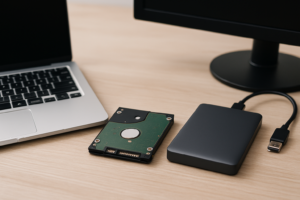
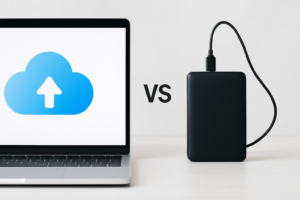
Choosing between the Samsung T9 Portable SSD and the WD Black SN850X NVMe SSD isn’t really an apples-to-apples comparison. One lives in your pocket, the other lives inside your PC. But if you’ve got a budget for one fast storage upgrade and you’re trying to figure out which direction to go, this is exactly the decision you need to think through carefully. Your workflow, your hardware, and how you move data around will determine which of these makes more sense for you.
I’ve spent a lot of time testing both portable and internal SSDs, and this particular matchup highlights a fundamental question: do you need speed that travels with you, or do you need the absolute fastest performance bolted directly to your motherboard? Let’s break it down category by category.
Speed: Where the SN850X Pulls Way Ahead
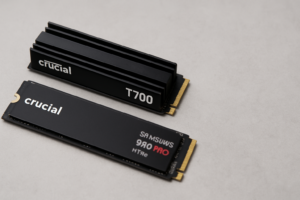
The WD Black SN850X is a PCIe Gen 4 NVMe drive, and it’s one of the fastest in its class. You’re looking at sequential read speeds up to 7,300 MB/s and writes up to 6,600 MB/s. For gaming, video editing, OS boot times, and large file transfers within your system, those numbers are genuinely transformative. If you’ve been curious about how NVMe drives compare in real-world gaming scenarios, our SATA vs NVMe gaming performance tests show just how dramatic the gap can be.
The Samsung T9, meanwhile, uses a USB 3.2 Gen 2×2 interface and tops out at around 2,000 MB/s sequential reads. That’s incredibly fast for a portable drive, and it’ll outpace most external SSDs on the market. But the connection is the bottleneck here. No matter how fast the NAND inside the T9 is, USB will always trail behind a direct PCIe link.
If raw speed is your primary concern and the drive doesn’t need to leave your desk, the SN850X wins this category by a wide margin.

WD Black SN850X NVMe SSD 1TB
One of the fastest Gen 4 NVMe drives available, ideal for gaming and content creation workloads
Portability and Flexibility: The T9’s Entire Reason for Existing
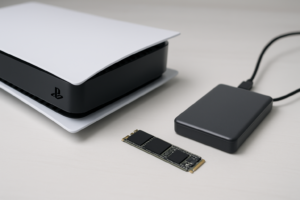
Here’s where the Samsung T9 flips the script entirely. You can’t throw an NVMe drive in your bag and plug it into a client’s laptop, a friend’s Mac, or your editing station at work. The SN850X requires an M.2 slot on a compatible motherboard, and once it’s installed, it stays put. If you want to understand the form factor differences in more detail, our M.2 vs 2.5-inch SSD comparison guide covers what you need to know.
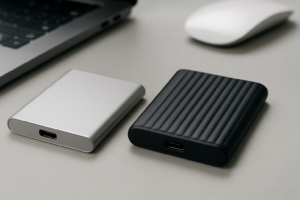
The T9, on the other hand, connects via USB-C and works with virtually any modern computer. It weighs about 122 grams, fits in your palm, and Samsung built it with a rubber exterior that’s rated for drops up to 3 meters. It also carries an IP65 rating for dust and water resistance. For photographers on location, videographers shuttling footage between sites, or anyone who works across multiple machines, this kind of flexibility matters a lot.
We ranked the T9 highly in our roundup of the best portable SSDs for travel in 2026, and its durability is a big part of why. This is a drive you can genuinely trust in a backpack, on a job site, or tossed into a carry-on.

Samsung T9 Portable SSD 2TB
Rugged, fast portable storage with USB 3.2 Gen 2×2 speeds up to 2,000 MB/s
Use Cases: Matching the Drive to Your Workflow
The best way to decide between these two is to think honestly about what you actually do with your storage day to day.
Choose the WD Black SN850X if:
- You’re building or upgrading a gaming PC and want the fastest possible game load times
- You edit 4K or 8K video and need your timeline scrubbing to feel instant
- You want a primary boot drive that makes your entire system feel snappier
- You work with large databases, virtual machines, or development environments locally
Choose the Samsung T9 if:
- You move large files between multiple computers regularly
- You need on-location backup for photo or video shoots
- Your laptop doesn’t have an upgradeable M.2 slot (many ultrabooks and MacBooks)
- You want a single fast drive that works across Windows, Mac, and even some Android devices
Some people actually benefit from owning both. An SN850X as your internal boot and working drive, paired with a T9 for shuttling finished projects or running backups, is a powerful combination. If you’re considering how to pair internal and external storage effectively, you might also find our guide on using an SSD and HDD together in one PC helpful for thinking through tiered storage setups.
Reliability and Endurance
Both drives use quality NAND flash and come from established manufacturers with strong track records. The SN850X has a 1,200 TBW (terabytes written) endurance rating for the 2TB model and a 5-year warranty. Samsung’s T9 offers a similar 5-year warranty, though its TBW ratings vary by capacity.
One thing to keep in mind: portable drives face physical risks that internal drives simply don’t. Drops, temperature swings, moisture exposure, and the general wear of being carried around all take a toll over time. The T9’s rugged design mitigates this well, but an internal NVMe drive sitting safely inside your PC case will always have the advantage of a controlled environment.
Over time, all SSDs can experience some performance degradation. If you notice either drive slowing down after extended use, our article on why SSDs slow down and how to fix it walks through practical solutions including TRIM optimization and firmware updates.
Compatibility Considerations
Before you buy the SN850X, confirm your motherboard has an available M.2 slot that supports PCIe Gen 4 (or Gen 3, which will still work but at reduced speeds). Most motherboards from 2020 onward support Gen 4, but it’s worth double-checking. If you need help with the installation process, our NVMe SSD installation guide walks you through it in about 15 minutes.
The T9 is more universally compatible, but there’s a catch with the USB 3.2 Gen 2×2 interface. To hit those full 2,000 MB/s speeds, your computer needs a USB 3.2 Gen 2×2 port, which is still relatively uncommon on many laptops and even some desktops. If your machine only has USB 3.2 Gen 2 (10 Gbps), you’ll be limited to roughly 1,000 MB/s. Still fast, but not what you’re paying for.
Check your ports before buying. A USB-C connector doesn’t automatically mean USB 3.2 Gen 2×2 support.
My Recommendation
If I had to pick just one, my recommendation depends entirely on whether portability is a requirement or a nice-to-have. For most desktop users, gamers, and people who primarily work on a single machine, the WD Black SN850X delivers dramatically better performance per dollar. The speed difference is massive, and internal NVMe drives generally offer more storage per dollar than portable SSDs at equivalent capacities.
But if you need your fast storage to go where you go, nothing replaces a good portable SSD. The Samsung T9 is one of the best in its class, with genuine ruggedness and speeds that make transferring large files feel painless. For creative professionals who bounce between locations, it’s the smarter buy.
And honestly, if your budget allows for it, get both. Use the SN850X for your working files and OS, and the T9 for portable backups and file transfers. That’s the setup I’d build for myself.
Frequently Asked Questions
Can I use the Samsung T9 as a boot drive for my PC?
Technically yes, most systems can boot from a USB drive. But you shouldn’t. Booting from USB is significantly slower than booting from an internal NVMe drive, and USB connections can be interrupted if the cable gets bumped. Use the T9 for storage and file transfers, not as your primary OS drive.
Will the WD Black SN850X work in a Gen 3 M.2 slot?
Yes, the SN850X is backward compatible with PCIe Gen 3 M.2 slots. However, your speeds will be limited to roughly 3,500 MB/s instead of the full 7,300 MB/s. It’ll still be a fast drive, but you won’t get the full performance you’re paying for. If you’re on a Gen 3 system, you might want to consider a Gen 3 NVMe drive instead and save some money.
Is the Samsung T9 compatible with Mac computers?
Absolutely. The T9 works with macOS out of the box via USB-C. You may want to format it as exFAT if you plan to use it across both Mac and Windows machines, or APFS if it’ll be Mac-only. Just keep in mind that hitting full 2,000 MB/s speeds requires a USB 3.2 Gen 2×2 port, which most Macs currently don’t have. You’ll still get excellent speeds via Thunderbolt or USB 3.2 Gen 2, just not the absolute maximum.
This article contains affiliate links. We may earn a small commission at no extra cost to you.

James Kennedy is a writer and product researcher at Drives Hero with a background in IT administration and consulting. He has hands-on experience with storage, networking, and system performance, and regularly improves and optimizes his home networking setup.