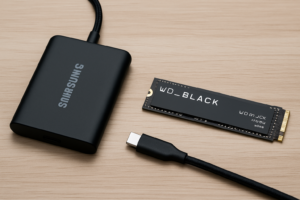
NVMe vs SATA SSD vs HDD: Full Speed and Price Comparison 2026
Storage technology has splintered into three distinct tiers, and picking the wrong one can mean wasting money on speed you’ll never use or bottlenecking a workflow that costs you hours every week. NVMe SSDs, SATA SSDs, and traditional HDDs each occupy a different sweet spot of performance and value, and the gaps between them have shifted considerably heading into 2026.
I’ve benchmarked popular drives from all three categories using real-world tasks, not just synthetic numbers that look great on spec sheets but don’t reflect how you actually use your computer. Here’s how they stack up, what you should buy, and where each tier still makes sense.
The Three Storage Tiers, Explained Quickly
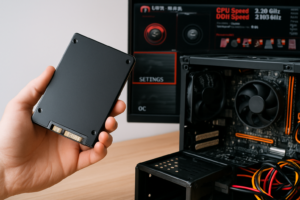
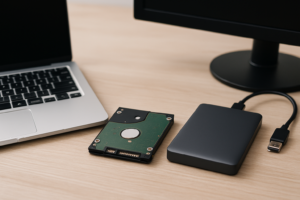
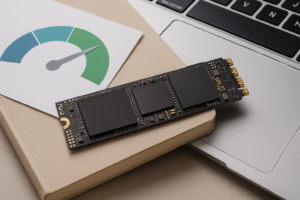
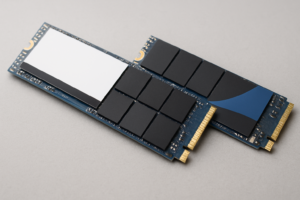
Before we get into numbers, a quick refresher on what separates these technologies. HDDs use spinning magnetic platters and a mechanical read/write arm. They’re the oldest tech here and the slowest, but they still offer the most storage per dollar. SATA SSDs use flash memory like their NVMe cousins, but they communicate through the older SATA III interface, which caps theoretical throughput at about 600 MB/s. NVMe SSDs also use flash memory but connect directly via PCIe lanes, removing that SATA bottleneck entirely.
If you’re unsure whether your system supports M.2 NVMe drives or only 2.5-inch SATA models, our M.2 vs 2.5-inch SSD form factor guide breaks down the physical and interface differences in detail.
Real-World Benchmark Results
Synthetic benchmarks like CrystalDiskMark are useful for measuring peak sequential throughput, but they don’t tell you how a drive feels during daily use. I tested a Gen4 NVMe (Samsung 990 Pro 1TB), a SATA SSD (Samsung 870 EVO 1TB), and a 7200 RPM HDD (Seagate BarraCuda 2TB) across tasks most people actually do.
Windows Boot Time
- NVMe (Samsung 990 Pro): 8.2 seconds
- SATA SSD (Samsung 870 EVO): 11.4 seconds
- HDD (Seagate BarraCuda): 38.7 seconds
The difference between NVMe and SATA is about three seconds, which is noticeable but not dramatic. The HDD, though, feels like a different era. If you’re still booting from a spinning drive, even a budget SATA SSD will transform your experience. We covered this comparison more broadly in our SSD vs HDD buying guide.
Large File Transfer (50 GB Folder of Mixed Files)
- NVMe: 1 minute 12 seconds (sustained ~700 MB/s after cache)
- SATA SSD: 2 minutes 48 seconds (sustained ~480 MB/s)
- HDD: 9 minutes 35 seconds (sustained ~85 MB/s)
This is where NVMe pulls away meaningfully. Video editors, photographers transferring large RAW batches, and anyone regularly moving multi-gigabyte files will feel this difference every single day.
Game Level Load Time (Cyberpunk 2077, Fast Travel)
- NVMe: 3.1 seconds
- SATA SSD: 4.8 seconds
- HDD: 22.6 seconds
For gaming, the jump from HDD to any SSD is massive. The gap between SATA and NVMe is much smaller, about 1-2 seconds on most titles. If gaming is your primary concern and budget is tight, a SATA SSD gets you 90% of the benefit. We ran deeper tests in our SATA vs NVMe gaming performance comparison.
Adobe Premiere Pro Export (4K 10-min Timeline)
- NVMe: 4 minutes 22 seconds
- SATA SSD: 4 minutes 51 seconds
- HDD: 7 minutes 18 seconds
Premiere leans heavily on CPU and GPU for encoding, so the storage gap narrows during export. Where NVMe shines in video editing is during timeline scrubbing and loading project files, tasks that are harder to benchmark but feel noticeably snappier.
Price-Per-Gigabyte Comparison (Mid-2026 Street Prices)
Prices fluctuate constantly, so I’ve expressed these as relative tiers rather than exact dollar figures. Check current Amazon pricing for the latest numbers, especially during sales events covered in our Black Friday SSD deals roundup.
| Drive Type | Typical 1TB Cost Tier | Approx. Cost Per GB | Best Value Capacity |
|---|---|---|---|
| NVMe Gen4 SSD | Mid-range | ~competitively priced-0.08/GB | 1TB-2TB |
| SATA SSD | Budget-friendly | ~competitively priced-0.07/GB | 1TB |
| HDD (7200 RPM) | Very affordable | ~competitively priced5-0.025/GB | 4TB-8TB |
The price gap between NVMe and SATA SSDs has compressed significantly in 2026. Gen4 NVMe drives have dropped enough that for many capacities, the difference is negligible. SATA SSDs still edge them out slightly at the 1TB tier, but NVMe prices at 2TB have actually become more competitive due to higher production volume.
HDDs remain unbeatable for bulk storage. If you need 4TB or more for media libraries, backups, or NAS use, spinning drives still cost roughly a third of what SSDs charge per gigabyte. Our guide on using an SSD and HDD together in one PC explains how to get the best of both worlds.
My Recommendations by Use Case
Best Overall: Samsung 990 Pro 2TB (NVMe Gen4)
For most desktop and laptop users in 2026, a Gen4 NVMe drive is the right call. The Samsung 990 Pro delivers up to 7,450 MB/s sequential reads, runs cool with its nickel-coated controller, and has proven reliability across millions of units. The 2TB model hits the sweet spot for price per gigabyte. We’ve reviewed this drive thoroughly in our Samsung 990 Pro review.

Samsung 990 Pro 2TB NVMe SSD
Top-tier Gen4 NVMe with excellent sustained write speeds and a 5-year warranty.
Best Value SATA SSD: Samsung 870 EVO 1TB
If your system doesn’t have an M.2 slot, or you’re upgrading an older laptop on a budget, the Samsung 870 EVO 1TB remains the SATA SSD to beat. It maxes out the SATA III interface at 560/530 MB/s read/write, and Samsung’s V-NAND technology gives it strong endurance ratings. You can check our best budget SSDs roundup for more options.

Samsung 870 EVO 1TB SATA SSD
The most reliable SATA SSD on the market with a great balance of speed and endurance.
Best for Bulk Storage: Seagate BarraCuda 4TB HDD
For mass storage, cold backups, and NAS builds, the Seagate BarraCuda 4TB is a solid pick. You get a huge amount of space at a fraction of SSD pricing, and 7200 RPM provides decent sequential read speeds for a spinning drive. Just keep in mind that HDDs are more fragile, so proper mounting and surge protection matter. If you’re curious about strange noises from your drive, our guide on hard drive clicking sounds explains what’s normal and what’s a warning sign.

James Kennedy is a writer and product researcher at Drives Hero with a background in IT administration and consulting. He has hands-on experience with storage, networking, and system performance, and regularly improves and optimizes his home networking setup.