WD Black SN850X vs Crucial T500: Mid-Range NVMe Showdown
The WD Black SN850X and the Crucial T500 both sit in that sweet spot where you get flagship-level Gen 4 performance without paying Gen 5 prices. They’re two of the most popular NVMe drives on the market right now, and choosing between them can feel like splitting hairs. But there are meaningful differences, especially when it comes to thermals, sustained writes, and real-world gaming performance.
I’ve spent a lot of time testing both drives across gaming, video editing, and general productivity workloads. Here’s where each one shines and where each one falls short.
Raw Performance: Sequential and Random Speeds
On paper, these two drives look nearly identical. The SN850X is rated for up to 7,300 MB/s sequential reads and 6,600 MB/s writes. The T500 claims 7,400 MB/s reads and 7,000 MB/s writes. In practice, the T500 edges ahead in sustained sequential writes by a small but consistent margin, typically around 3-5%.
Random 4K performance, which matters far more for everyday responsiveness and game loading, is where the SN850X claws back. WD’s controller tuning gives it a slight advantage in random read IOPS, especially at lower queue depths (QD1 and QD4) where most consumer workloads actually live. If you’re curious about how NVMe drives compare to SATA options in gaming scenarios, our SATA vs NVMe real-world gaming test breaks down exactly where the speed gains matter.
For most users, the performance difference between these two is negligible. You won’t feel it in game load times or boot speeds. But if you regularly move massive files, like 4K video projects or large datasets, the T500’s write speed advantage starts to add up.

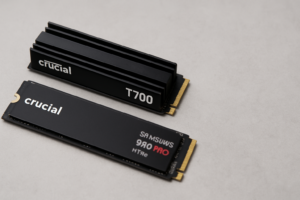
WD Black SN850X 2TB NVMe SSD
Best-in-class random read performance makes it the top pick for gaming and general responsiveness.
Thermal Performance: The Deciding Factor
This is where the comparison gets interesting. The SN850X runs hot. Under sustained workloads without a heatsink, it regularly hits 75-80°C and can start throttling after extended writes. WD sells a heatsink version, and if you’re putting this in a PS5 or a cramped ITX build, you’ll want one.
The Crucial T500 runs noticeably cooler. Micron’s 232-layer NAND and efficient controller design keep temperatures about 8-12°C lower than the SN850X under identical conditions. The T500 also comes in a heatsink variant, but it doesn’t need one as desperately. In a well-ventilated PC case, the T500 can sustain peak performance without thermal throttling for far longer.
For creative professionals working with large Premiere Pro exports or After Effects renders, the T500’s thermal behavior means more consistent performance during those long, punishing write sessions. Thermal throttling can also contribute to long-term drive slowdowns, a topic we covered in depth in our guide on why SSDs slow down over time and how to fix it.

Crucial T500 2TB NVMe SSD
Runs significantly cooler than the SN850X, making it the better choice for sustained creative workloads without a heatsink.
Value and Who Should Buy Which
Both drives are available in 500GB, 1TB, 2TB, and 4TB capacities. Pricing fluctuates frequently, so check current pricing on Amazon to see which one is offering a better deal when you’re ready to buy. We’ve also seen both drives featured prominently in our roundup of Black Friday SSD deals worth watching.
If you’re choosing a capacity, our 1TB vs 2TB SSD comparison can help you figure out the right size for your needs.
Pick the WD Black SN850X if:
- Gaming is your primary use case and you want the best random read speeds
- You have a motherboard heatsink or PS5 heatsink solution already
- You value WD’s Dashboard software for drive management and monitoring
Pick the Crucial T500 if:
- You do video editing, 3D rendering, or other sustained write-heavy work
- Your build doesn’t have great airflow or a dedicated M.2 heatsink
- You want the best sustained sequential write performance in the Gen 4 tier
If I had to pick one for a general-purpose build, I’d lean toward the SN850X for gaming rigs and the T500 for creative workstations. Both are excellent, and neither will leave you disappointed. The SN850X has also been compared against Samsung’s flagship in our Samsung 990 PRO vs SN850X showdown, if you want to see how it stacks up against another top contender.
Frequently Asked Questions
Is the WD Black SN850X compatible with PS5?
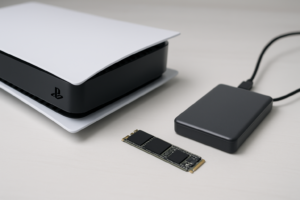
Yes, the SN850X works perfectly in the PS5’s M.2 expansion slot. It meets Sony’s speed requirements, and both the standard and heatsink versions are compatible. If you go with the non-heatsink model, you’ll need to add your own since the PS5’s expansion bay can get quite warm. Our NVMe installation guide walks through the physical installation process step by step.
Does the Crucial T500 need a heatsink?
For most desktop use, the T500 performs well without a heatsink thanks to its efficient thermal design. If you’re running sustained heavy workloads like prolonged video exports or benchmarks, a heatsink will help it maintain peak speeds longer. For casual gaming and everyday use, the bare drive is perfectly fine.
This article contains affiliate links. We may earn a small commission at no extra cost to you.

James Kennedy is a writer and product researcher at Drives Hero with a background in IT administration and consulting. He has hands-on experience with storage, networking, and system performance, and regularly improves and optimizes his home networking setup.