Best Memory Cards for GoPro, DJI Drones, and Action Cameras
Nothing ruins a day of shooting faster than a corrupted memory card. You’re halfway through a mountain bike descent, your GoPro HERO13 is rolling in 5.3K, and suddenly the recording cuts out. Or worse, your DJI Air 3 loses footage mid-flight because the card couldn’t keep up with the bitrate. I’ve seen both happen, and neither is fun.
The fix is simple: use the right microSD card. Not just any card with a big number on it, but one rated for the sustained write speeds and operating temperatures these cameras demand. Here’s exactly what to buy.
What Speed Ratings Actually Matter
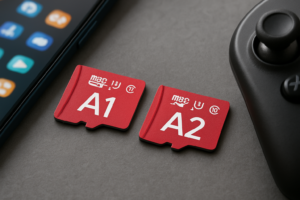
MicroSD cards have a confusing pile of speed ratings on them: U1, U3, V30, V60, A1, A2. For action cameras and drones, you only need to care about two things: UHS Speed Class 3 (U3) and Video Speed Class 30 (V30) at minimum. These guarantee a sustained write speed of at least 30 MB/s, which is the floor for 4K recording.
If you’re shooting 5.3K on a GoPro HERO13 Black or recording 4K/120fps, look for V60 or higher. GoPro’s own recommended list specifies V30 as the minimum, but V60 cards give you headroom and prevent dropped frames during high-bitrate modes.
Ignore the big “up to 200 MB/s” read speed numbers on the packaging. Those are sequential read speeds for transferring files to your computer. They tell you almost nothing about recording performance. Sustained write speed is what keeps your footage intact.
Top Picks by Camera
Best All-Around: Samsung PRO Plus microSD (V30, U3)
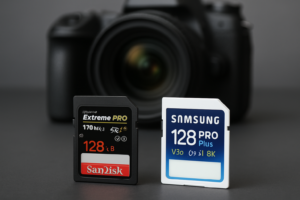
The Samsung PRO Plus is what I’d recommend to most people. It’s on GoPro’s official recommended list, handles 5.3K recording without issues on the HERO13 and HERO12, and works flawlessly in DJI Mini 4 Pro and Air 3 drones. Samsung rates it for operating temperatures from -25°C to 85°C, which covers everything from skiing in Colorado to desert drone flights. Available in 128GB, 256GB, and 512GB capacities.

Samsung PRO Plus 256GB microSD V30
GoPro-recommended card with excellent heat tolerance and reliable sustained writes for 5.3K recording
For transferring large video files off these cards, a good portable SSD makes a huge difference when you’re traveling. We’ve tested several options in our guide to the best portable SSDs for travel in 2026.
Best for High Bitrate Modes: SanDisk Extreme PRO microSD (V30, A2)
The SanDisk Extreme PRO is another excellent option, especially for DJI drones. DJI specifically lists it as compatible with the Mavic 3 series, Mini 4 Pro, and Osmo Action 5 Pro. Write speeds hit around 90 MB/s sustained in real-world testing, well above the V30 minimum. It also handles the heat inside a drone body on a hot day without throttling.
Best for Maximum Capacity: Kingston Canvas React Plus (V60)
If you’re shooting long sessions, multi-day trips, or recording in high-bitrate codecs, the Kingston Canvas React Plus V60 gives you genuine V60 performance. That means 60 MB/s sustained writes, guaranteed. It’s overkill for standard 4K, but it provides a real buffer for 5.3K and high-framerate modes where cheaper cards sometimes choke.

SanDisk Extreme PRO 256GB microSD A2 V30
DJI-recommended card with fast sustained writes and proven reliability across Mavic and Mini drone series
Heat Tolerance: Why It Matters More Than You Think
Action cameras and drones run hot. A GoPro HERO13 in a waterproof housing on a sunny day can push internal temperatures past 60°C. DJI drones are similar, with the card sitting near heat-generating processors. Cards not designed for these conditions will slow down, produce write errors, or corrupt files.
Stick with cards rated for at least 85°C operating temperature. Both the Samsung PRO Plus and SanDisk Extreme PRO meet this threshold. Avoid generic or budget-tier cards that only rate to 65°C or don’t publish temperature specs at all. This is one area where cutting corners on storage really can cost you your data.
One more thing: always format your card in the camera, not on your computer. GoPro and DJI cameras format to the exact file system and cluster size they need. Formatting on a PC can create subtle compatibility issues that show up as random recording stops.
FAQ
Can I use a 1TB microSD card in my GoPro or DJI drone?
GoPro HERO12 and HERO13 officially support up to 1TB microSD cards. Most current DJI drones support up to 512GB, though the Mavic 3 Pro supports 1TB. Always check your specific model’s specs before buying, and make sure the card still meets V30 minimum speed requirements. A large, slow card is worse than a smaller, fast one.
How often should I replace my microSD card?
MicroSD cards in action cameras take a beating with constant write cycles and temperature swings. Plan to replace cards every 2 to 3 years with heavy use, or sooner if you notice recording errors, corrupted files, or the camera taking longer to start recording. Similar to how SSDs degrade over time with heavy writes, flash memory in microSD cards has a finite lifespan. If you’re selling or giving away an old card, make sure to wipe it securely first.
This article contains affiliate links. We may earn a small commission at no extra cost to you.

James Kennedy is a writer and product researcher at Drives Hero with a background in IT administration and consulting. He has hands-on experience with storage, networking, and system performance, and regularly improves and optimizes his home networking setup.