Kingston NV3 2230 vs 2280: Avoid Buying the Wrong Size
This article contains paid Amazon affiliate links. As an Amazon Associate I earn from qualifying purchases.
Kingston sells the NV3 in both M.2 2230 and M.2 2280 formats. That makes the family useful across different devices, but it also creates an easy ordering mistake. The two sizes are not interchangeable merely because both use the NV3 name and an NVMe connection.
Match the mounting position
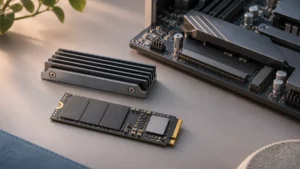
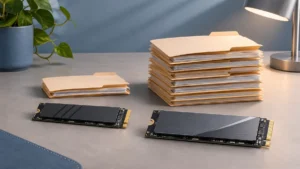
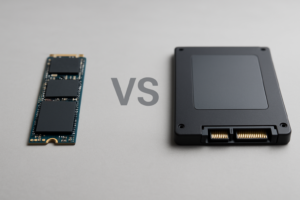
The 2230 module is 22mm wide and 30mm long; 2280 extends to 80mm. A device designed around the shorter card may have no space for the longer one. A desktop socket may support several mounting positions, but that must be confirmed in its documentation.
Read our M.2 size guide before interpreting a marketplace listing. Check the actual specification field as well as the title, since search results and photographs may combine several variants.
Capacity choices differ
Kingston lists 500GB, 1TB and 2TB for the NV3 2230, while the 2280 range also includes 4TB. Do not assume that a 4TB NV3 listing is a short handheld-compatible module. Both formats use PCIe 4.0 x4, but physical compatibility remains a separate requirement.
Also verify the capacity-specific ratings. A family’s highest advertised number does not necessarily apply to its smallest drive. Kingston’s current tables are a better reference than a retailer’s compressed bullet list.
Check more than length
A compatible upgrade also needs the right protocol, available component-side clearance and a supported thermal arrangement. The presence of an M.2 connector does not establish every one of those points. Consult the exact device’s service manual rather than a similar model’s teardown.
A short-to-long mounting adapter can sometimes solve retention in a host designed to accommodate it. It does not make an 80mm drive fit into a 30mm space, change SATA into NVMe or establish manufacturer support.
Plan the migration before buying
Determine whether you will clone the current drive or reinstall the operating system. Keep a separate backup and the necessary recovery information. If cloning needs an external enclosure, confirm that the enclosure can retain the short module securely.
Our enclosure versus portable SSD guide explains the broader accessory choice. An enclosure purchased for a 2280 module may need a different mounting position or accessory for 2230, so include that detail in your shopping list.
Buying recommendation
For a device that specifically requires a 2230 NVMe drive, select that exact NV3 variant and a supported capacity. For a conventional desktop or laptop with a suitable 2280 slot, the longer version may be the straightforward choice. Begin with fit and serviceability, then compare capacity, current price and warranty eligibility. A discounted drive that cannot mount correctly has no practical value as an upgrade.
Compare options on Amazon
- Find Kingston NV3 1TB M.2 2230 SSD on Amazon (paid link)
- Find Kingston NV3 1TB M.2 2280 SSD on Amazon (paid link)
These links open matching Amazon listings. Confirm the exact model, capacity, seller, condition and current price before ordering.
Sources
You might also like
- M.2 2230 Vs 2242 Vs 2280 SSD Sizes Explained
- NVMe Enclosure vs Portable SSD: Which Is the Better Deal?
Research checked November 12, 2026. This is a specification-based buying guide; DrivesHero has not performed a new hands-on test of these products for this article. Featured image: AI-generated conceptual illustration, not a photograph of the specific products.

James Kennedy is a writer and product researcher at Drives Hero with a background in IT administration and consulting. He has hands-on experience with storage, networking, and system performance, and regularly improves and optimizes his home networking setup.