SanDisk Optimus GX PRO 850X vs Lexar PLAY 2280 for a Console Library
This article contains paid Amazon affiliate links. As an Amazon Associate I earn from qualifying purchases.
The SanDisk Optimus GX PRO 850X and Lexar PLAY 2280 are worth comparing for a large PS5 game library. Both belong to the Gen 4 M.2 category, where a compatible installation and enough capacity are more useful buying criteria than paying for an interface generation the console cannot exploit.
Compare complete console-ready configurations
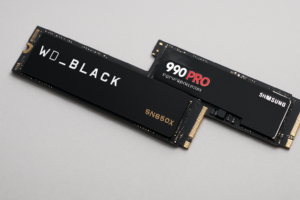
Choose the 850X heatsink variant when making a direct comparison with the heatsink-equipped PLAY 2280. SanDisk identifies the Optimus GX PRO 850X as the replacement family for WD_BLACK SN850X, but the exact new SKU remains the right specification reference.
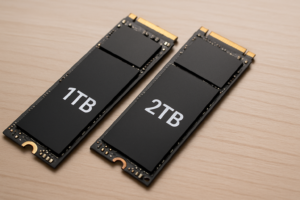
Lexar lists PLAY 2280 in 2TB, 4TB and 8TB capacities with a heatsink. Use Sony’s current M.2 requirements to check the complete package. Our M.2 size guide helps explain why dimensions include more than the printed capacity.
Choose the library size before the brand
For a collection that comfortably fits on 2TB, a 4TB or 8TB purchase needs a reason beyond avoiding deletion forever. Conversely, a family sharing one console may benefit from keeping several people’s preferred games installed together.
Add actual installed sizes rather than multiplying the number of games by one assumed average. Updates, add-ons and future purchases need room too. Our capacity planning guide offers a practical framework for that calculation.
Do not pay for a small advertised speed gap alone
SanDisk’s 850X family and Lexar’s PLAY 2280 both advertise sequential speeds in the high-performance Gen 4 class. Those vendor figures do not establish the loading difference for your games. A console-specific comparison would need the same titles, settings and test conditions.
The more useful question is whether the drive meets the platform’s requirements and provides the space you want at a competitive complete price. A headline speed should not displace capacity, cooling compatibility or seller quality.
Evaluate the actual offer
Keep capacity and condition equal when comparing Amazon listings. A bare drive or an older similarly named product may appear beside a current heatsink package. Check the model code, included hardware and warranty eligibility for your region before paying.
If one brand is heavily discounted, compare the total basket rather than insisting on a predetermined winner. There is little benefit in spending materially more for a familiar logo when the alternative meets the same relevant requirements.
Buying recommendation
Choose the console-compatible heatsink configuration that provides your required capacity at the better supported price. PLAY 2280 makes a straightforward capacity-led shortlist; the Optimus 850X is an alternative for buyers comparing SanDisk’s current naming and configuration. Follow Sony’s installation procedure and keep save-data protection separate from the expansion purchase.
Compare options on Amazon
- Find SanDisk Optimus GX PRO 850X 2TB with heatsink on Amazon (paid link)
- Find Lexar PLAY 2280 2TB with heatsink on Amazon (paid link)
These links open matching Amazon listings. Confirm the exact model, capacity, seller, condition and current price before ordering.
Sources
- SanDisk Optimus GX PRO 850X specifications
- Lexar PLAY 2280 specifications
- PlayStation 5 M.2 SSD requirements
- SanDisk former WD model replacement guide
You might also like
Research checked November 12, 2026. This is a specification-based buying guide; DrivesHero has not performed a new hands-on test of these products for this article. Featured image: AI-generated conceptual illustration, not a photograph of the specific products.

James Kennedy is a writer and product researcher at Drives Hero with a background in IT administration and consulting. He has hands-on experience with storage, networking, and system performance, and regularly improves and optimizes his home networking setup.